When a Jupiter Spend problem needs a real answer, start with the official app or the Jupiter Support Hub, then give support the evidence that matches the route. A card issue, a missing crypto deposit, a delayed bank transfer, and a sign-in problem do not use the same reference or recovery path.
Jup Global Community is an independent learning site published by StonkBuilder.
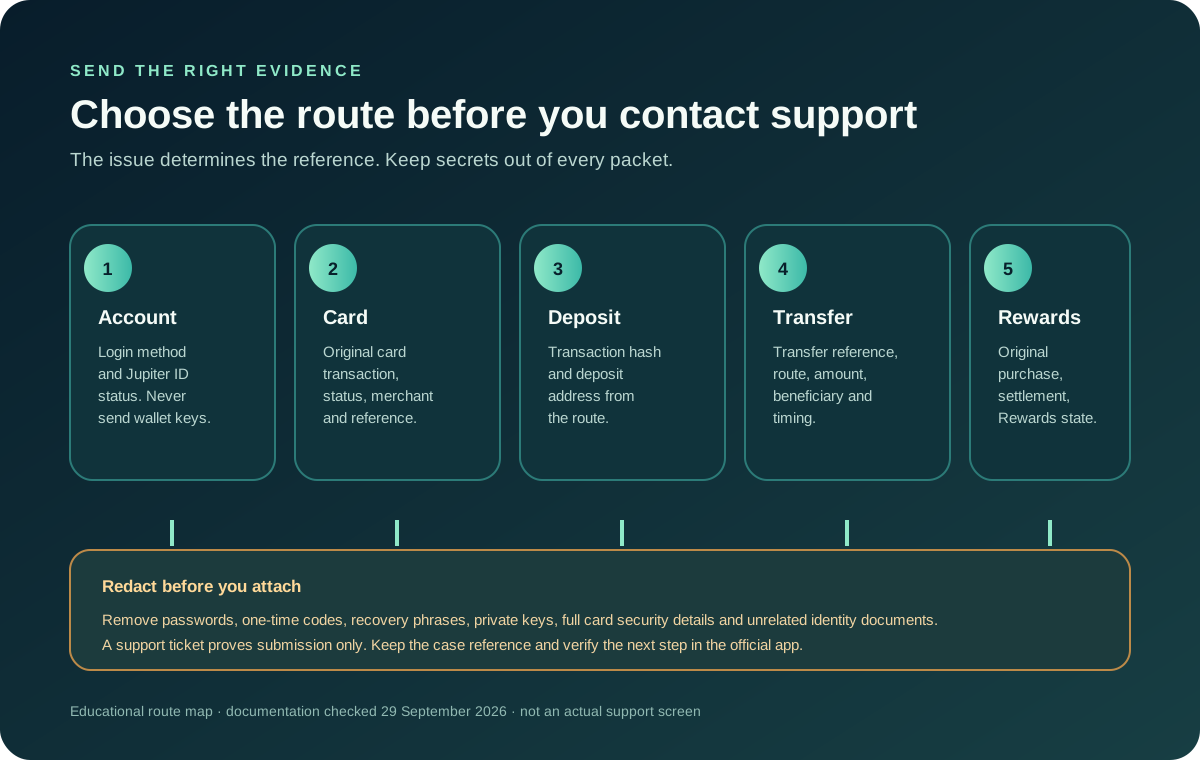
Choose the route before writing the message
For a Global ID sign-in problem, recover the email, Google or Apple account used to sign in; Global ID has no password-reset flow. If you have also lost the registered email or phone, the current FAQ says to contact support. Do not create a second account to work around a recovery issue. The Jupiter ID recovery guide explains the boundary between account access and wallet recovery.
For a missing, stolen, or suspicious card, freeze it from the Cards screen first. Then use the issuer and support route shown for your account. Freezing limits further card activity; it does not dispute an earlier charge or guarantee a replacement. Use the lost-card response guide for the order of actions.
For a crypto deposit, keep the transaction hash and deposit address. For a bank transfer, keep the transfer reference and the route details. Jupiter’s FAQ specifically points users to a transaction hash or transfer reference for these cases. A card issue instead needs the original card transaction details. Support evidence for bank transfers
For a rewards question, keep the original card transaction, its settlement state, the Rewards entry, and the current cap or eligibility shown in the app. A pending merchant receipt is not enough to prove that a card transaction has settled. Transaction export and record guide
Build a compact evidence packet
Record the exact error or status, the date and time with a time zone if known, the amount and currency, and the reference displayed by the official app. State what you expected and what actually happened in one sentence. This gives support a traceable starting point without making them reconstruct an entire story.
Attach only what the verified support channel requests. Redact unrelated balances, full card numbers, identity documents, passwords, one-time codes, recovery phrases, private keys, and any data belonging to another person. A screenshot should show the relevant status and reference while hiding credentials and unnecessary personal information. Current account-access and support guidance
Do not paste the packet into a public post to ask strangers to “escalate” it. The support hub offers a ticket route, but a community answer cannot inspect your account, freeze a card, reverse a payment, or confirm that a case is open. Partner and security boundaries
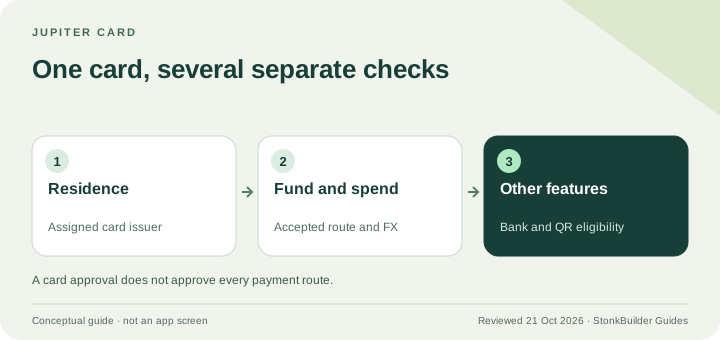
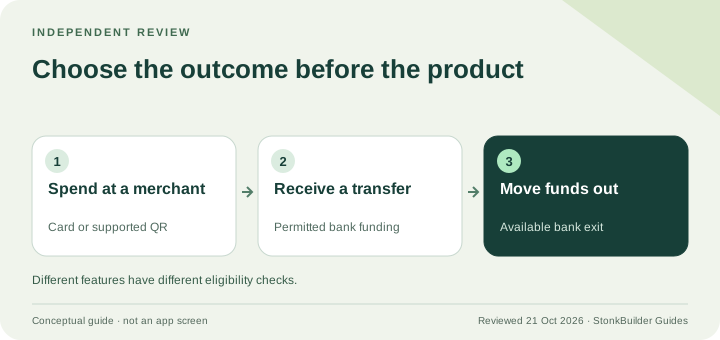
If you are researching Jupiter Spend rather than fixing an existing case, use the residence and feature checker and Route Finder first. They can help you name the Card, QR Pay, bank-transfer or funding route; they cannot open a support case, inspect your account, or confirm approval.
Match the evidence to the state
“Pending,” “failed,” “reversed,” “refunded,” and “completed but not credited” describe different states. Do not send a second payment because a first one is still processing. Keep the original reference and use the guide for that route: card refunds and authorisations, failed bank transfers, or recipient not credited.
If the receiving balance is wrong after an onchain transaction is confirmed, include the transaction hash and deposit address rather than a bank receipt. If a beneficiary has not received a bank payout, include the transfer reference and ask the receiving bank to search by its own required fields. A “completed” label in one system is not proof that the other system has usable funds. Bank transfer route checks
Know what a support reply can and cannot prove
A ticket acknowledgement proves that a request was submitted, not that a refund, replacement, dispute, or account change has been approved. Keep the case reference and the exact next step support gives you. Recheck the official app rather than trusting a screenshot or a message forwarded by somebody else.
New to Jupiter Global? Sign up here. Eligible Jupiter Card purchases earn 2% cashback, up to $100 a month, and if a reward ever looks wrong, the rewards evidence listed above is what support will need.
Jupiter Spend support FAQ
What is the official Jupiter Spend support route?
Start in the official Jupiter app or the verified Jupiter Support Hub. Use the route that matches the problem and keep the case reference private.
What evidence should I prepare for support?
For a card issue, keep the original transaction details. For a crypto deposit, keep the transaction hash and deposit address. For a bank transfer, keep the transfer reference and route details. Redact passwords, one-time codes, recovery phrases, private keys, full card security details and unrelated identity documents.
Does a support acknowledgement prove that my issue is fixed?
No. It proves that a request was submitted. Confirm the actual refund, replacement, account change or transaction state in the official app and follow the next step in the case.
Can a community post recover my account or reverse a payment?
No. Community guidance can help classify the route, but only the verified account and support channels can inspect the case or apply account controls.
Sources
Checked against these sources on 21 October 2026.