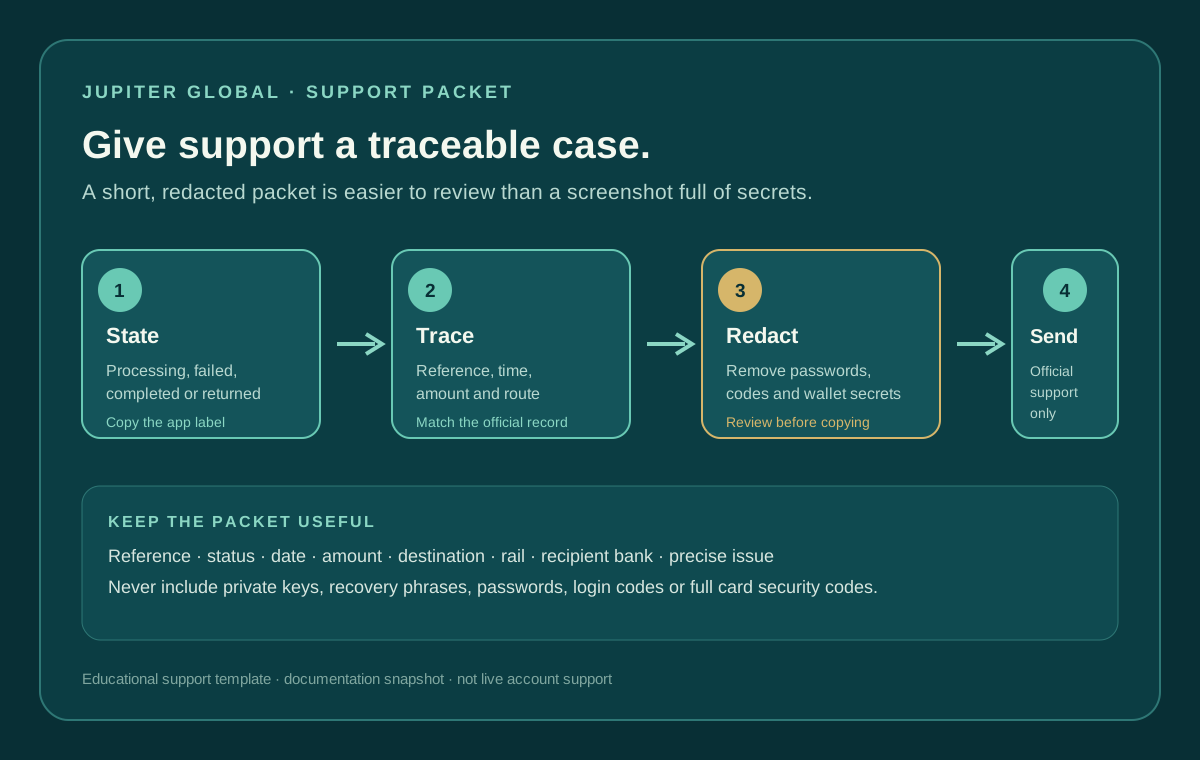
When a bank transfer needs support, the fastest useful message is usually a compact evidence packet, not a long story or a screenshot full of secrets. Give the team the status, reference, route, timing, amount and recipient-bank context they need to trace the payment. Keep passwords, one-time codes and wallet secrets out of it. The Jupiter Global guides directory keeps support, refund, recipient-credit, corridor, and beneficiary routes together as the case becomes clearer.
Use the checklist below to put together a support message you can copy. Review and edit every detail before sending it through the official support route.
Start with the exact status
Open the official Jupiter app and record the label shown for the transfer. “Processing,” “failed,” “completed,” and “returned” lead to different investigations. If you cannot tell which state applies, say that plainly rather than guessing. A recipient saying “nothing arrived” does not prove that the sender-side transfer failed.
The current Spend FAQ says most bank transfers arrive within 1–3 business days, depending on the destination country and receiving bank. It also says that incorrect recipient details, bank compliance holds and receiving-side network issues can cause a transfer to fail or be delayed. Read the current bank-transfer FAQ
If the transfer is still processing inside that typical window, keep one transfer reference and continue monitoring it. Do not create a replacement just because the recipient cannot see the money yet. A second transfer can become a second obligation if the first one later posts.
The six fields that make a ticket traceable
1. Transfer reference
Copy the reference exactly as the app shows it. Do not replace it with a bank statement description or your own nickname. If the issue is a crypto deposit into Spend, the FAQ asks for the transaction hash and deposit address instead; use the evidence type that matches the route.
2. Status and submission time
Include the exact status and the date and time you submitted the transfer. Add the time zone if you know it. “Yesterday” is hard to investigate when a support queue crosses countries and business days.
3. Amount and currency
State the amount and currency shown in the app. If the transfer involved a conversion, distinguish the source amount from the payout currency. Do not guess an exchange rate or silently combine a fee with the amount.
4. Destination and rail
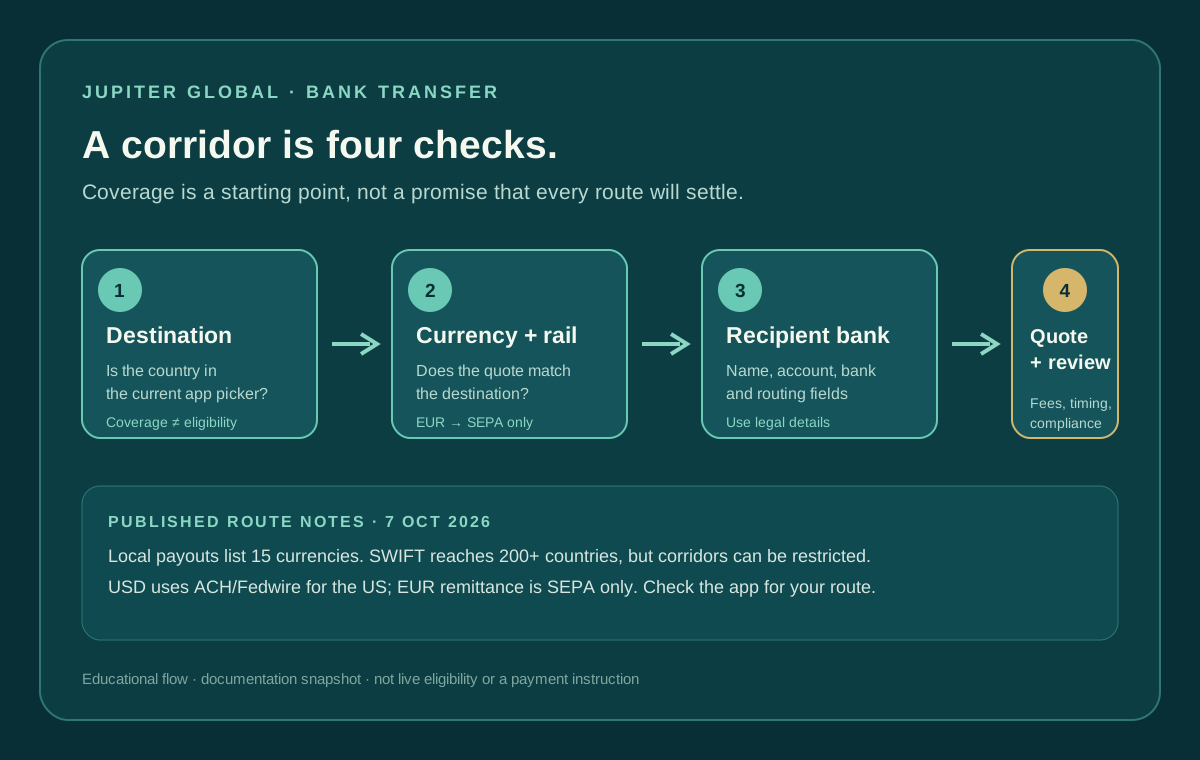
Name the destination country and the rail shown by the quote, such as a local payout, SEPA, ACH, Fedwire or SWIFT. The remittance documentation says corridor availability can depend on the recipient bank and local regulations even when SWIFT covers more than 200 countries. Check the current remittance limitations
5. Recipient-bank context
Give the bank name and the non-secret routing context requested by the app. Depending on the country, that can include an account number, routing number, SWIFT/BIC or another local identifier. Redact most digits when a public forum or an intermediary is reviewing the message; use the official private support channel for the complete details.
6. The precise problem
Describe one observable problem: “failed, but no refund is visible,” “processing after four business days,” “completed, recipient bank cannot locate it,” or “returned with an unfamiliar reason.” Include any return notice or bank message, but quote only what is needed to identify the issue.
What to redact before you send
The support hub asks for enough detail to reduce back-and-forth and accepts optional attachments. That does not mean every document is safe to post anywhere. Use the official in-app support path or the Jupiter Support Hub, inspect the destination before uploading, and remove information that is not needed for the case.
Never include a private key, recovery phrase, password, login code, full card security code, or an unrestricted screenshot of your identity documents. A support agent should not need wallet access to trace a bank transfer. If an unofficial helper asks for those items, stop and use the original app or official support domain instead.
Match the packet to the state
For processing, report the elapsed business days and keep the original reference. The FAQ says to contact support with the transfer reference when the transfer is delayed beyond the estimated window.
For failed, check the Spend balance and refund history first. The FAQ says failed transfers are automatically refunded to the balance. Tell support whether the refund is visible, missing or unclear, and do not submit a duplicate to force a result.
For completed but uncredited, ask the recipient bank to search by amount, date, sender, currency and reference. Then provide the same evidence to official support. A completed label is not proof that the beneficiary account has usable funds.
For returned or rejected, attach the return notice if the official channel requests it. State whether the Spend balance was restored and whether the notice mentions beneficiary details, corridor restrictions or compliance review. A new quote may be required after the route is corrected.
Review the message, then choose your next step
Use the checklist above, compare its fields with the official app, redact what the channel does not need, and submit the message through the official support route. Keep the reference and final message for your own records.
After the status is reconciled, review the failed-transfer guide or the recipient-not-credited checklist. Recheck the destination, currency, rail and beneficiary details with the Route Finder before deciding whether a new transfer is appropriate.
Not using Jupiter Global yet? Create an account here; eligible card spending earns 2% cashback, capped at $100 a month.
Jupiter Global Bank Transfer Support Packet FAQ
What should a Jupiter Global bank-transfer support packet contain?
Include the exact transfer reference, status, submission time and time zone, amount, currency, destination country, rail, recipient-bank context and one precise problem statement. Match the evidence to the route so a crypto deposit uses its transaction hash and deposit address instead.
Should I attach my full bank statement or identity document?
Only provide information the official support channel requests. Redact unnecessary account digits and never include a recovery phrase, private key, password, login code or full card security code. An unofficial helper should not receive the packet.
What should I report when a transfer is still processing?
State the elapsed business days, keep the original reference and say that the transfer remains processing. The checked FAQ says to contact support with the reference when a transfer is delayed beyond the estimated window; do not create a replacement transfer while the first is unresolved.
What evidence is useful for a failed transfer?
Check the Spend balance and refund history first. The checked FAQ says failed transfers are automatically refunded, so tell support whether the refund is visible, missing or unclear and include the original reference.
Where should I submit the packet?
Use the official in-app support route or the Jupiter Support Hub. Inspect the destination before uploading anything, keep a copy of the submitted message and do not share the packet in a public forum.
Sources
Checked against these sources on 29 September 2026.