
Your guide to
Jupiter Global.
Plain-English guides to the Jupiter Global card, fees, deposits and sending money abroad, plus free tools to check your country and compare costs.
Read in your language
We’ll suggest the edition for your country. You can pick any language below.
Sign up and earn 2% cashback on eligible Jupiter Card purchases, up to $100 a month. How cashback works.

What do you want to do?
Pick the one that fits and we’ll point you to the right guides.
I’m completely new to this.
Understand stablecoins, the right account, and the questions to ask before you fund it.
Start with the basicsI want to send money.
See how transfers work, what they cost, and how to check a quote before you send.
Plan my first transferI want to spend with it.
Learn how the card, QR payments and cashback work before your first purchase.
Explore everyday spendingYour first payment in five steps.
The order most people follow when they start.
- 01
Learn the basics
Know the difference between your wallet and your Spend balance.
- 02
Check your country
Make sure the card or transfer you want is available where you live.
- 03
Get verified
Have your ID ready for Jupiter’s identity check.
- 04
Add money
Deposit USDC or USDT on a supported network, or use a bank transfer.
- 05
Start small
Make a small first payment and confirm it went through.
Jupiter’s own version: official onboarding steps ↗
Start with these.
The guides most people read first.
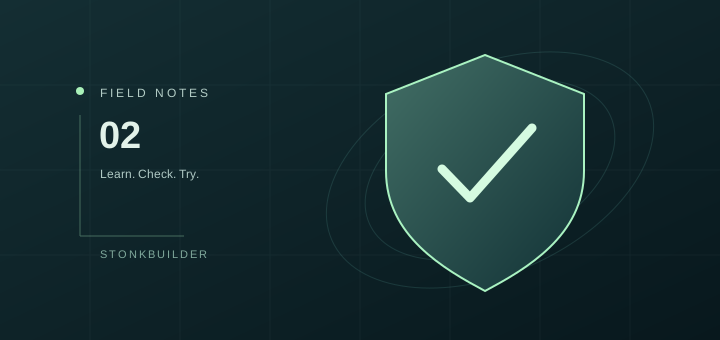
Jupiter Global beginner guide: from signup to a careful first payment
A step-by-step Jupiter Global onboarding guide: official app, Jupiter ID, verification, correct funding and a small first payment.
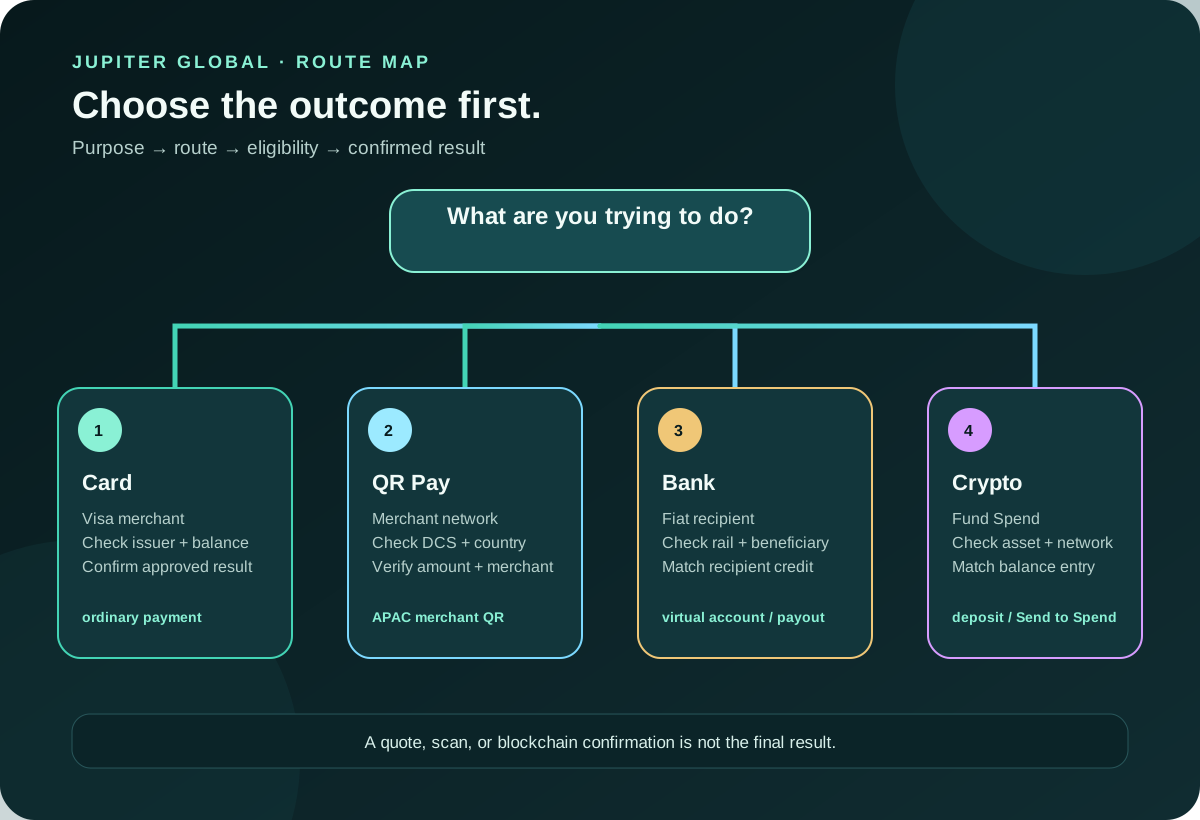
Jupiter Global payment route guide
Choose Jupiter Global Card, QR, bank or crypto route, then check currency, network and final cost.

Jupiter Global supported countries: card and payout checks
Check Jupiter Global residence, issuer, QR Pay, and bank-transfer boundaries before treating a country as eligible.
Is Jupiter Global right for you?
An honest review, what you need to sign up, and what it costs.
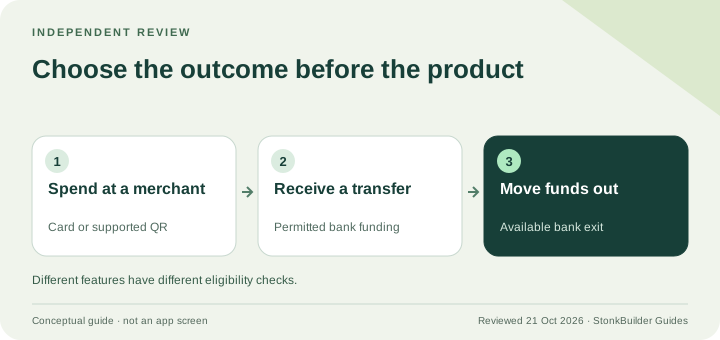
Jupiter Global review: card, QR Pay and bank-route fit
An independent, documentation-based review of who Jupiter Global suits, what it costs and which route restrictions to check first.
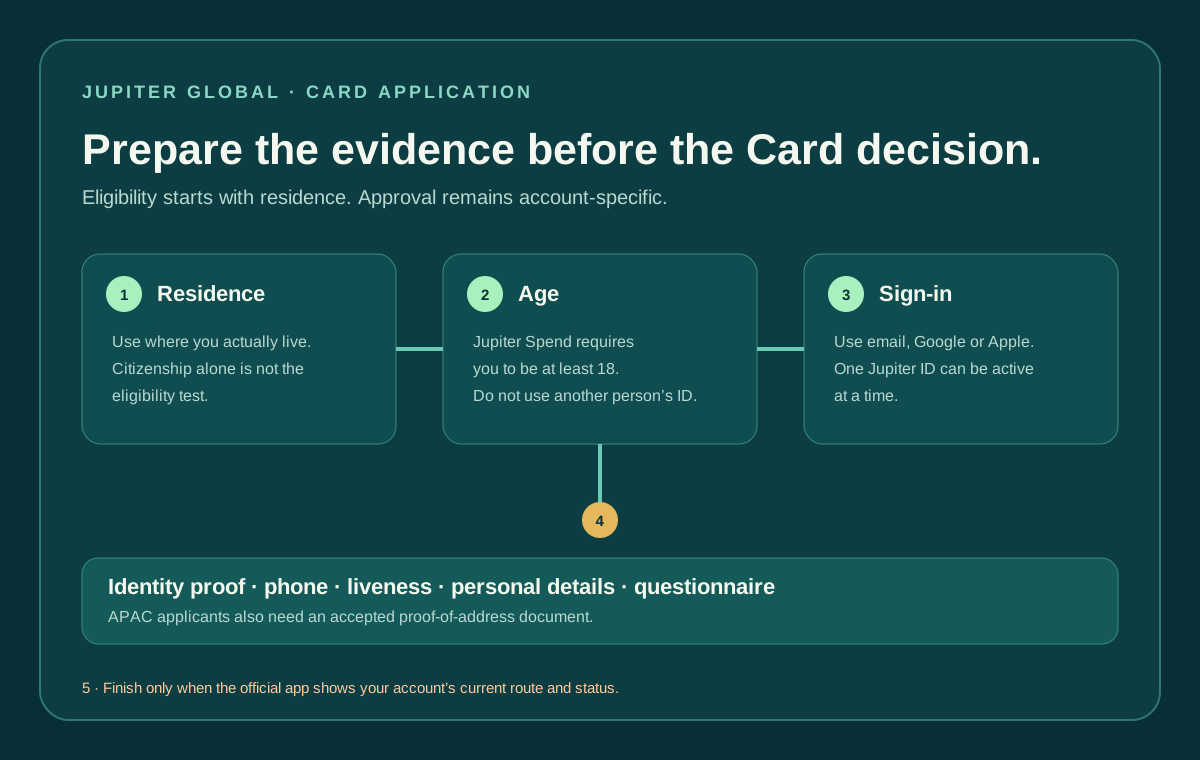
Jupiter Global card application: requirements and availability
Prepare a Jupiter Global Card application with the right residence, age, Jupiter ID, KYC, issuer and virtual or physical-card checks.
Jupiter Global fees: what to check before you pay or send
Separate card FX, crypto funding, bank pay-in and payout charges. Understand why a zero-fee headline is not an all-in quote.
“Zero fee” isn’t
the whole story.
A “no fee” transfer can still hide a worse exchange rate. Put your quotes side by side and see what the recipient actually gets.
- Enter quotes from any provider.
- Compare the same currencies and receiving method.
- See the effective rate and export your comparison.

Avoid the common mistakes.
Check the network before you send.
Depositing on the wrong network is the easiest way to lose money. Our network checker shows which combinations Jupiter accepts.
Linked to the source.
Every guide links to Jupiter’s own documentation and shows when it was last checked.
No account needed.
Save guides and track your checklist right in your browser.
Heads up: USDT can’t be withdrawn to a bank
Jupiter’s docs say USDT deposits can’t be cashed out to fiat. If you plan to withdraw to a bank account, check your funding options first. Read Jupiter’s note ↗
Common questions.
Is this the official Jupiter Global website?
No. This is an independent guide run by StonkBuilder. Jupiter’s official site is jupiter.global. We don’t manage accounts, handle funds or provide official support. Check source ↗
Can I send SOL to the Jupiter Spend deposit address?
No. SOL is the Solana network fee token; it is not listed as an accepted Spend deposit asset. Jupiter currently lists USDC and USDT funding options with specific networks. Select the exact current asset and network in the receiving screen before sending. Check source ↗
Should I ever tell support my recovery phrase or private key?
Never. Do not type them into this website, send them in a message, or share a one-time sign-in code. Follow the recovery steps for your exact account type and reach support from the official app or independently verified official website. Check source ↗
Can I deposit USDT and withdraw it to a bank?
No. Jupiter’s remittance documentation says USDT deposits can’t be withdrawn to fiat. You can still spend USDT with the card, but if you plan to cash out to a bank, check this restriction before you deposit. Check source ↗
Can this website check my account or approve my sign-up?
No. We can’t see your Jupiter account, approve a sign-up or confirm a deposit. The safety quiz on the Tools page is just for practice; Jupiter handles verification and approvals in the app. Check source ↗
Get started with Jupiter Global
Sign up in the app and earn 2% cashback on eligible Jupiter Card purchases, up to $100 a month. Jupiter handles the identity check and decides eligibility.