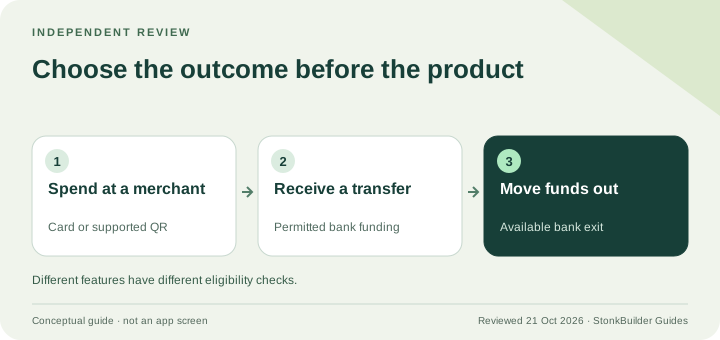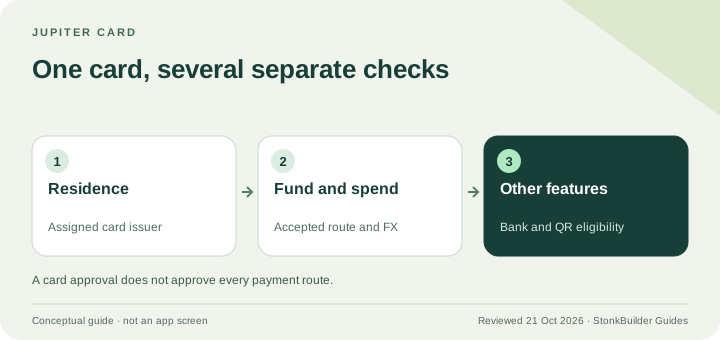
The Jupiter Global Card is a stablecoin-funded Visa card in Jupiter Spend. You spend within your available balance; Jupiter does not provide a credit line. Before applying or funding, check your genuine residence, assigned issuer, funding route and expected purchase currency. Bank withdrawals and QR payments have separate conditions. Current Card documentation
Use this page to decide whether the Card fits your everyday spending. If the main goal is sending money to someone’s bank, start with the USDC bank-exit guide instead.
The Card at a glance
| Question | Current documented position |
|---|---|
| Who issues it? | Rain or DCS, assigned by residence |
| Is there a credit line? | No; the available funded balance controls spending |
| What is the non-USD FX charge? | Rain 1%; DCS 1.8% |
| Is a physical card guaranteed immediately? | No; availability is being rolled out in phases |
| Does Card eligibility establish bank or QR access? | No; check each feature separately |
These are documentation-based checks. Approval, merchant acceptance and the features shown in an individual account remain account-specific. Fees and limitations
Check residence and issuer
Use the Card page’s current country and US-state lists for your real residence. A travel destination is not proof of eligibility to obtain the card.
Jupiter assigns DCS to the documented group of APAC residences and Rain to the other supported residences. You cannot choose a different issuer simply to obtain another fee or feature. Check the issuer displayed in the Card screen before making your cost estimate. Residence lists and issuer assignment
Set up Global ID before funding
Open the Spend tab and sign in through Global ID. Complete the identity-verification prompts in the official Verification Center. The current process includes identity, phone, liveness, personal-information and questionnaire checks, with proof of address also required in APAC. Manual review can take longer than the typical automated flow. Verification process
Do not upload identity documents to a community site or send them to an unofficial helper. Use official support for account-specific questions.
Match the funding instructions exactly
The app separates a Solana deposit, supported deposits from other networks through Universal Deposit, transfers from Jupiter Mobile and incoming bank funding. The accepted token list and the receiving address depend on the method. For Solana’s Spend deposit address, the documented direct assets are USDC and USDT. Funding instructions
Select the network and method in the receiving screen before sending. Use the displayed minimum and processing fee. A matching ticker on another network is not sufficient evidence that the destination accepts it.
Jupiter’s updated Card documentation says deposited USDC and USDT are not automatically converted into USD on arrival; the balance is displayed in USD. With Rain, the assets remain onchain as card collateral. Do not infer the underlying settlement model solely from the app’s display currency. Balance mechanics
Budget for the actual payment
Funding costs, non-USD issuer FX and merchant conversion are different charges. Jupiter lists no annual Card fee and no fee for USD Card payments in its current schedule, but that does not make every complete spending journey free. Current schedule
Read the foreign-transaction fee guide before travel. Add the card to a supported mobile wallet where available, check the available balance and keep a backup method. Merchant categories and issuer controls can still cause a decline.
Physical cards, refunds and withdrawals
Physical cards are rolling out in phases; use the option actually shown in your account. Card orders are non-refundable once placed. That is different from a merchant refund, which has its own settlement process and can take up to seven business days. Physical card and refund rules
For cash, the current schedule lists Rain ATM charges and says DCS ATM withdrawals are unavailable. For moving money out of Spend, the Send screen has its own issuer, asset and regional restrictions. A refund can also be spendable without being withdrawable. Cash and bank-exit conditions
Check QR separately
Spend-funded QR Pay requires an eligible DCS card and may depend on activation date. Wallet-funded QR Pay is a separate route that does not require a card, but has verification, asset, merchant and market checks. Neither route follows automatically from a working Visa payment. QR Pay modes
Before funding, run the Route Finder for the actual job: card purchase, QR payment, incoming bank transfer or bank exit. Read the independent review if you need to compare those uses together.
Jupiter Global Card FAQ
Is the Jupiter Card a loan or a credit line?
No. Jupiter describes card-network infrastructure but does not issue credit lines. You can spend only within the funded balance and applicable controls.
Can I pick Rain instead of DCS?
No. The issuer follows your verified residence under the current assignment rules.
Does the USD display mean my deposit was sold into dollars?
Not necessarily. The updated Card documentation distinguishes the USD display from the deposited stablecoins and describes Rain collateral remaining onchain.
Is a physical card available to every account today?
The documentation describes a phased rollout. Check the Card screen rather than treating a planned rollout date as approval for your account.
Will a Card approval let me withdraw to a bank?
Not by itself. The issuer, eligible balance, residence, payout currency and partner route must separately support the bank exit.
Sources
Checked against these sources on 21 October 2026.