Searching for a Jupiter Global card application is really a two-part question: can you complete Global ID verification (previously called Jupiter ID), and will the Card route shown in your account fit your residence and intended use? The current documentation says Spend is available in selected countries, requires users to be at least 18, and assigns the Card issuer from the applicant’s country of residence. A virtual Card is available through the app; physical cards are rolling out in phases. Jupiter Spend FAQ · Jupiter Card
Jup Global Community is an independent learning site published by StonkBuilder.
Before preparing documents, run the residence and feature checker for your real country and use the Route Finder to name the card task you actually need. The official app decides eligibility, verification and product access.
The short answer
Before you open the official app, prepare for six checks:
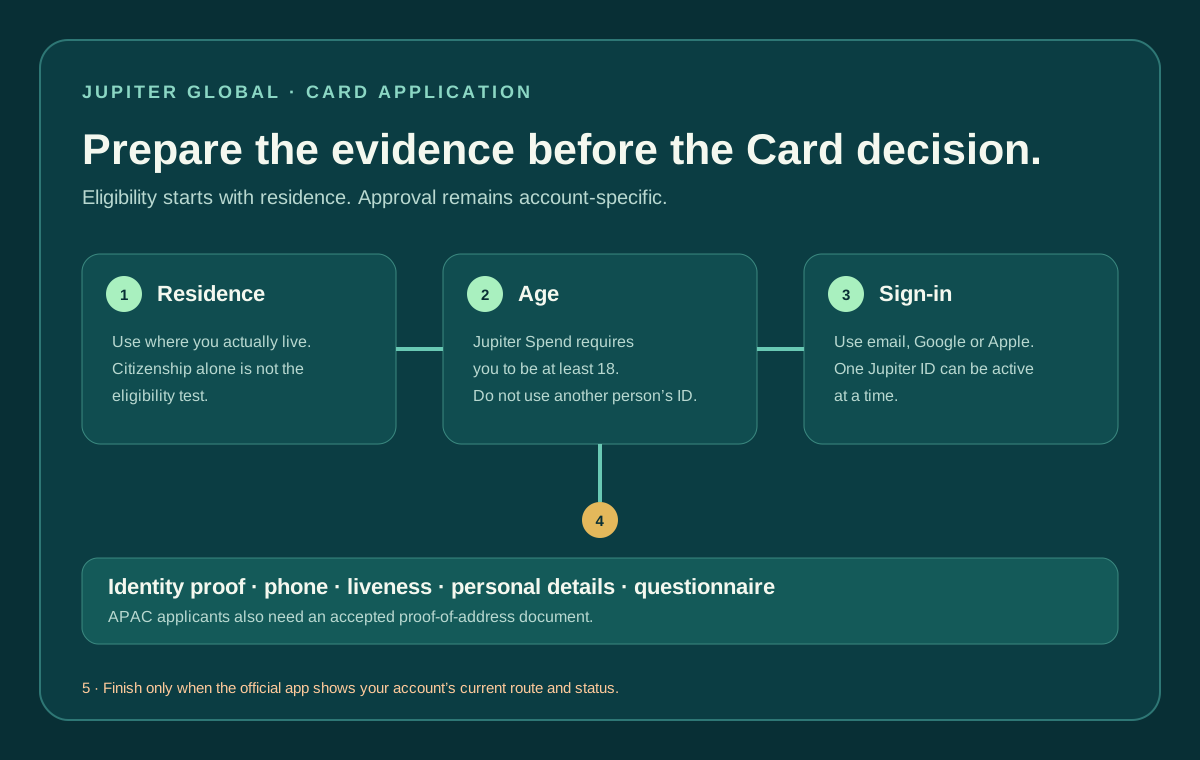
1. You actually reside in a currently supported country or region. 2. You are at least 18 years old. 3. You can use a supported email, Google or Apple sign-in. 4. You can complete identity verification with your own information. 5. You can satisfy any additional residence or proof-of-address request shown for your region. 6. You know whether you need the virtual Card now or a physical-card option that may still be unavailable to your account.
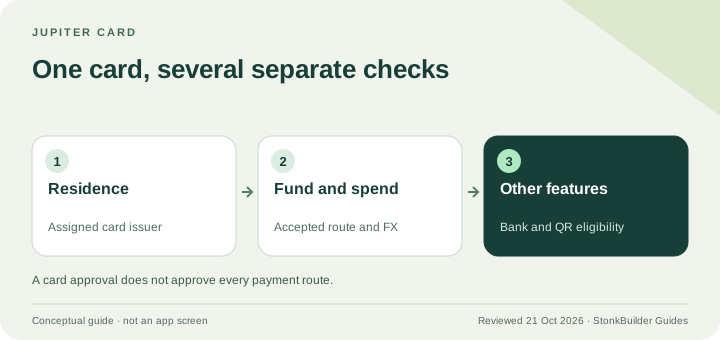
Passing the checklist does not guarantee approval, a physical card, QR Pay, a virtual account or a bank-transfer route. Those are account and product decisions made in the official flow.
How the Jupiter Global Card application works
The application path is completed in the official Jupiter app:
1. Open Jupiter from its official website or app-store route and open the Spend tab and sign in with Global ID. 2. Sign in with your own email, Google or Apple account, then complete the Verification Center steps. 3. Submit your identity document, phone verification, liveness check, personal information and questionnaire. APAC applicants may also be asked for proof of address. 4. After verification, open Spend → Card and read the issuer and Card state shown for your account. The issuer is assigned automatically from residence; it is not a preference you can select during application. 5. Use the virtual Card when its details and status are available. If the account shows an Add card or physical-order option, read the current price and shipping terms before confirming; the physical route is still phased.
The Card is a debit route backed by the USD Spend balance, not a credit line. You can only spend the balance available to the account. Card process and management · Current fees and physical-card terms
Residence matters more than citizenship
Jupiter’s Card documentation says eligibility is based on your country of residence, not simply your citizenship. A citizen of an unsupported country who genuinely resides in a supported country may be considered after identity verification; living somewhere temporarily does not automatically change the residence used for onboarding. Country and issuer rules
Use the address and residence information that can be supported by your own documents. Do not select a friend’s country, a travel destination or a country whose features you want. A country appearing on a general list still does not guarantee that every card, QR, physical-card or remittance feature is active for your account.
The issuer can also depend on residence. The Card page assigns Rain or DCS based on the country in the account, and the issuer affects fees, limits and feature availability. Treat the country selection as a compliance statement, not as a product preference.
The current Card documentation lists DCS for residents of Australia, Japan, Malaysia, the Philippines, Singapore, South Korea, Taiwan, Thailand and Vietnam; other supported countries receive Rain. The live account remains authoritative, and the issuer list can change with the product.
Age and identity are separate gates
The FAQ states that Jupiter Spend is for people aged 18 or over. A parent’s account, another person’s identity document or a shared login does not make an underage applicant eligible. Complete the process with your own legal identity and keep the account access private. Spend eligibility
Global ID (previously called Jupiter ID) is the sign-in and identity layer used for Spend. The current flow supports email, Google or Apple login. The FAQ says one Jupiter ID can be active at a time, and that identity verification is required before using Spend features such as Card, QR Pay and Remittance. Jupiter ID boundary
Do not create multiple accounts to work around a failed or delayed review. If you lose access to the registered email or phone, use the official recovery or support path rather than giving credentials to an unofficial helper. Official support
What the verification flow asks for
The current FAQ describes five verification steps:
- an identity document;
- phone-number verification;
- a liveness check;
- personal information; and
- a short questionnaire.
Verification often takes a few minutes, but the FAQ says an application sent to manual review can take 3–5 working days. That is a typical estimate, not a deadline or approval promise. Avoid repeating submissions simply because the first review is not instant.
Use a clear, current document that belongs to you. Check that the name, date of birth and residence details are consistent before submitting. Never send identity documents, one-time codes or recovery details to a person who contacts you through a social channel claiming to accelerate KYC. Security boundaries
APAC applicants should prepare address evidence
The FAQ says proof of address is required for users in APAC regions. It lists utility bills, telecom bills, bank statements and tax invoices as examples, while noting the list is not exhaustive. If one document is rejected, the FAQ says you can resubmit another accepted document. Accepted address evidence
The document should show the real address connected to your current residence and be readable in the official verification flow. Do not crop away the name or address, edit a date, or upload an unrelated document just to move past the screen. If the app asks for a different format, follow that current instruction.
Eligibility does not equal feature access
Even after identity approval, check the actual product route you want:
| Goal | What approval does not prove |
|---|---|
| Use the Card | It does not guarantee physical-card ordering, mobile-wallet support or every merchant category. |
| Use QR Pay | It does not prove that your issuer, activation date or local QR network is supported. |
| Receive or send fiat | It does not guarantee that a USD/EUR virtual account, local payout or corridor appears for your account. |
| Withdraw funds | It does not override asset, partner, region or currency restrictions. |
The live app and the current official documentation are the decision points for each route. The supported-countries guide maps the country question, while the KYC checklist helps you prepare documents without guessing.
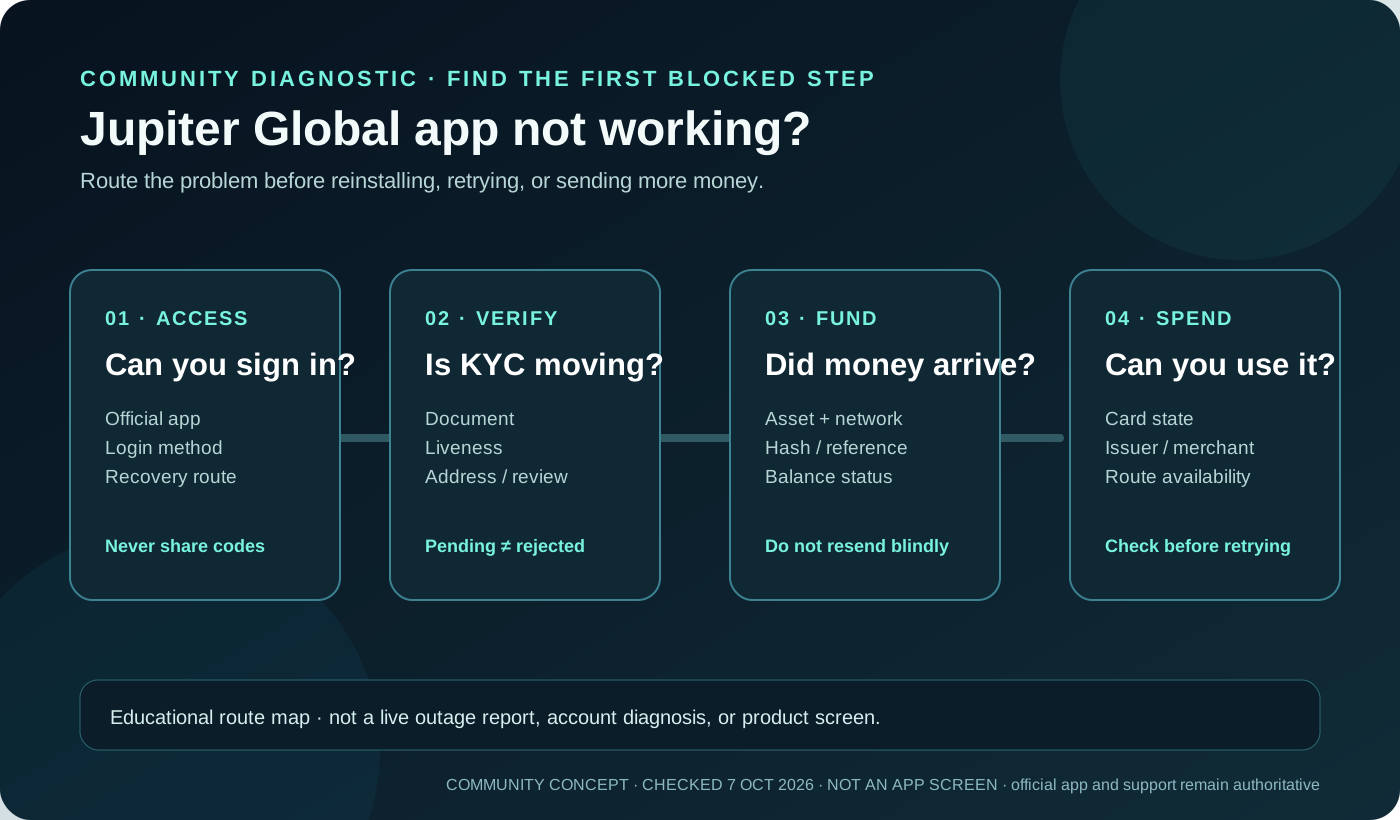
If verification is complete but the Card screen still says pending, or the card is not yet usable, use the card activation pending guide. It separates issuance and phased rollout from balance, freeze, wallet and merchant-decline checks before you retry a payment.
If you arrived through a campaign or referral message, read the referral-code checklist before creating the account so any current code is used only in the official signup flow.
A clean pre-sign-up sequence
1. Confirm your actual country of residence and the current official country list. 2. Check that you meet the 18+ requirement. 3. Prepare your own email or supported sign-in account and phone. 4. Gather a valid identity document and, if you are in APAC, a usable proof-of-address document. 5. Decide what you need first (card spending, QR, bank funding, remittance or withdrawal), then verify that route after approval. 6. Save only non-sensitive evidence such as the review date and in-app status; never publish documents or full account details.
If you’re still choosing between virtual-card spending, a physical card, QR Pay, bank funding, remittance or withdrawal, use the site’s Route Finder to name the goal first, and read the official app-download guide before installing. Keep in mind that signing in isn’t the same as approval: you still need a truthful residence, a completed identity review and a live route that matches your goal.
When you’re ready, sign up for Jupiter Global and complete onboarding in the app, then check your issuer and available features before funding. After approval, eligible card spending earns 2% cashback, up to $100 a month.
Jupiter Global Signup Requirements FAQ
How do I apply for the Jupiter Global Card?
Open the official Jupiter app, open Spend and sign in with Global ID, complete the identity-verification steps, and then read the Card screen shown for your verified account. The issuer, virtual-card state and physical-order option are account-specific; no signup link bypasses those checks.
What are the basic Jupiter Global Card application requirements?
The checked documentation requires a supported residence, age 18 or over, a supported sign-in method, truthful identity information and completion of the verification flow. Some regions may also require proof of address. Approval for one product does not guarantee every feature.
Does citizenship determine Jupiter Global Card eligibility?
The Card documentation uses country of residence rather than citizenship alone. Use the residence you can support with your own documents, and do not select a friend’s country, a travel destination or a preferred issuer to force access.
What documents can KYC require?
The current FAQ describes an identity document, phone verification, a liveness check, personal information and a questionnaire. APAC applicants may also be asked for proof of address such as a utility bill, telecom bill, bank statement or tax invoice.
How long can Jupiter Global verification take?
The FAQ says verification often takes a few minutes, while applications sent to manual review can take 3–5 working days. That is an estimate, not an approval deadline. Avoid duplicate submissions while the existing review is pending.
Does passing KYC guarantee a physical Card, QR Pay or bank transfer?
No. Identity approval and product access are separate decisions. Confirm the actual issuer, virtual-card state, physical-order option, QR network, virtual account, payout corridor or withdrawal route shown in the official app before funding or spending.
Sources
Checked against these sources on 7 October 2026.