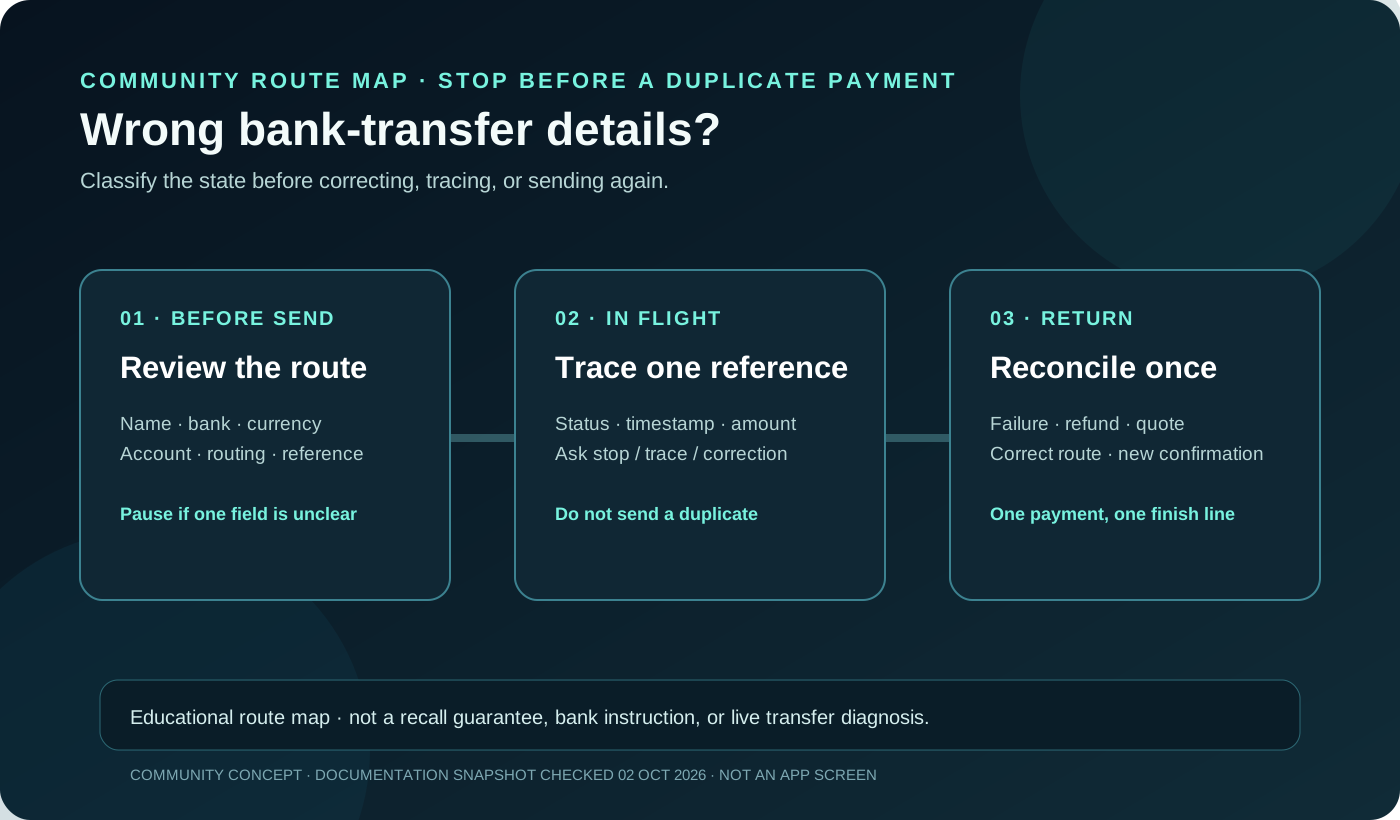
A Jupiter Global bank transfer with the wrong beneficiary, account number, routing field, currency, or payment reference needs a status check before it needs a second payment. The correct action depends on whether the transfer is still editable, processing, sent, failed, or already returned. Sending again while the first instruction is unresolved can create two payments to reconcile.
The short answer
1. Stop and record the transfer reference, status, amount, currency, beneficiary, and exact field you think is wrong. 2. Do not edit a bank instruction through a message or send a second transfer to compensate. 3. If the transfer is still editable in the official app, use only the current in-app control and reread the confirmation. 4. If it is processing or sent, contact official support with the reference and ask whether the route can be stopped, corrected, or traced. 5. If it failed, wait for the documented return path before deciding whether a new transfer is safe.
Jupiter’s FAQ says bank-transfer failures can involve incorrect recipient details, bank compliance holds, or receiving-network issues, and that failed transfers are automatically refunded to the Spend balance. That does not mean every incorrect detail can be cancelled instantly or that a refund has already arrived. Read the current bank-transfer FAQ
Identify the wrong field
| What may be wrong | Why it matters | Evidence to preserve |
|---|---|---|
| Beneficiary name | The receiving bank may reject a name that does not match its account record. | Exact name entered, account name shown by the recipient, and transfer reference. |
| Account number or IBAN | A valid-looking number can still point to the wrong account or fail the bank’s format check. | Redacted account ending, country, currency, and confirmation screen. |
| Routing, SWIFT, or bank code | The rail determines which identifiers are required and which intermediary sees them. | Code, bank name, corridor, and the app’s field labels. |
| Currency or destination | A supported country does not prove that this currency and payout rail are available together. | Requested currency, quoted amount, route, and beneficiary country. |
| Payment reference | Some receiving workflows use a reference to match the incoming transfer. | Exact reference, recipient instructions, and any bank rejection message. |
Do not post full account numbers, identity documents, passwords, one-time codes, or unredacted screenshots in a public group. A support packet needs traceable facts, not access to your account. Review the security boundaries
If you noticed the error before confirming
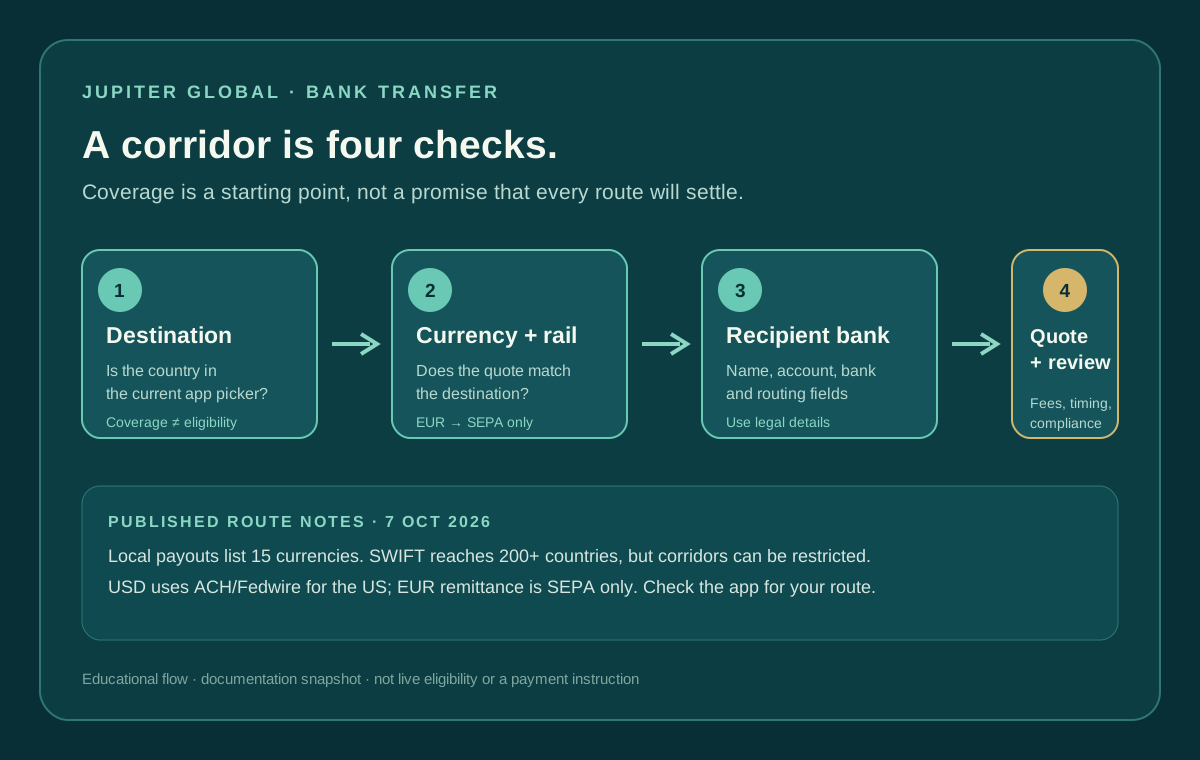
Pause on the confirmation screen and compare the beneficiary’s legal name, bank, country, currency, account identifier, routing field, amount, fee, and expected arrival method. A local payout, SWIFT transfer, and incoming virtual-account deposit are different workflows even when the recipient uses the same bank.
The app’s current fields are the authority. Do not copy a routing number from a search result or reuse a previous recipient template without checking the currency and rail. The current FAQ says the app prompts the exact fields required for each destination. Check the documented bank-transfer inputs
If the route still matches, save the quote and confirmation details privately. If one field cannot be verified, stop and ask the recipient or official support before funding.
If the transfer is pending or processing
A processing status does not prove that the receiving bank has credited the beneficiary, and it does not prove that a correction is still possible. Capture the status, reference, timestamp, destination, and amount once. Then use the official support route to ask a precise question: Can this transfer still be stopped or corrected, and if not, what is the trace or return path? Use the transfer support packet
Do not submit the same transfer again while support is tracing the first one. A second payment may succeed while the first remains in flight, leaving two beneficiary credits or two separate refund cases. If the recipient says nothing arrived, compare the sender status and the bank’s incoming records instead of treating silence as proof of failure. Read the recipient-not-credited guide
If the transfer was sent with wrong details
Contact official support as soon as you identify the mistake and include the transfer reference, exact error, beneficiary country and currency, amount, date and time zone, and the recipient’s bank response if available. Ask whether the transfer is still in the sending partner’s control, has entered the receiving bank, or has already been rejected and returned.
A support ticket cannot guarantee recall. The result depends on the transfer state, the partner, the receiving bank, the corridor, and compliance checks. Never pay a stranger who promises to “reverse” the transfer, and never provide a recovery phrase or one-time code to make a correction happen. Read the official support route
If the recipient details were correct but the currency was wrong, use the currency-mismatch guide. If the bank rejected the route and a return is expected, use the failed-transfer refund guide. Those are different evidence paths from an editable instruction or a still-processing transfer.
If it failed or returned
Jupiter’s FAQ describes automatic refunds for failed transfers, but the balance should be checked rather than assumed. Compare the returned amount with the original debit, displayed fees, conversion, and any status or reference shown in the app. Keep the original quote and failure message until the returned funds reconcile.
Do not immediately resend from a different route. First confirm the corrected beneficiary, currency, rail, amount, and current quote. The payment-route guide helps separate a bank payout from a card purchase, QR payment, virtual-account deposit, or crypto transfer.
If you are still choosing between a bank payout, card purchase, QR payment, or deposit route, use the site’s Route Finder before funding.
A safe correction packet
Keep one private packet with:
- transfer reference and current status;
- beneficiary name and redacted account ending;
- destination country, currency, bank, and routing or SWIFT field;
- amount debited, quoted amount, fees, and timestamp;
- the exact field that was wrong or uncertain;
- recipient-bank or beneficiary confirmation;
- support case number and any return or trace reference.
Stop when you reach one reconciled state: the instruction was corrected before sending, the transfer was traced, the failed amount returned, or the beneficiary confirmed one received payment. If the bank route works for you, create a Jupiter Global account and read the beneficiary, currency and rail details back to the recipient before you confirm. If you also use the Jupiter Card, eligible purchases earn 2% cashback, capped at $100 a month.
Jupiter Global bank transfer wrong details FAQ
Can I cancel or edit a Jupiter Global bank transfer?
Only use an edit or cancel control that is visible in the official app before confirmation. Once a transfer is processing or sent, do not assume it can be recalled; contact official support with the reference and ask for the current trace or return path.
Should I send a second transfer if the first one has the wrong details?
No. A second transfer can succeed while the first remains in flight, creating two beneficiary credits or two refund cases. Wait until the first instruction is corrected, traced, rejected and returned, or otherwise reconciled.
Are failed bank transfers automatically refunded?
Jupiter’s current FAQ says failed bank transfers are automatically refunded to the Spend balance. Check the live balance and returned reference rather than assuming the refund is complete, and reconcile the original debit, fees, conversion and credited amount.
What if I chose the wrong currency or payment rail?
Treat that as a route mismatch, not just a typo. A local payout, SWIFT transfer and virtual-account deposit require different fields and can have different supported currencies, fees and return paths. Confirm the corrected route in the current app before funding again.
What should I send to official support?
Send the transfer reference, status, beneficiary country and currency, amount, timestamp, the exact field in question, and any receiving-bank response. Redact account numbers and identity documents, and never send a password, one-time code or recovery phrase.
Sources
Checked against these sources on 2 October 2026.