
Community concept illustration—not an actual app screen.
“My Jupiter Global bank transfer is delayed” is not one diagnosis. The sender may still be processing it, the receiving bank may be checking it, or the transfer may have failed and be heading back to the balance. Identify the last confirmed step before you try anything again.
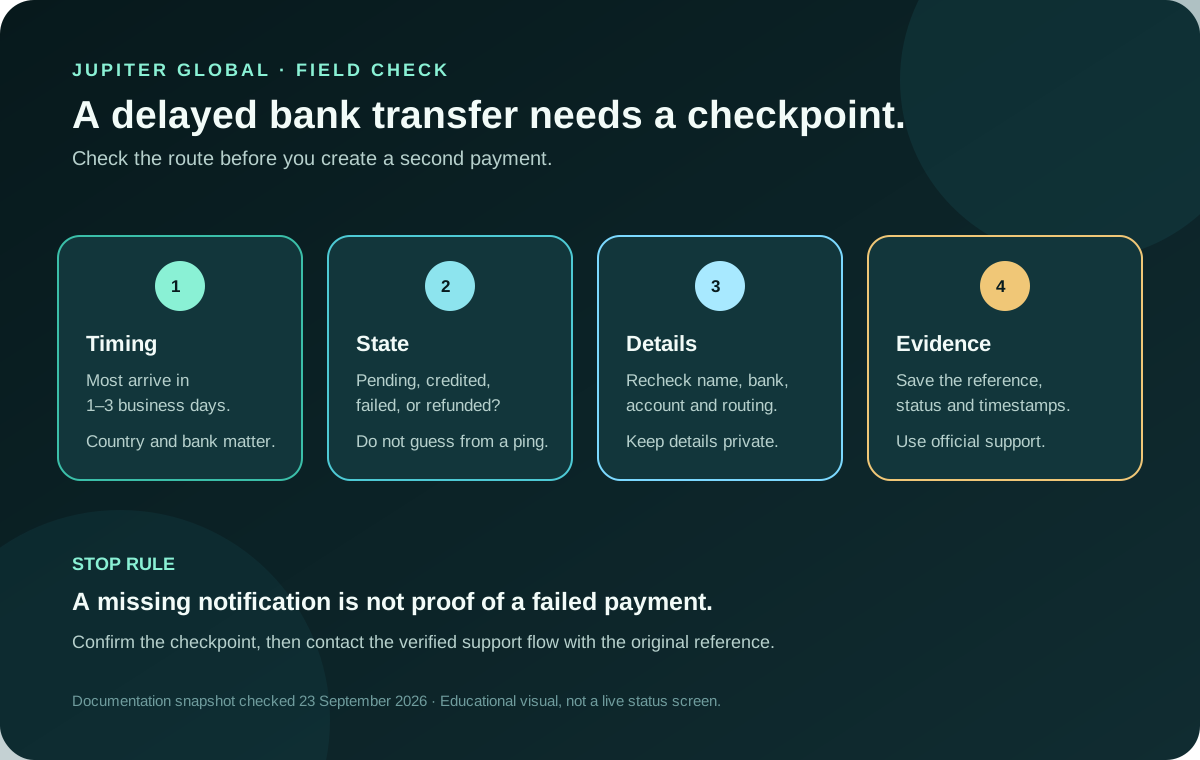
Start with the expected window
Jupiter’s Spend FAQ says most bank transfers arrive within 1–3 business days, but the destination country and receiving bank affect the timing. That is an estimate for the route, not a guarantee that every beneficiary sees the credit on the same day. Weekends, local holidays, intermediary banks, and the recipient bank’s own posting schedule can all change when the money becomes usable. Transfer timing
Write down the submission time in the destination’s business-day context. Do not count a transfer as “late” merely because a notification has not arrived yet; ask the recipient to check the actual account activity as well.
Separate the three states
First, check whether the transfer has a status and reference in the official Jupiter app. A pending transfer has been submitted but is not yet confirmed as completed. A recipient-not-credited transfer may show as sent while the receiving bank has not posted it. A failed or rejected transfer is a different state and may be returned to your balance. The FAQ says failed transfers are automatically refunded to the balance, but you still need to confirm that the refund has actually appeared before treating the case as closed. Transfer status guidance
Do not submit a second payment just because the recipient cannot see the first one. Two successful submissions can create two obligations. Keep the original reference attached to every question you ask.
Check the details without exposing them publicly
Compare the submitted beneficiary information with the details supplied by the recipient: legal account-holder name, bank name, account number, and the routing fields required for that country. Jupiter says the app prompts the exact fields for each destination. A single wrong digit or a mismatched account name can stop a payment or send it into a bank review. Required transfer fields
Use a private, trusted channel for this comparison. Never paste a full account number, identity document, card number, password, one-time code, or recovery phrase into a community comment or a message to an unsolicited helper. If the recipient changed their bank details after you submitted the transfer, verify the change independently before considering any new payment.
Ask whether compliance review is involved
Outbound transfers are screened by Jupiter’s regulated partner for anti-money-laundering and counter-terrorist-financing checks. The FAQ says a transfer flagged for review may be delayed while additional verification or supporting documents are requested, especially for large or unusual transfers. That does not prove wrongdoing and it does not provide a reliable shortcut. Complete only the request shown in the legitimate app or official support flow. Compliance explanation
The documented per-transfer cap is $10,000 and the minimum is $1 USD equivalent. Do not split a payment to evade a limit or a review. If the route is not suitable for the amount or destination, pause and choose a supported path after checking the current quote and conditions. Remittance limits
Check the route and the real cost
Local payouts are available only in the currencies and destinations currently offered in the app; other routes may use SWIFT. Both deposits and payouts can carry fixed and variable fees, and the fee table can change. A transfer can therefore be technically successful while the delivered amount differs from an early estimate. Current fees
For a future payment, enter the same sending budget and expected recipient amount in the site’s Quote Compare tool. It compares your inputs; it does not retrieve a live quote or confirm that a route is available. For the original setup checklist, see your first international bank transfer.
Build a support-ready evidence packet
If the transfer is beyond the estimated window, contact official support with the transfer reference number. Include the submission date and time, source and destination currencies, amount, beneficiary country, current in-app status, and the exact result the recipient sees. Jupiter’s support form asks for details that help the team investigate; provide sensitive information only through that verified channel. Official support
Keep screenshots private and redact unrelated balances or personal data before attaching them. A support request that says “please confirm the status of reference X” is easier to investigate than a public thread containing several guesses and multiple new payment attempts.
The safe finish line
Close the loop only when one of these is confirmed: the recipient’s bank shows the credit, the app shows a completed transfer and the recipient has checked, or the failed transfer has returned to your balance. If the transfer is still unresolved, keep the original reference and follow the official case rather than opening a second route. The payment troubleshooting guide covers the same evidence-first habit for card, deposit, and payout problems.
The useful next action is not “send again.” It is to identify the state, preserve the reference, and ask the provider to confirm the checkpoint that has not completed.
Sources & what was checked
Public documentation reviewed 23 September 2026. This is a documentation-based guide, not a first-hand account, identity-verification or payment test. Open the current sources before acting.