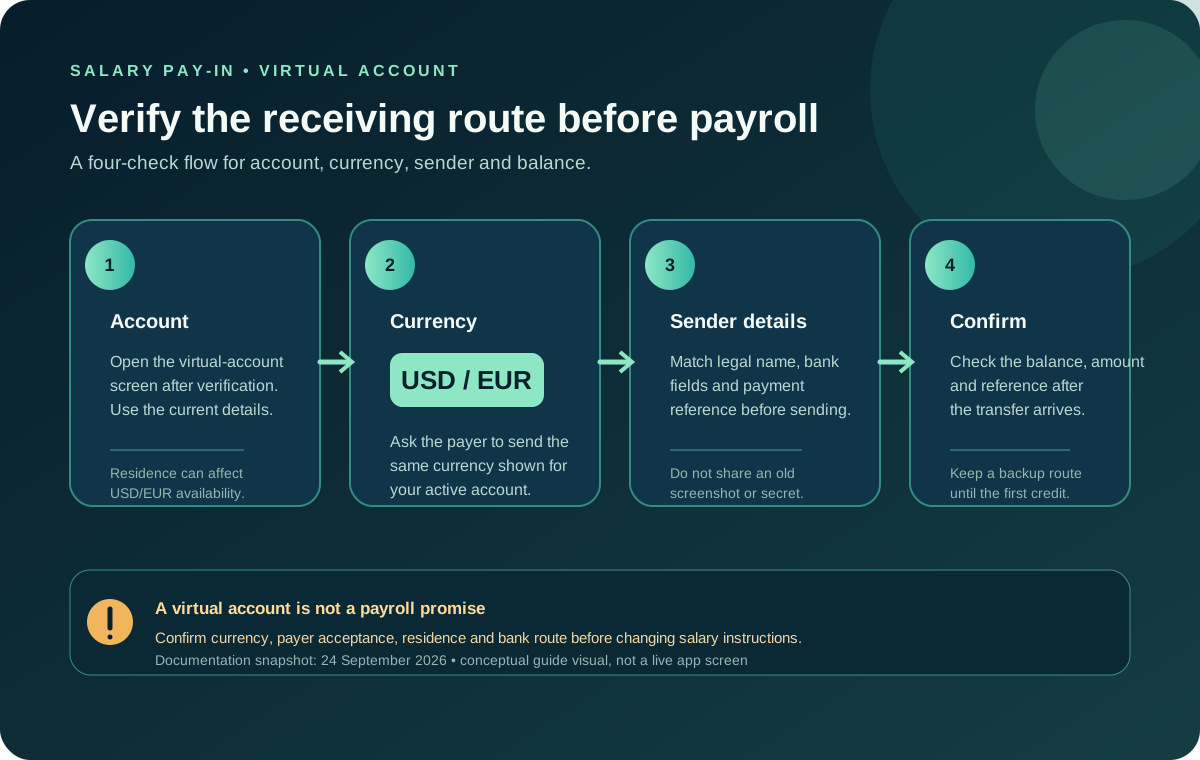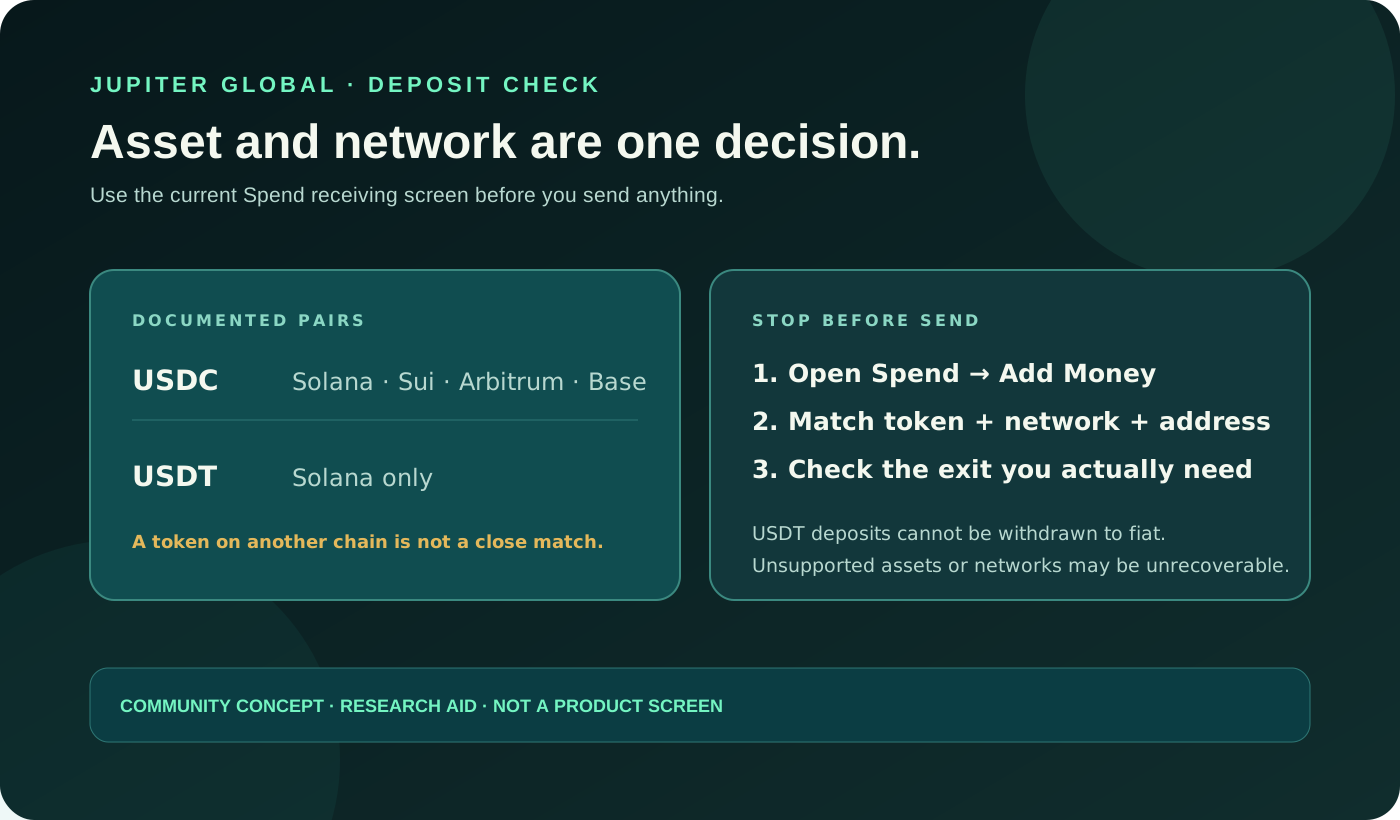
A bank form can offer several ways to send the same amount. That does not mean every currency and rail can fund every Jupiter Global virtual account. The safe question is: does the currency on the account, the rail selected at the bank, and the receiving instruction all describe the same payment?
This guide is for a USD or EUR virtual-account bank transfer. The Jupiter Global guides directory keeps currency, beneficiary, fee, crypto-funding, and transfer-state paths together. Use the beneficiary-field preflight for the full field check, and use the pay-in fee guide when the route is clear but the cost needs comparing.
Start with the last confirmed status
“Currency mismatch” can describe several different moments. Identify which one you actually have before sending again:
- The bank rejected the payment before submission. The bank may be requiring a different currency, beneficiary format or transfer rail. Keep the exact warning; do not guess a substitute.
- The bank says sent, but Spend is unchanged. A sender receipt proves what the bank accepted, not what Jupiter credited. Preserve the reference and compare the submitted currency and rail with the current receiving screen.
- Spend marks the transfer failed. Check whether the balance was restored and record the failure message before considering a replacement. Jupiter’s FAQ says a transfer marked failed is automatically refunded to the balance; that statement does not mean every missing incoming deposit is refundable.
- The transfer is still processing. Most bank transfers are estimated at 1–3 business days, depending on destination and receiving bank. A processing label is not evidence that the route is wrong or that a second payment is needed. Read the current transfer FAQ
The distinction matters because a currency mismatch is a route problem, while a compliance review or an ordinary posting delay needs a different next step.
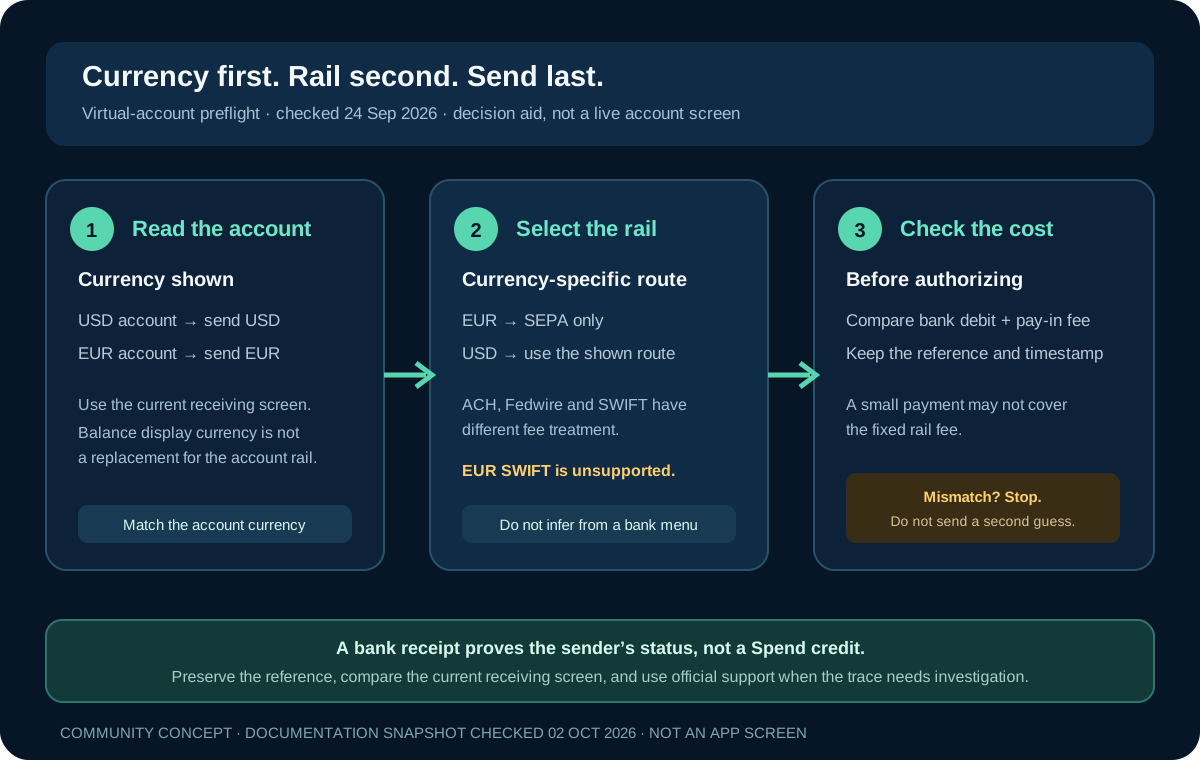
Match the account currency first
After Jupiter ID verification, eligible users may receive USD and EUR virtual accounts. EUR availability can depend on residence. Incoming virtual-account funding is an external fiat bank transfer that credits the Spend balance; it is not a crypto deposit. Read the remittance rules
Open the current receiving screen inside the legitimate Jupiter app and write down the account currency before opening your bank form. Do not use the display currency next to your Spend balance as a shortcut. The FAQ says the balance can be displayed in several currencies while the balance itself is held in USD; that display choice does not change the currency of a virtual-account instruction. Check the balance explanation
If your bank offers to convert the payment automatically, pause. A conversion offered by the sending bank is not proof that the receiving account accepts the converted result. The receiving currency, beneficiary data and rail still need to agree.
EUR: SEPA is the documented route
Jupiter’s remittance documentation states that EUR remittances are supported via SEPA only. It warns that EUR SWIFT transfers are not supported and may fail or not be credited. An “international wire” button can look convenient, but the label does not override the receiving instruction. Check the EUR limitation
Before authorizing an EUR payment, confirm all four points:
1. The virtual account shown is the EUR account. 2. The bank form is sending EUR, without an unrequested conversion. 3. The selected rail is SEPA, where the bank supports it. 4. The beneficiary, IBAN and reference are copied from the current receiving screen.
If your bank only offers a non-SEPA route for the currency you hold, do not force the payment through a different rail. Ask the bank whether it can originate a compliant SEPA transfer, or ask official Jupiter support what route is available for your account and residence.
USD: use the rail the account actually shows
The fee table lists separate pay-in rows for ACH, Fedwire and SWIFT. Not every rail is enabled for every account or sending bank, though. Use the current USD receiving instructions and let the account-specific fields decide which route fits.
The documented pay-in rows are:
- ACH: $2 fixed plus 0.05%.
- Fedwire: $20 fixed plus 0.05%.
- SWIFT: $30 fixed plus 0.05%.
Those fees are deducted from the amount deposited. Jupiter’s documentation warns that if a deposit is too small to cover its fee, nothing is credited and the deposit is not refunded. A currency or rail mistake can therefore become an expensive “test” when the transfer is also small. Read the current fee table
Do not select Fedwire or SWIFT because they appear more official, faster or more familiar. Do not select ACH because another user’s account accepted it. Compare the exact currency, rail, routing fields, bank cut-off and total debit shown for your own payment.
Separate a funding mismatch from a crypto mistake
A virtual account is funded by incoming fiat transfers. Jupiter explicitly says USDC cannot be deposited directly into virtual accounts. If your funds are crypto, use the separate supported asset-and-network deposit flow; do not paste a bank account number into a wallet send form or a wallet address into a bank beneficiary field. Compare bank and crypto funding
The two flows may both end with a USD Spend balance, but they have different instructions, evidence and failure modes. A successful crypto deposit does not validate a bank rail, and a bank receipt does not validate a token network.
What to preserve before asking for help
If the currency and rail looked correct but the credit is missing, use the recipient-not-credited guide for the sender-status and receiving-bank checks, then keep a small, redacted evidence set:
- the virtual-account currency and the receiving details displayed at the time;
- the sending bank, rail, amount and currency instructed;
- the bank transfer reference, submission timestamp and current sender-bank status;
- the exact error or compliance message, if one appeared;
- the current Spend status and whether the balance changed or a refund appeared.
Do not send recovery phrases, private keys, passwords, one-time codes or full card security data. Jupiter’s FAQ asks for a transaction hash or transfer reference for a deposit or transfer issue. Use official in-app support or the Jupiter Support Hub; do not hand the evidence to a stranger who claims to be support.
Decide before you retry
A second payment can create two unresolved traces. If the first transfer is processing, wait through the documented window and ask support when it is outside that window. If it failed, reconcile the refund and correct the route before sending again. If the bank rejected it before submission, correct the currency and rail from the current receiving instructions rather than copying an old template.
When the account currency, bank rail, beneficiary and fee treatment all match, use the Route Finder to organize the destination and goal, then use Quote Compare for equal-input alternatives. If Jupiter Global still fits, sign up and copy the receiving instructions straight from the app. Eligible Jupiter Card purchases also earn 2% cashback, up to $100 a month.
Jupiter Global Bank Transfer Currency Mismatch FAQ
What causes a Jupiter Global bank transfer currency mismatch?
The account currency, sending currency, bank rail, beneficiary details or receiving instruction may not describe the same payment. Identify the exact receiving currency and rail in the live app before submitting another transfer.
Can I send EUR to a Jupiter virtual account by SWIFT?
The checked remittance documentation says EUR transfers are supported via SEPA only and that EUR SWIFT transfers are not supported. Use the current EUR receiving screen and do not substitute an international-wire option because it looks more familiar.
Is a USD virtual account funded by a crypto deposit?
No. A virtual account is an incoming fiat bank-transfer route. Use the separate supported token-and-network deposit flow for crypto, and never paste a bank account into a wallet form or a wallet address into a bank beneficiary field.
Should I resend a transfer that is still processing?
No. A processing label does not prove that the route is wrong, and a second payment can create two unresolved traces. Keep the reference, wait through the documented window and contact official support when the transfer is outside that window.
What evidence does support need for a missing bank credit?
Keep the virtual-account currency, receiving details, sender bank, rail, amount, currency, reference, timestamp, error message and current Spend status. Redact recovery phrases, private keys, passwords, one-time codes and full card data.
Sources
Checked against these sources on 2 October 2026.