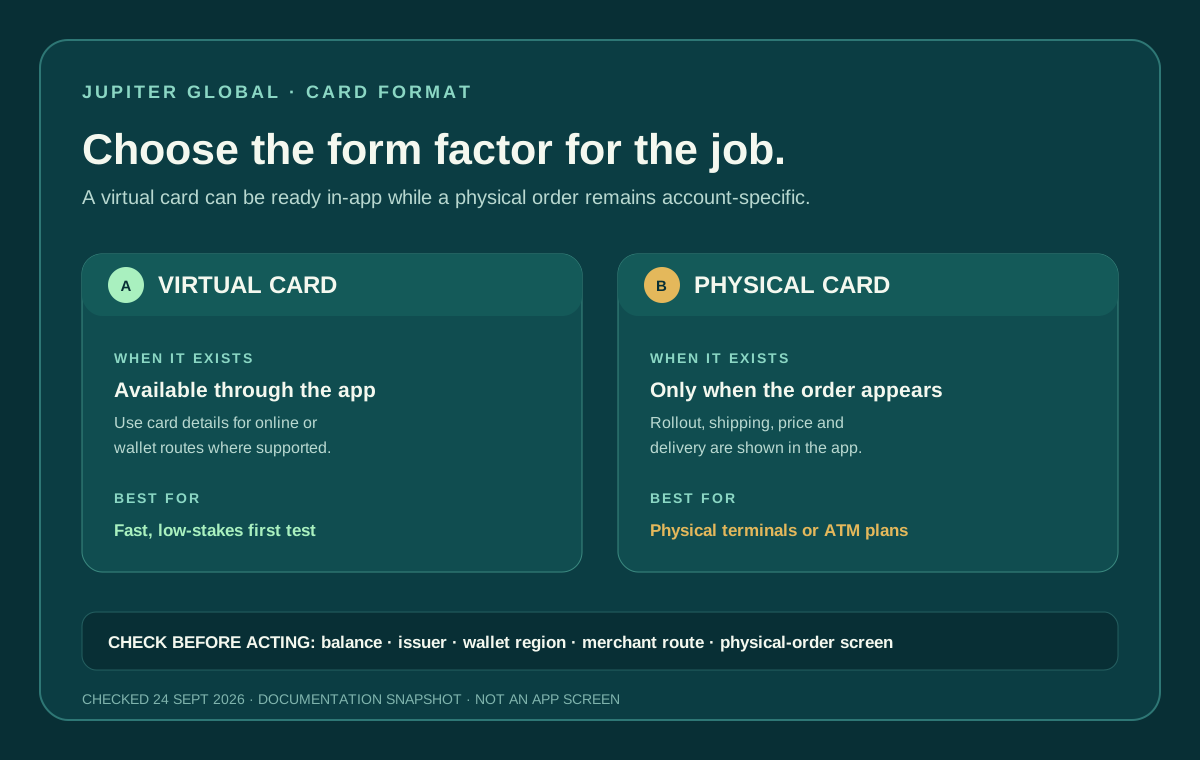
The Jupiter Global physical card is a separate ordering decision from having a virtual card. The current documentation gives a price and shipping rule, but the physical-card option is still rolling out in phases. Check whether the order option appears in your official app before budgeting for delivery. Keep the Jupiter Global guides directory nearby while you compare the physical and virtual routes.
Use the residence and feature checker to record the country and physical-card question before you budget. It can’t see your account; the live Spend → Card screen shows whether ordering is enabled for you.
The published price
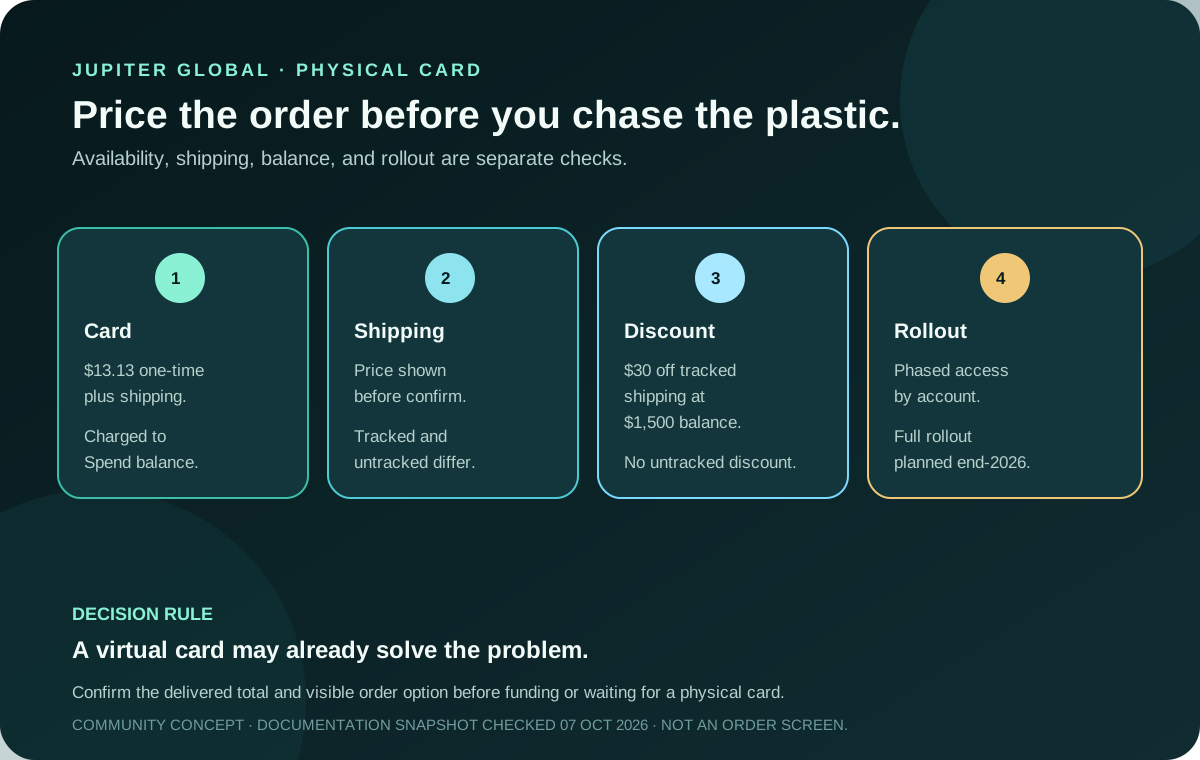
Jupiter’s Card documentation currently says the physical card costs $13.13 plus shipping. Both charges are taken from the Spend balance, and the shipping price is shown before you confirm the order. The Fees & Limits page repeats the same price. Physical-card pricing
The current Card page also says card orders are non-refundable once placed. Check the physical option, displayed card charge, shipping method, delivery address and discount before confirming. That order rule is separate from a merchant refund after a card purchase. Card limitations
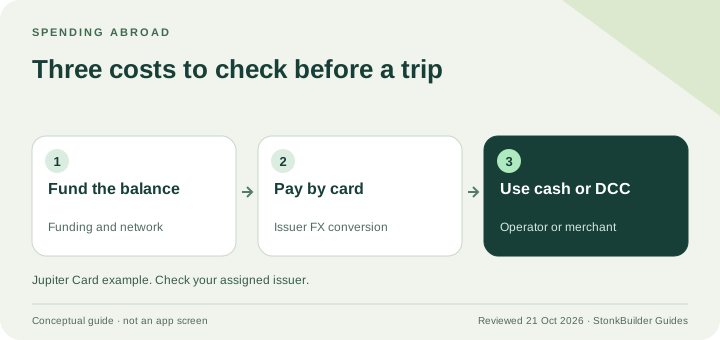
There is no annual card fee listed in the current fee table. That does not make the physical card free: the one-time card price, shipping, foreign-exchange charges on non-USD payments, and any merchant or network conditions are separate parts of the decision. Current card fees
How the shipping discount works
The documentation describes a $30 discount on tracked shipping when your available Spend balance is at least $1,500 at the time you order. It says this applies in any country, but only to a tracked shipping option; untracked shipping is not discounted. In the United States, the $30 covers the full cost of the tracked option under the documented rule. Shipping conditions
Do not treat the balance threshold as a reason to deposit extra money. If you already have a suitable balance, compare the displayed options. If you do not, the card should be evaluated on whether it fits your needs without manufacturing an order to chase a shipping discount.
Physical rollout is not the same as card eligibility
Physical cards are rolling out in phases. The Card page says the order option appears in your account when you are included, with full rollout planned by the end of 2026. A supported residence or a working virtual card therefore does not prove that a physical order is available today. Rollout and eligibility
Your residence also affects the issuer, account checks, and available features. Eligibility is based on country of residence rather than citizenship, and the current country list has paused or conditional entries. Read the live app and current eligibility documentation rather than relying on an old country list. Supported-country checks
What you already have may be enough
The virtual card is available through the Jupiter app, while the physical card adds a shipped form factor. Both the virtual and physical card have a PIN that can be viewed and changed in the app. If your goal is online payments or a mobile wallet, compare the virtual-card and Apple Pay/Google Pay paths before paying for plastic. Mobile-wallet setup · Physical-card delivery checks
The physical card does not change the underlying funding model. Jupiter says the card draws from the USD Spend balance, not a credit line. Deposit availability, issuer limits, merchant acceptance, and non-USD FX fees still apply. Card spending limits
Read the final order screen carefully
Before confirming an order:
1. Confirm the physical-card option is visible in the official Spend → Card screen. 2. Read the one-time card charge and the exact tracked or untracked shipping price. 3. Check whether the displayed discount actually applies to the chosen shipping method. 4. Confirm the delivery address privately and keep your account details out of community posts. 5. Keep a backup payment method while delivery and activation remain pending.
The order screen is the right place to confirm the current total. A screenshot from another country, issuer, or rollout phase is not a quote for your account. Because card orders are non-refundable once placed, pause if any field or shipping choice is unclear.
Protect the order and the first payment
Use only the official Jupiter app and its support flow. Do not send card details, login codes, identity documents, or wallet secrets to someone promising faster delivery or a shipping discount. If the card is lost or stolen, freeze it in the app and contact official support; the documentation describes replacement through that route. Card safety
Once the card arrives, make a modest first purchase while keeping a backup. The card-activation guide covers the activation-state branch, and the first-card checklist covers the receipt, currency, balance, and payment-status checks. The site’s safety exercise is a short way to rehearse the pause points before real money is involved.
Before you order, know the total delivered cost, confirm the order option exists for your account, and decide whether a physical card is worth the charge and the wait compared with the virtual card. Quote Compare keeps the one-time card and shipping total separate from funding, FX and transfer costs. If the option fits your residence and use case, sign up for Jupiter Global and check the order option and final price in the official app. Eligible Jupiter Card purchases earn 2% cashback, up to $100 a month, which you can weigh against the one-time card and shipping cost.
Jupiter Global physical card cost FAQ
How much does the Jupiter Global physical card cost?
The current Card documentation lists a one-time physical-card charge of $13.13 plus shipping. The order screen is the authority for the total shown for your account and shipping method before you confirm.
Is tracked shipping discounted?
The documented rule gives a $30 discount on tracked shipping when the available Spend balance is at least $1,500 at the time of ordering. The discount applies to tracked shipping, not untracked shipping, and the displayed order screen still controls the final charge.
Does every eligible country have the physical-card option?
No. Physical cards are rolling out in phases, and the order option appears in the account when that rollout includes you. A supported residence or working virtual card does not prove that a physical order is available today.
Is there an annual physical-card fee?
The current fee table does not list an annual card fee. That does not remove the one-time card charge, shipping, non-USD foreign-exchange costs, merchant conditions or other route-specific fees.
Should I deposit $1,500 just to get the shipping discount?
No. The balance threshold is a documented condition, not a reason to add funds you do not otherwise need. First confirm the physical-card option, total delivered price, issuer, residence and intended use in the official app, then decide whether the physical form factor is worth the cost.
Can I refund a physical-card order after placing it?
The current Card documentation says virtual and physical card orders are non-refundable once placed. Read the selected form factor, displayed price and shipping choice before confirming.
Sources
Checked against these sources on 7 October 2026.