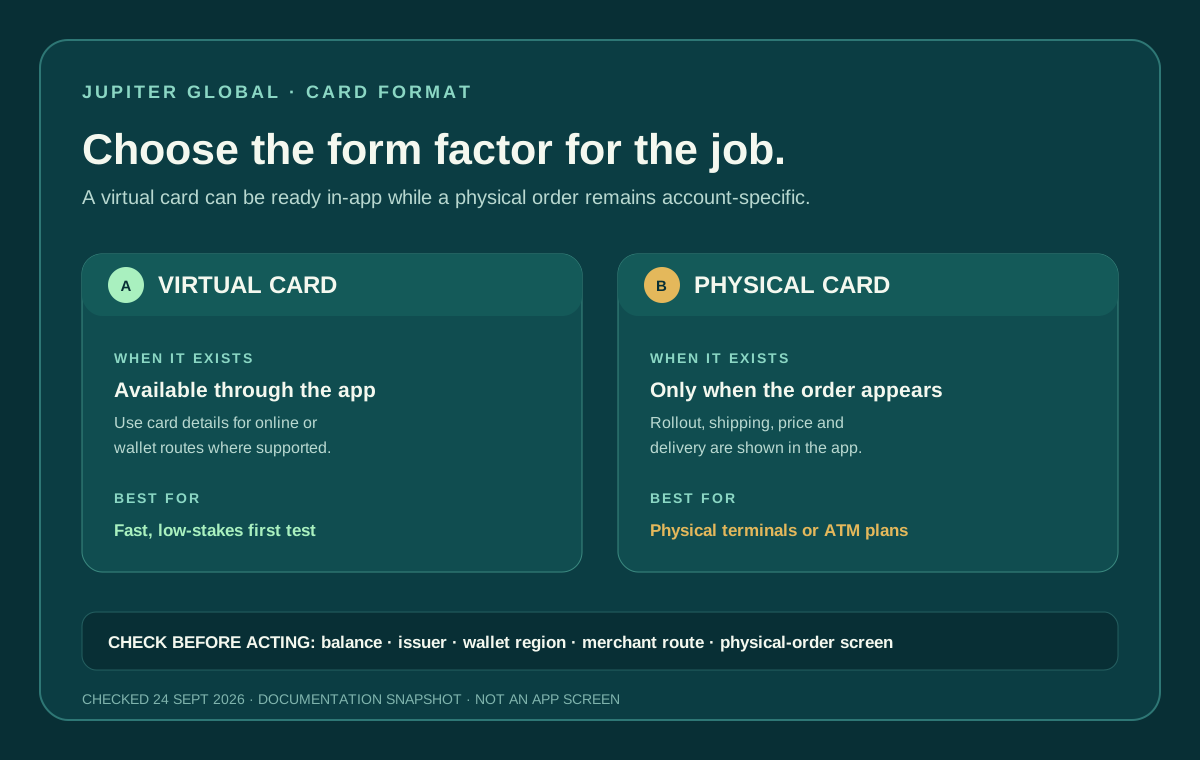
The Jupiter Global virtual card and physical card solve different problems. The current Card documentation says the virtual card is available through the Jupiter app, while physical cards are rolling out in phases and appear only when an account is included. Pick the one that suits the payment you need, and don’t assume a physical order is automatically available. Current Card documentation
The short answer
- Use the virtual card when you need card details in the app for an online purchase or a supported mobile-wallet route and the card screen is active.
- Consider the physical card when you need a card-present terminal, a physical backup, or a possible ATM route, and the order option actually appears in your account.
- Do not treat either format as a separate balance. Both draw from the USD Spend balance and remain subject to the issuer, merchant, region and account checks.
The physical card is not a required upgrade for every first payment. A small, ordinary virtual-card test can teach you whether your balance, merchant and currency route behave as expected before you budget for plastic.
What the virtual card can tell you
The Card page describes the virtual card as available through the Jupiter app. Under Spend → Card, the current management screen provides actions such as Freeze, Show Details, and Manage, along with the card’s transactions and a mobile-wallet control. Use the details displayed by the legitimate app; do not copy them from an old screenshot or send them to a stranger. Card management
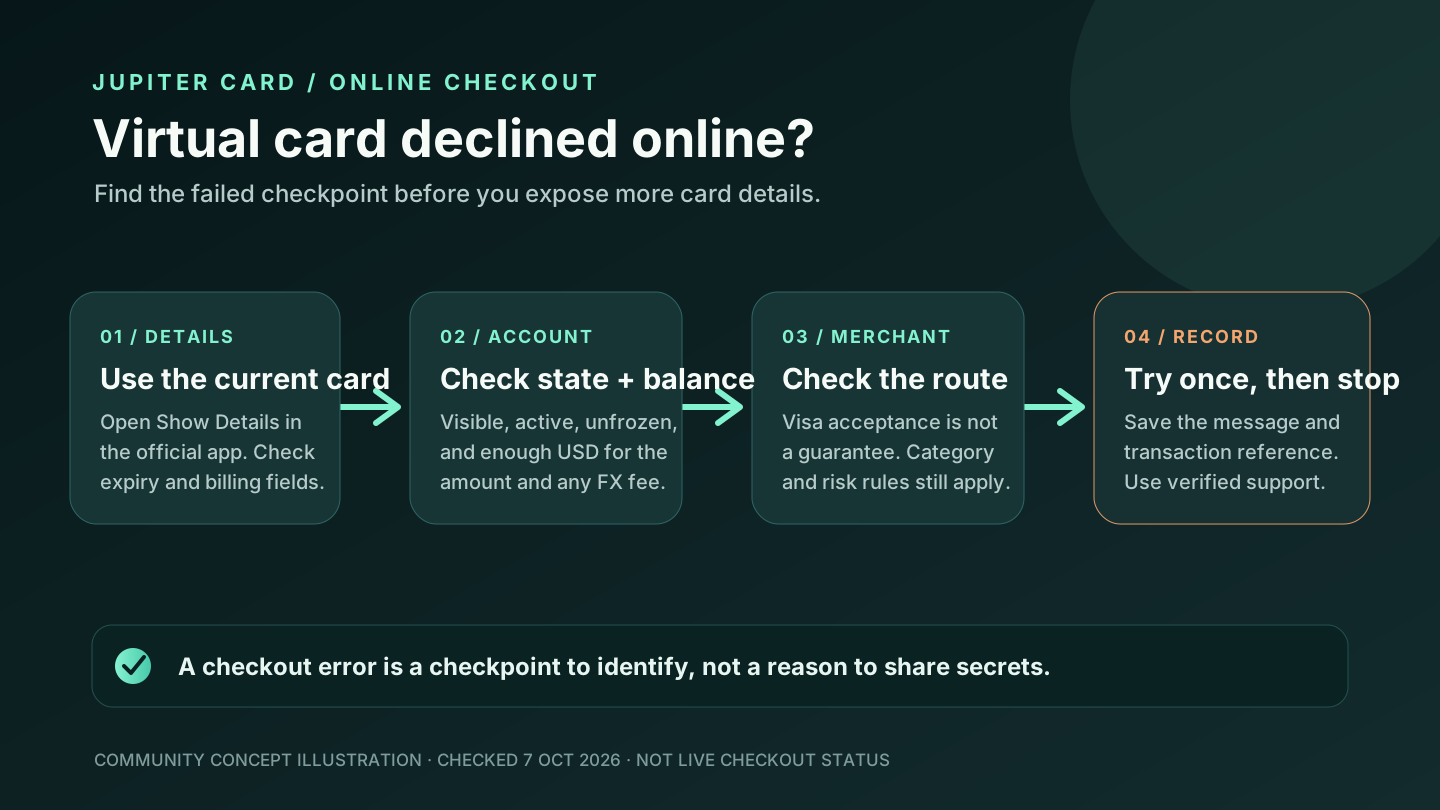
For an online checkout, the useful evidence is an active card screen, enough available USD balance, the merchant’s final currency and a completed or clearly pending transaction entry. A visible card number alone does not prove that a merchant will accept the payment. Restricted categories, issuer controls, a frozen card and the merchant’s own processor can still stop a transaction. Card troubleshooting
Apple Pay and Google Pay are another presentation route, not a new issuer or a workaround for an unavailable card. The documentation says wallet availability can vary by region even when the Jupiter Card itself is supported. Follow the current wallet verification flow and keep a backup payment method during the first test. Mobile-wallet rules
What the physical card adds
The physical option matters when a merchant needs a card-present payment, when you want a non-phone backup, or when an ATM plan depends on a physical card. The FAQ says ATM withdrawals may work with the physical card but are not guaranteed; acceptance depends on the ATM operator and region, and operator fees are not known in advance. Do not order plastic solely because an ATM withdrawal is urgent. ATM conditions
The physical card is still a rollout decision. The Card documentation says the order option appears in the account when the user is included, with full rollout planned by the end of 2026. A supported residence or working virtual card therefore does not prove that a physical order can be placed today. Physical-card rollout
When the order is available, the current documentation lists a $13.13 card charge plus shipping. It also describes $30 off tracked shipping when the available Spend balance is at least $1,500 at the time of order; untracked shipping is not discounted. Shipping prices appear before confirmation, so use the live order screen rather than an old article total. Physical-card cost
Card orders are non-refundable once placed, whether the card is virtual or physical. Confirm that the form factor, issuer, delivery or wallet route, and displayed price are right before ordering. A merchant refund is a separate transaction state with its own timeline. Current Card limitations
Both formats have a PIN that can be viewed and changed in the app, but a PIN does not guarantee that every terminal or ATM will accept the card. The physical-card delivery guide covers rollout and shipping evidence; the cost guide covers the charge in more detail.
Compare the two routes before a trip
| Need | Virtual card | Physical card |
|---|---|---|
| Online purchase | Usually the direct starting point when the card is active | Works if the merchant accepts the entered details, but adds no special approval |
| Apple Pay or Google Pay | Possible where the wallet service and region support it | Also depends on the same wallet and region rules |
| Card-present terminal | Requires a supported phone-wallet tap or another route | Gives a physical card-present option, subject to merchant acceptance |
| ATM plan | Do not assume the virtual card will work | May work, but the ATM operator and region decide |
| Timing | Depends on account and card activation in the app | Depends on rollout, order screen, shipping and delivery |
| Cost | No physical-order charge | Current order price and shipping appear before confirmation |
For a particular transaction, go by what the app, wallet and merchant screens show.
The balance and issuer still decide
Both formats draw from the USD Spend balance; the Jupiter Card is not a credit line. Supported USDC or USDT deposits are converted into that balance under the documented funding flow. Non-USD payments can carry the issuer’s FX fee, and the issuer is assigned from the country of residence rather than selected for a preferred rate. Balance and issuer rules
Leave room for an authorization hold and any displayed FX charge. A physical card does not bypass a restricted merchant category, a DCS limit, an unavailable country or a frozen account. Likewise, a working virtual card does not certify a physical order, a QR network or a fiat withdrawal route.
A sensible decision order
1. Complete identity verification and confirm the Card screen shows the account’s current state. 2. Decide whether the first need is online, mobile-wallet, card-present or ATM use. 3. Test a modest ordinary payment with the virtual card when that is enough for the job. 4. Order a physical card only when the option appears and the delivered price, timing and backup plan make sense. 5. Before travel, confirm the card, wallet, balance, issuer, currency and support route again.
Use the Residence Check and Route Finder to decide whether the next job is virtual spending, a mobile wallet, physical delivery or an ATM. If the card is already available but activation is unclear, use the card-activation guide before ordering a second form factor.
Having a card is only part of it. Know which form works for your next payment, what balance it can use, and what records you’ll keep if the status changes.
Whichever form suits you, sign up for Jupiter Global and check the Card screen before funding or ordering. Eligible Jupiter Card purchases earn 2% cashback, up to $100 a month.
Jupiter Global virtual vs physical card FAQ
Which Jupiter Global card is better for online payments?
The virtual card is usually the direct starting point when the active Card screen shows its details and the merchant accepts the route. A physical card does not guarantee approval and adds rollout, delivery and one-time order checks.
Do I need a physical card for Apple Pay or Google Pay?
No. Mobile-wallet availability depends on the wallet service, issuer, device and region, not simply on whether the card is physical. Confirm the current wallet controls and verification flow in the official app.
Can I use the virtual card at an ATM?
Do not assume so. Jupiter’s FAQ says ATM withdrawals may work with the physical card, but acceptance depends on the operator and region and is not guaranteed. A PIN does not prove that a virtual card can be used for cash.
How much does the physical card cost?
The current documentation lists a $13.13 card charge plus shipping when the order option is available. A $30 tracked-shipping discount may apply when the available Spend balance is at least $1,500 at order time; the live order screen controls the final total.
Should I order the physical card before testing the virtual card?
Only if the physical form factor is necessary for your next payment or backup plan. When online or wallet use is enough, a modest virtual-card test can reveal balance, merchant and currency behavior before you commit to rollout, shipping and delivery conditions.
Sources
Checked against these sources on 1 October 2026.