If your Jupiter Global physical card has not arrived, first establish which state you are in: the order option is not available, an order exists but has no movement, tracking says delivered, or the card arrived damaged or unsafe. Physical cards are rolling out in phases, so delivery begins only after the physical-card option appears in your account. What you need is the order record for your own account, not a general rollout date.
Delivery starts with an account gate
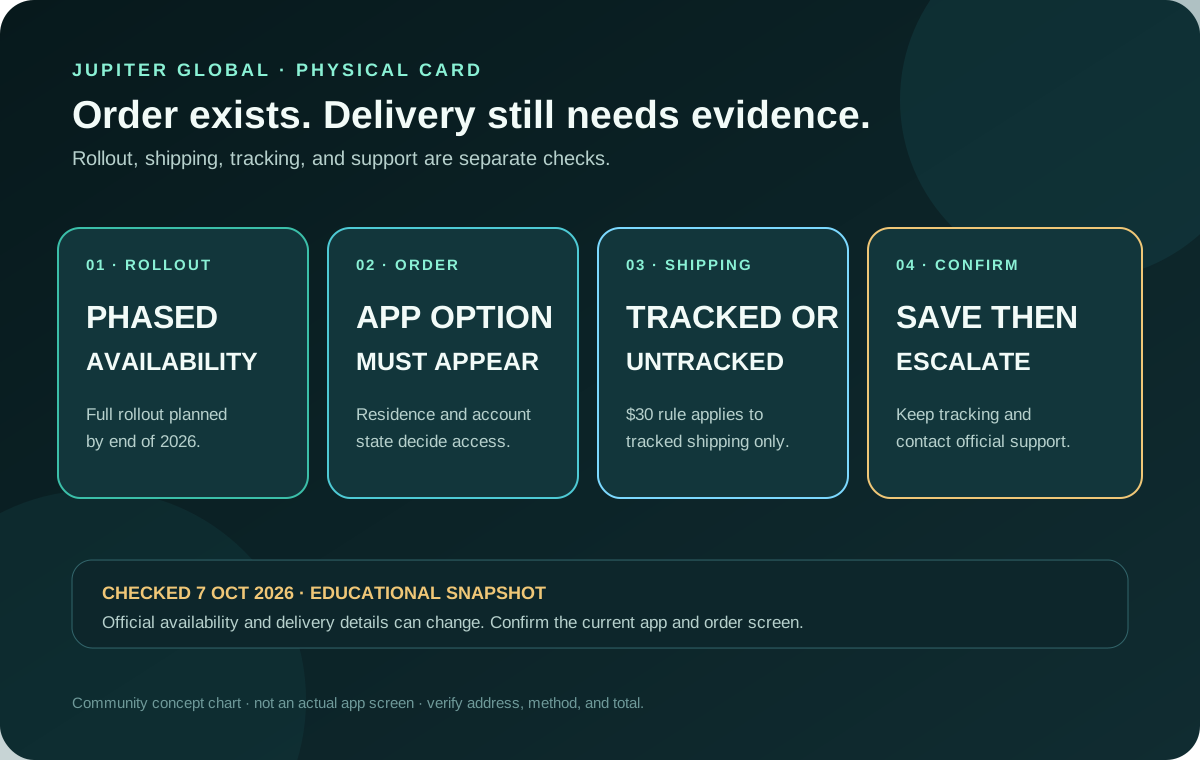
Jupiter’s Card documentation says physical cards are rolling out in phases. The order option appears in the Cards screen when your account is included, and the documentation currently plans full rollout by the end of 2026. That is a rollout statement, not a delivery date for every country or account. Physical-card rollout
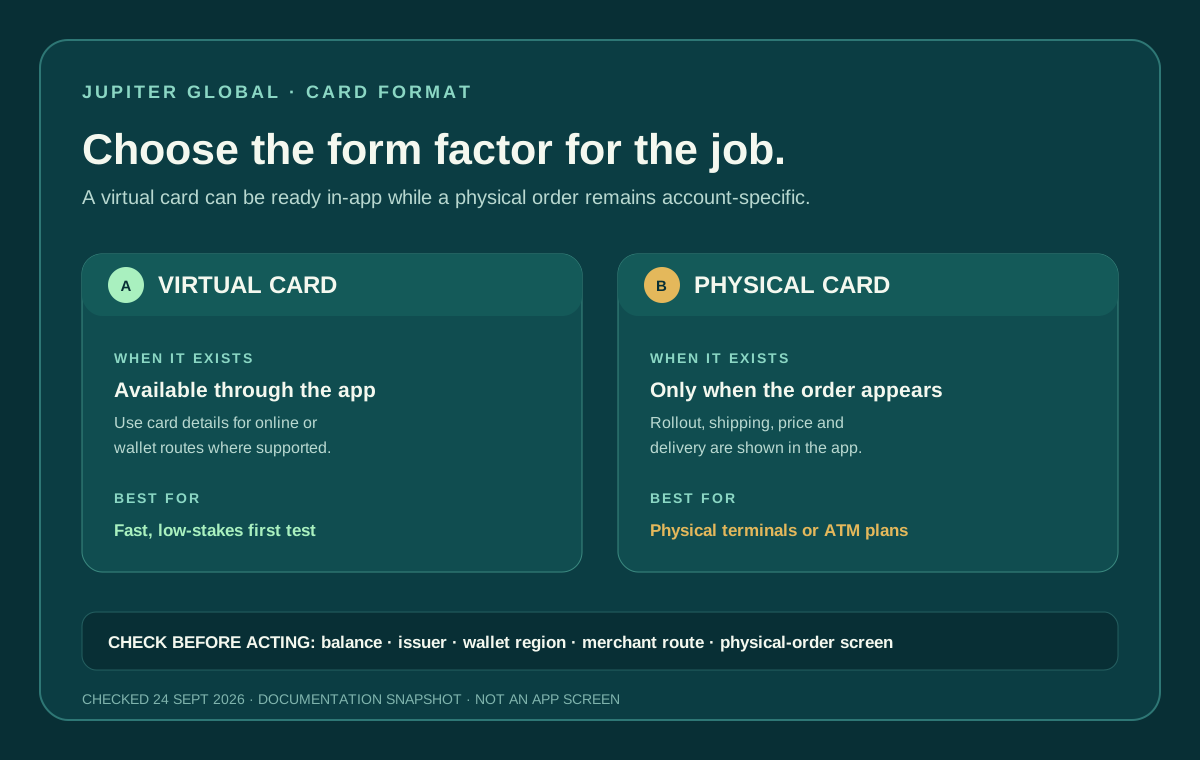
The virtual card is available through the app while the physical option may still be absent. Treat these as separate product states: a virtual card can work for online payments or a mobile wallet without creating an order for plastic. Card availability
If the physical card has not arrived
Use the state that matches what the official app actually shows:
- No physical-card option: the rollout has not reached your account. A supported residence or another user’s screenshot does not create an order entitlement.
- Order confirmed, but no movement: keep the order confirmation, shipping method, destination, and any tracking reference. The public documentation does not promise one delivery time for every destination, so do not invent an arrival date from the rollout plan.
- Tracking says delivered, but you cannot find it: check the private delivery address and the carrier record, then contact official support with the order and tracking details. Do not post the address or card information publicly.
- Card arrived damaged, opened, or used: do not activate or use it. Freeze the card in the official app if it is visible, then ask support to deactivate and replace it.
Support can investigate an account-specific order; a community page cannot see the carrier, address, issuer decision, or delivery record.
What the order screen can tell you
Once the order option is visible, the Card page says the physical card costs $13.13 plus shipping, charged to the Spend balance. The shipping price is shown before you confirm. That displayed total is more useful than a community estimate because it reflects the account, destination, and options available at that moment. Physical-card pricing
Jupiter’s current Card documentation says card orders are non-refundable once placed, including physical-card orders. Before confirming, check that the physical option, delivery address, shipping method and displayed total are correct. A later merchant refund is a separate transaction state and does not undo the card-order rule. Card limitations
The public documentation does not promise one delivery time for every destination. Do not turn the rollout plan into an arrival guarantee. Read the delivery method, tracking information, and any estimate shown in the legitimate app or order confirmation, then keep a backup payment method while the card is in transit.
Tracked and untracked shipping are different decisions
The current rule describes a $30 discount on tracked shipping when your available Spend balance is at least $1,500 at the time you order. The discount applies in any country, but only to a tracked option; untracked shipping is not discounted. In the United States, the documented $30 covers the full tracked-shipping cost. Shipping rule
The balance threshold is a condition for a discount, not a reason to deposit money you do not otherwise need. Compare the final tracked and untracked choices shown for your order. If delivery evidence matters, tracking may be the more useful option even when the headline price is different.
Residence and rollout are separate checks
Eligibility is based on country of residence rather than citizenship, and issuer assignment can vary by residence. The country list also includes entries that are paused or conditional. A country appearing on a general card list therefore does not guarantee that physical ordering, shipping, or every card feature is available to your account. Supported-country guide
Before budgeting for delivery, verify the current country and account state in the app. The physical-card cost guide covers the one-time price and shipping discount; this page is about the delivery gate and the evidence you should keep.
Use the residence and feature checker to record the country and physical-card question, then use the Route Finder if what you really need is online spending, a mobile wallet, a bank payout, or a different card route. These tools cannot inspect an order or promise delivery.
A careful order checklist
1. Open the official Jupiter app and confirm the physical-card order option is present. 2. Check the delivery address privately and make sure it matches the account requirements. 3. Read the card price, shipping method, tracking status, and displayed total before confirming. 4. Check whether the $1,500 balance condition applies to the selected tracked option; do not fund solely to chase a discount. 5. Save the confirmation and tracking details without posting card or identity information publicly. 6. Keep a virtual card, mobile wallet, or other backup payment method until delivery and activation are complete.
If the order is missing, delayed, lost, or suspicious, use the official in-app or support route. Freeze a card immediately if it is lost or stolen, and never send passwords, one-time codes, recovery phrases, private keys, or full card security details to an unofficial helper. Jupiter security guidance The first-card payment checklist helps you make a modest first purchase after delivery, while the safety exercise lets you rehearse the pause points before using real funds.
When your card arrives depends on your account: first confirm that ordering is enabled, then go by the shipping details shown at checkout and in the confirmation. Not signed up yet? Create your Jupiter Global account and confirm that the physical-card option, address and shipping total are visible for your account. You’ll earn 2% cashback on eligible Jupiter Card purchases, up to $100 a month.
Jupiter Global physical card delivery FAQ
Why is the physical-card option missing from my account?
Physical cards are rolling out in phases, and the order option appears in the account when that rollout includes you. A supported residence or another user’s screenshot does not create an order option for your account.
Does Jupiter guarantee a physical-card delivery date?
No universal delivery date is promised for every destination. Use the shipping method, tracking details and estimate shown in the official order flow and confirmation, and keep a backup payment method while the card is in transit.
What should I do if tracking says delivered but the card is missing?
Check the private delivery address and carrier record, then contact official support with the order and tracking details. Do not publish the address, card information or tracking record in a community post.
What if the physical card arrives damaged or opened?
Do not activate or use it. Freeze the card in the official app if it is visible, keep the packaging and delivery evidence, and ask official support to deactivate and replace it.
Is tracked shipping always free when I have $1,500 in Spend?
The documented rule gives a $30 discount on tracked shipping when the available Spend balance is at least $1,500 at order time. The discount does not apply to untracked shipping, and the live order screen controls the final total.
Can I refund a physical-card order after placing it?
The current Card documentation says virtual and physical card orders are non-refundable once placed. Confirm the delivery method, price and address before ordering.
Sources
Checked against these sources on 7 October 2026.