The current Jupiter Card documentation lists transaction notifications as not yet available. That changes how you should monitor a first payment: do not assume a push alert will tell you when a merchant has authorised, settled, reversed, or refunded a charge. Open the official Jupiter app’s Card transaction view and keep your own private record for anything that matters. Current Card limitations
If the missing alert is paired with a small or unfamiliar line, use the card verification-charge diagnostic to classify the payment before you retry it.
Is this a card problem or an alert problem?
Classify the missing signal before changing the payment route:
| What you are trying to solve | Start with | What the missing notification does not prove |
|---|---|---|
| You already have a card payment | The app’s Spend → Card transaction view | That the payment failed, settled or was duplicated |
| You need a longer record | Transaction export guide | That an export is a real-time alert or bank statement |
| The merchant and app disagree | Duplicate-charge guide or the refund path below | That paying again will resolve the first authorisation |
| You are deciding whether to use the Card | First-payment guide and the app-download guide | That a notification feature is available before the account and Card route are verified |
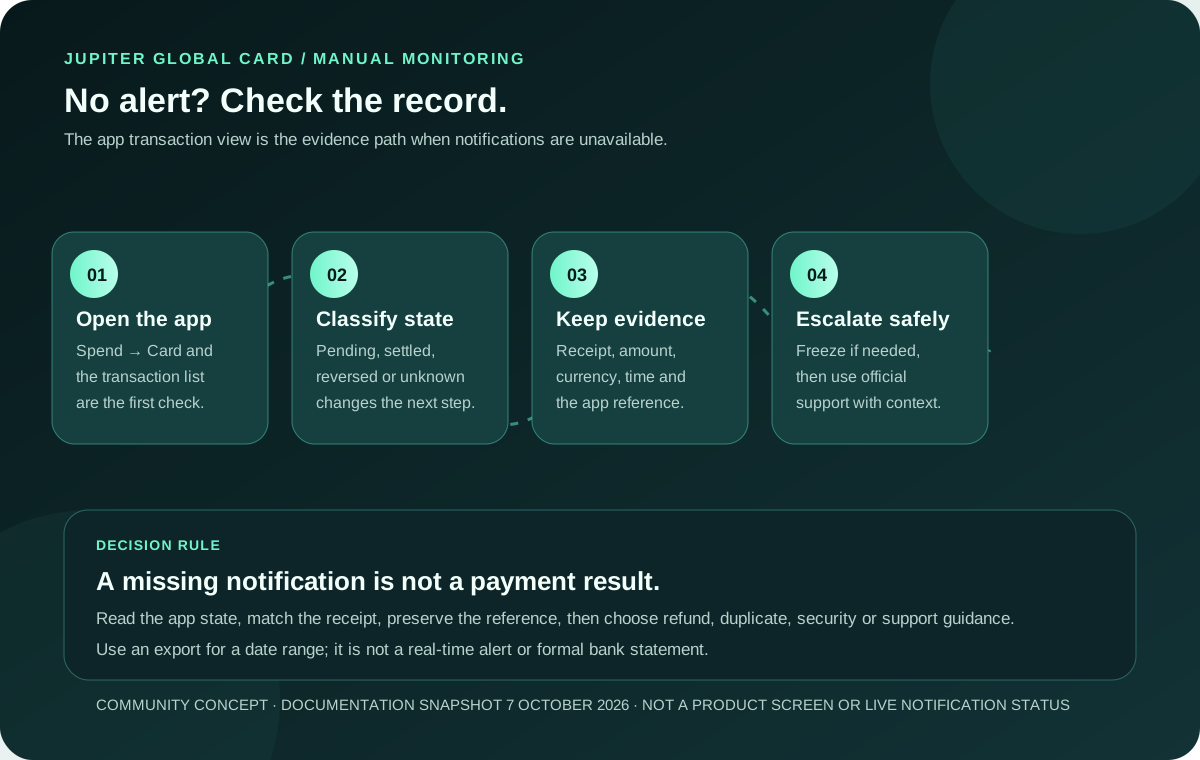
The current documentation says notifications are not yet available; the live Card history and official support route are the evidence for an actual account state.
What the notification limitation means
Jupiter’s Card page says the Cards screen shows the card, management controls and its transactions, but it separately lists transaction notifications as not yet available. The useful distinction is between a transaction being visible in the app and a notification being delivered automatically. Treat the app’s current transaction record as the place to check, and do not build a time-sensitive payment plan around an alert arriving on your phone. Card management and limitations
This is a product limitation, not proof that a payment failed. A merchant can still show a receipt, a card entry can still appear in the app, and a refund can still follow the issuer’s processing timeline. The notification gap simply means you need a deliberate check after an important payment, especially if the merchant says the result is different from what you see.
The manual check after a card payment
Use one short routine for a first or high-value purchase:
1. Keep the merchant receipt or order reference privately. 2. Open Spend → Card in the official app and open the transaction list. 3. Match the merchant, amount, currency and approximate time. 4. Read the state shown for the entry before deciding whether to pay again. 5. Save the original reference if the transaction is pending, reversed, duplicated or unfamiliar.
The available USD Spend balance and the transaction line can answer different questions. A card payment may be authorised before it settles, and a merchant may later void it or issue a refund. The lack of a notification does not turn a pending entry into a second charge, and a merchant’s verbal confirmation does not prove that the balance has been restored. For the state-specific timelines, use the Jupiter Card refund guide rather than repeating the payment.
Check the transaction state, not just the phone
Use the first matching branch below:
| What you can see | What it tells you | Next useful check |
|---|---|---|
| No alert, no visible transaction | There is no notification evidence and no app entry to reconcile yet | Confirm the merchant receipt, wait for the normal app record, and keep a backup method available |
| A pending card entry | An authorisation may still be open or awaiting settlement | Do not pay again; keep the reference and compare the merchant’s status with the app |
| A settled entry | The card transaction reached a settled state | Match the amount, currency and available balance with the receipt |
| A separate reversed credit | A refund or void may have been posted separately | Keep the original and reversal references together; check the documented refund window |
| An unfamiliar or duplicated entry | The record needs a security or duplicate-charge review | Freeze the card if needed and use official support with the original reference |
The live app and official support show the actual state of your account. Jupiter Spend FAQ
Use an export when you need a longer record
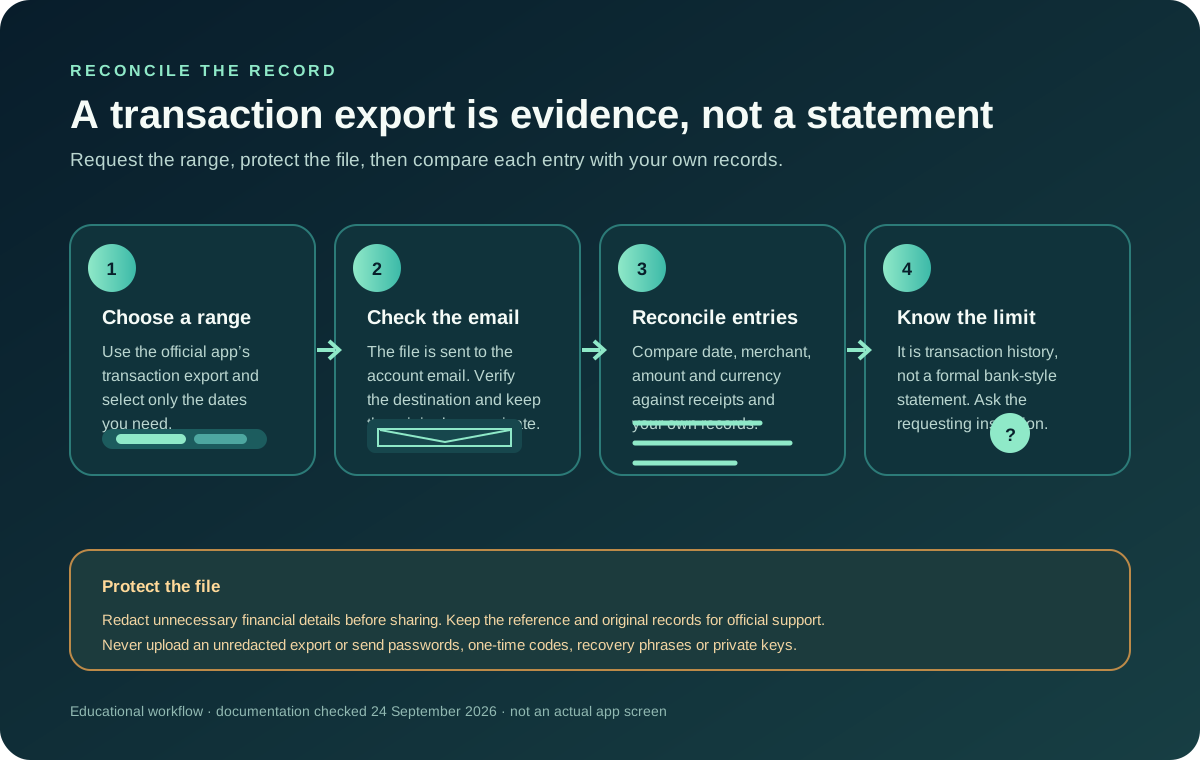
The Spend FAQ says you can select a date range and request a transaction-history export, which is sent to the email connected to the account. Jupiter describes this as a transaction-history export rather than a formal bank-style statement. Keep the file private, compare it with receipts, and ask the organisation requesting proof what record it accepts before sending anything. Transaction export details
An export is useful for reconciliation, but it is not a real-time alert. It cannot tell you that a payment just happened, prove that a bank recipient received funds, or replace the app’s current transaction state. Do not forward an unredacted export to a stranger offering to “verify” a payment or release a refund.
What to do when the merchant and app disagree
If a merchant says the card failed while the app shows a pending or settled entry, pause before trying again. Ask the merchant to check its terminal or order record, keep the receipt, and compare the app’s transaction reference. A second attempt can create a duplicate obligation while the first authorisation is still unresolved. The duplicate-charge guide covers that branch.
If the app shows a transaction you did not authorise, freeze the card through the official app and contact the issuer or official support. Jupiter says the card is issued through Rain or DCS depending on residence, so follow the route shown for your account. Never provide a password, one-time code, PIN, recovery phrase or private key to someone claiming to repair notifications or reverse a payment. Card security and partner boundaries · Official support
A better first-payment routine
Before opening the Card, decide what evidence you will keep: the merchant receipt, currency, amount, time and the transaction reference shown in the app. After the payment, check the app manually and leave enough balance for a pending authorisation or a correction. For a trip, subscription or other time-sensitive purchase, keep a backup method because a missing notification can delay your awareness of a decline or hold.
The site’s first-payment guide, card-not-working diagnostic and transaction export guide cover the next decision.
If the Card fits your payment routine, sign up for Jupiter Global and earn 2% cashback on eligible Jupiter Card purchases, up to $100 a month; then check Spend → Card after each payment and keep the first payment reference.
Jupiter Global Card transaction notifications FAQ
Does Jupiter Global send transaction notifications?
The current Jupiter Card documentation says transaction notifications are not yet available. Check the Card transaction view in the official app instead of relying on a push alert.
How do I know whether a Jupiter Card payment settled?
Open Spend → Card and read the transaction entry, then compare its merchant, amount, currency and reference with your receipt. A pending, settled or reversed state needs a different next step.
What can I use if I need a longer transaction record?
Request the date-range transaction-history export described in the official FAQ. It is emailed to the account address, but Jupiter says it is not a formal bank-style statement.
Should I pay again when the merchant says the first payment failed?
Not until you classify the original entry. A pending or settled line can create a duplicate if you immediately retry. Keep the original reference and use the matching payment-state guide.
What if I see an unfamiliar card transaction?
Freeze the card in the official app when possible, preserve the transaction details privately, and contact the issuer or official support. Do not share secrets or recovery information with a person offering help through an unverified channel.
Sources
Checked against these sources on 7 October 2026.