The safest Jupiter Global deposit starts with a pair, not a coin name: asset + network. USDC on one chain is a different deposit from USDC on another chain, and USDT has a different documented network list. A familiar token label is not evidence that the receiving address can credit it. The Jupiter Global guides directory keeps the funding, bank, and incident routes together if the network check shows you need a different route.
The documented pairs
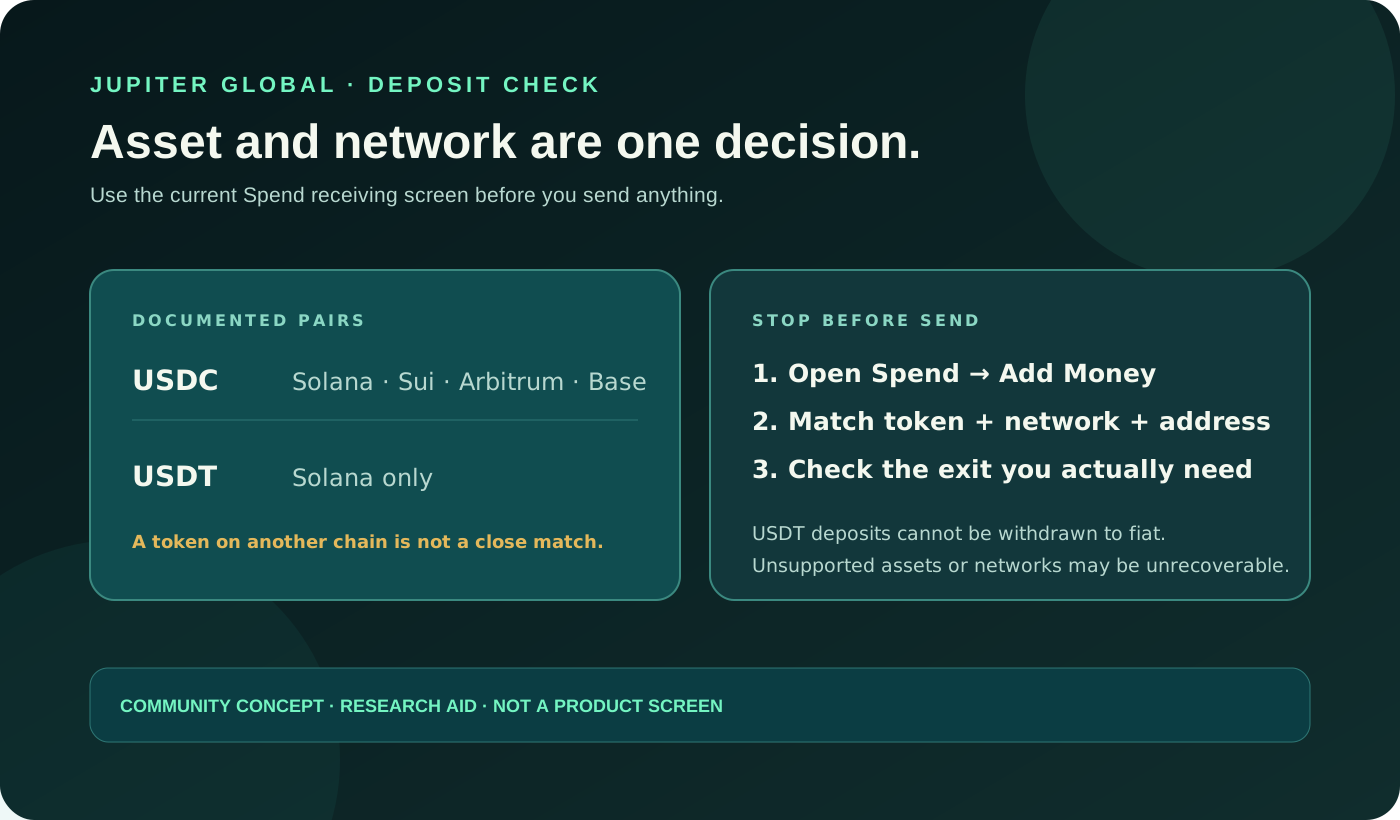
Jupiter’s current Spend FAQ lists these crypto deposit combinations:
| Asset | Documented networks | What to verify before sending |
|---|---|---|
| USDC | Solana, Sui, Arbitrum, and Base | The Spend Add Money screen shows the same asset, network, and receiving address. |
| USDT | Solana | The receiving instructions explicitly show USDT on Solana; do not infer support for another chain. |
The list comes from Jupiter’s current FAQ, and your account or a later version of the app may show different options. Open the current Spend → Add Money flow inside the official app immediately before a transfer. See the deposit FAQ
Read the receiving screen as the authority
Before opening the sending platform, write down the result you want: “This transfer should increase my Spend balance.” Then check the destination shown inside that Spend flow, not an address from an old screenshot, saved note, or chat message. Confirm all four fields together:
1. the destination is the Spend account you intend to fund; 2. the asset is USDC or USDT as shown in the current instructions; 3. the selected network is one of the documented networks for that asset; and 4. the complete address belongs to that current receiving screen.
The address alone is not enough. An address can look valid while the asset or network is wrong for the route. A block explorer can show whether a transaction happened, but it cannot make an unsupported deposit pair compatible.
Why “close enough” is unsafe
The FAQ says depositing on an unsupported network may result in permanent loss of funds. It also says that sending another token to the Spend deposit address is lost and cannot be reversed or recovered, including by support. Treat an absent network or token as a stop signal. Do not choose the nearest-looking chain, send a second transfer to compensate, or pay someone who claims they can recover the first one. Current deposit warning · Crypto safety guidance
If your exchange shows several USDC networks, select only the one that exactly matches the current Spend instructions. If it shows USDT on a network other than Solana, do not assume the same address accepts it. If the sending platform cannot display the exact pair clearly, pause and use its official help route before moving funds.
Check the purpose before you choose the asset
An accepted deposit is not automatically the right exit. Jupiter documents that USDC and USDT can fund Spend, but only USDC deposits can be withdrawn to fiat; USDT deposits cannot use that off-ramp. If your plan is card spending, the relevant question may be whether the balance credits and the card route is available. If your plan is a bank withdrawal, the USDC-only rule and regional support must be checked before funding. Withdrawal rules · Current fees and limits
Do not fund a route based on a future conversion you have not verified. A token swap, bank payout, card payment, and wallet transfer are separate operations with separate fees, limits, and eligibility boundaries. If the money is meant for a bank payout, compare the USDC bank-withdrawal guide before choosing the deposit asset.
Use the site’s Deposit Network Check to compare the documented asset and chain pairs before you fund. If the intended route is a bank transfer rather than a crypto deposit, read the virtual-account versus crypto-deposit guide first.
A careful pre-send checklist
Use one private note for one intended transfer:
- copy the current Spend deposit address and selected network;
- compare the asset and network on the sending platform’s final confirmation screen;
- record the amount that will leave, the withdrawal fee, and the amount expected to arrive;
- confirm that the network fee and any token-account cost are affordable for the test;
- make sure the destination is the Spend balance you mean to fund, not a self-custody wallet; and
- keep the transaction hash and timestamp after submission.
The current fee page lists a $3 minimum on Solana, Base, Arbitrum and Sui, and a $10 minimum on Ethereum. Solana has no processing fee; Ethereum, Base, Arbitrum and Sui charge the higher of $0.30 or 0.02%, plus network gas. A first-time Solana USDC token-account creation cost may also apply. A small test can limit exposure, but it should still be meaningful after the sender’s withdrawal fee and the current deposit charge. Deposit fee rules · First-deposit preflight
If you already sent the wrong pair
Do not send another transaction to “repair” the first one. First check the sending platform’s withdrawal status, then inspect the transaction on the correct chain using the transaction hash. Preserve the asset, network, address, amount, and timestamp privately. Never share a seed phrase, private key, password, or one-time code with a recovery service.
If the transaction is confirmed on a supported pair but the balance is still missing, the FAQ gives a 30-minute checkpoint before contacting official support with the transaction hash and deposit address. Use the deposit-pending guide for that state. A wrong token or unsupported network is a different boundary; do not describe it as an ordinary processing delay. Official support
You’re finished when you have a matched pair, a visible credit in the intended Spend balance, or an official support case tied to the original transaction. When you have the right pair, sign up for Jupiter Global and copy the deposit address from the current Add Money screen before funding. Once your Spend balance is funded, eligible Jupiter Card purchases earn 2% cashback, up to $100 a month.
Jupiter Global deposit network FAQ
Which networks can I use for a Jupiter Global USDC deposit?
The current Spend FAQ lists Solana, Sui, Arbitrum and Base for USDC. Confirm the exact asset, network and address on the current Spend → Add Money screen immediately before sending.
Which network can I use for a Jupiter Global USDT deposit?
The current FAQ lists USDT on Solana. Do not infer support for another chain because the token name is the same or an exchange offers more network choices.
Can I send another token to the Spend deposit address?
No. The FAQ warns that another token or an unsupported network may be permanently lost and cannot be recovered by support. Treat an absent pair as a stop signal.
Can I withdraw USDT to a bank after depositing it?
No. The documented bank-exit route is USDC-only. Check the intended exit before funding, because a supported deposit is not automatically a supported withdrawal.
What should I do if a supported deposit is missing?
Do not send a second transaction. Check the sender status and transaction hash, then use the official support route after the documented 30-minute checkpoint with the hash and current deposit address. A wrong token or unsupported network is a different, irreversible boundary.
Sources
Checked against these sources on 7 October 2026.