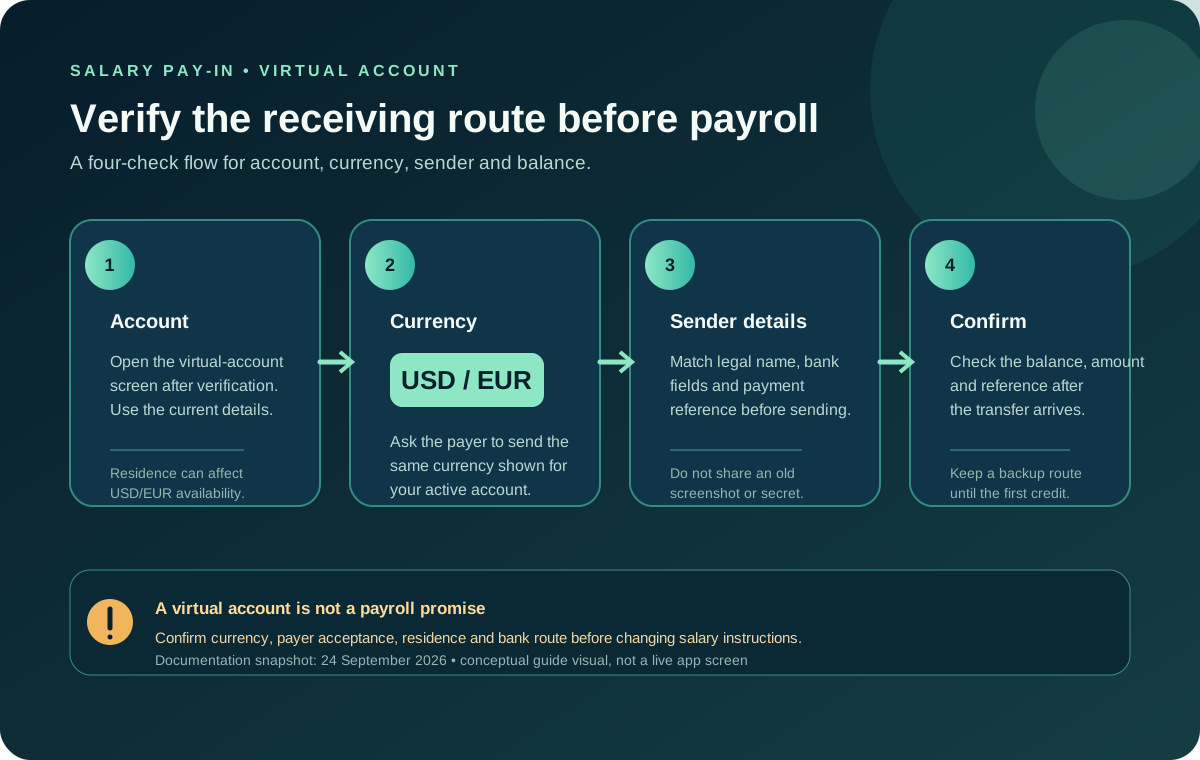
Jupiter Global can receive incoming fiat transfers into virtual accounts, though that doesn’t mean every employer, payroll provider or salary currency will work. The current documentation says verified users receive USD and EUR virtual accounts, and incoming bank transfers credit the Spend balance. EUR availability can depend on country of residence. Treat the virtual-account details shown in the official app as the route to verify before asking an employer to pay you. Read the current remittance documentation
Jup Global Community is an independent learning site published by StonkBuilder.
A virtual account is a receiving route, not a payroll guarantee
The remittance documentation describes virtual accounts as bank identifiers for USD and EUR. Funds sent from an external bank account can credit the Spend balance directly. It does not say that every employer’s payroll system will accept those details, that every country can receive both currencies, or that an employer’s compliance team will approve a crypto-linked financial product.
Before changing payroll instructions, ask the payer whether it can send the exact currency and bank rail shown in your account. If the payroll department only sends a local currency, a card-supported country or an INR/ PHP/ VND payout list does not prove that the salary can arrive through a USD or EUR virtual account. Receiving a bank transfer and sending a local payout are separate product decisions.
Check the account before you share details
Complete Jupiter ID verification and open the virtual-account screen in the official app. Then confirm:
- the account is actually issued to your verified profile;
- the displayed currency is the currency your employer will send;
- the account name and identifiers match the instructions your payer requires;
- your residence is eligible for the displayed account, especially if you need EUR; and
- the account is available now rather than shown as a planned or unavailable feature.
The FAQ says verified users receive USD and EUR virtual accounts and that EUR availability may depend on residence. The app’s current screen is the authority for the account identifiers. Do not copy bank details from an old screenshot, a search result, or an unsolicited message. Review the verification and account rules
Use the residence and feature checker to record the country and account question, then use the Route Finder to separate salary receipt from card spending or a later bank payout.
Match the sender, currency, and purpose
Ask the employer or payer what it needs for an incoming transfer. A legal sender name, beneficiary name, account number, routing code, and payment reference may all matter. Use the exact fields shown by the account and keep the payroll instruction private.
If a payer wants to send USD, do not give it a EUR account because both currencies are available somewhere in the product. If it wants to send a local currency that is not the virtual-account currency, stop and ask which supported route it intends to use. A conversion step can change the fee, timing, and compliance checks; it should appear in a current quote rather than be inferred from a currency symbol.
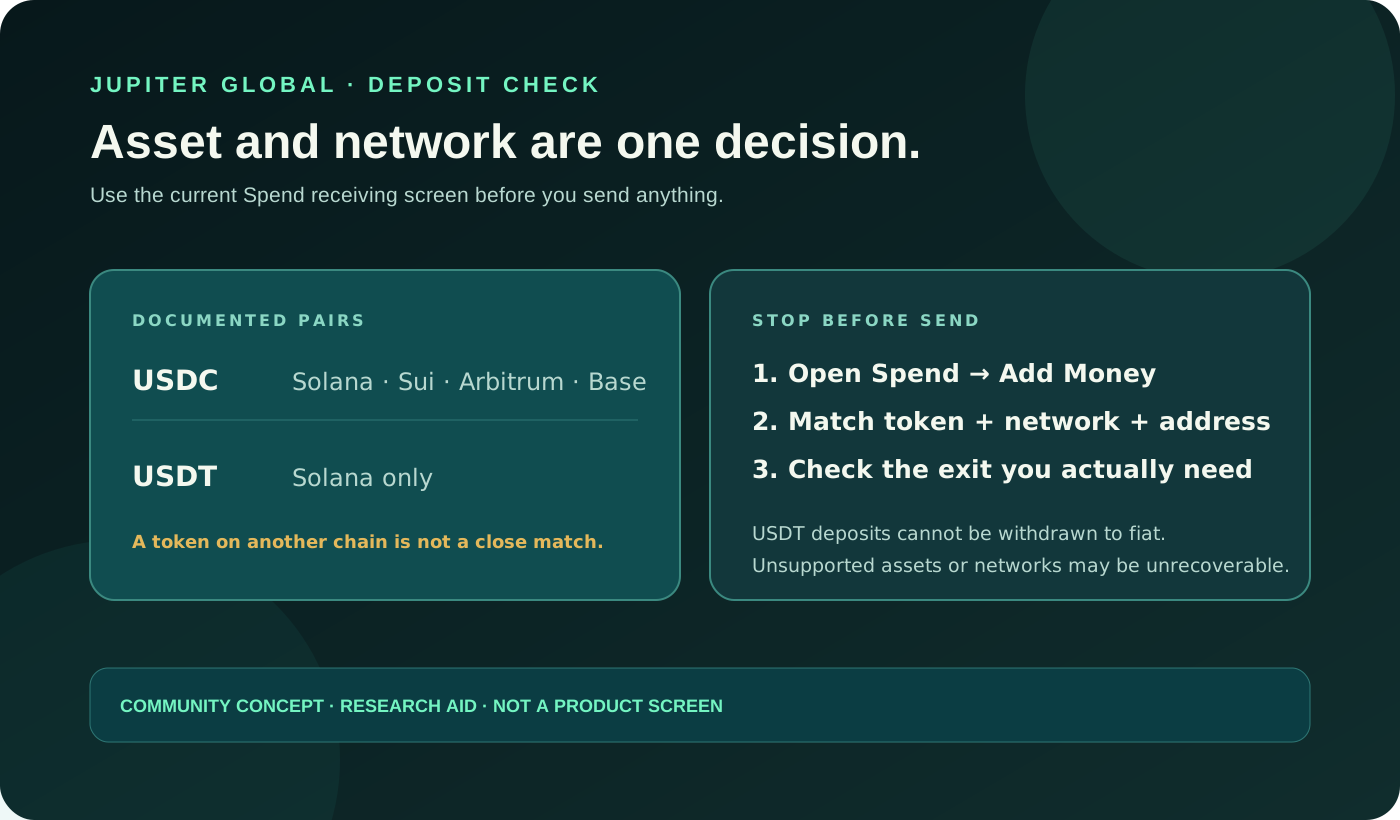
Do not send USDC directly to a virtual account. Jupiter’s remittance documentation says virtual accounts are funded by incoming fiat transfers and that USDC cannot be deposited directly into them. A crypto deposit address and a bank account identifier are different destinations. Compare bank funding with crypto funding
Confirm restrictions before relying on a salary date
The remittance page currently says bank deposits are temporarily unavailable in California, New York, Connecticut, and Puerto Rico. It also says corridor availability can depend on the recipient bank and local regulations. A virtual-account number shown in documentation is therefore not enough to promise a payroll credit on a particular date.
Check the account’s current receiving instructions, the employer’s sending bank, and the payment window. Keep a backup salary destination until one small, legitimate transfer has arrived and you have confirmed the balance. Do not ask payroll to send a large first payment simply to test whether the route works.
Fees, timing, and the first receipt
Incoming deposits and outbound payouts can have different fees. The current fee documentation says charges vary by rail and currency, while the remittance page says currency conversions use the market rate. A salary route should be compared using the amount the employer sends, the amount credited to Spend, and any separate conversion or receiving cost. Do not use a payout fee as a prediction for an incoming pay-in.
Once the payer sends the transfer, keep the bank reference and expected amount private. Check the Spend balance and transaction history rather than relying only on the sender’s confirmation. If the credit is late, do not create a second transfer or ask a stranger to “release” it. Use the original reference and the official support route. The support FAQ says transfer issues should include the transfer reference; that evidence is more useful than a screenshot with the account number exposed. Current fee structure
The quote comparison tool can help compare a complete salary pay-in or conversion quote, but it does not query your account, payroll provider, or bank. Enter only amounts you are comfortable keeping locally; never upload private bank statements or identity documents to a public tool.
Before you change your payroll details
You are ready to consider the route only when you can answer five questions: Which virtual-account currency will the payer send? Is that account visible and active for your verified residence? Do the beneficiary and bank fields match? What amount should credit after any stated charges? What reference will support need if the credit is delayed?
If any answer is unclear, keep your existing salary route and sort it out through the official app or support. If everything lines up, sign up for Jupiter Global and check the receiving details before you give them to your employer. Once your pay lands, eligible Jupiter Card purchases earn 2% cashback, up to $100 a month.
Jupiter Global Receive Salary FAQ
Can Jupiter Global receive a salary by bank transfer?
Verified users may receive incoming fiat transfers into USD or EUR virtual accounts, but the route is not a guarantee that every employer, payroll provider, currency or country will accept it. Confirm the live receiving screen and payer requirements first.
Can my employer send local currency to a Jupiter virtual account?
Only use the currency and rail shown for the virtual account in the current app. A local-payout list or card-supported country does not prove that a local-currency payroll payment can credit a USD or EUR virtual account.
Can I give payroll a Jupiter virtual-account number before verification?
No. Complete the required verification and confirm that the account is issued and active for your profile and residence. Do not copy identifiers from an old screenshot, search result or another person.
Can an employer send USDC to a virtual account?
No. The checked remittance documentation describes virtual accounts as incoming fiat bank-transfer routes and says USDC cannot be deposited directly into them. Use the separate supported crypto deposit flow for crypto.
What should I do if a salary payment is late?
Keep the original bank reference, expected amount, currency, sender status and send time. Do not create a second payment; use the official support route with the traceable reference and keep account identifiers and private credentials redacted.
Sources
Checked against these sources on 29 September 2026.