Subscriptions are harder than one-off purchases because the merchant may charge again after you have stopped watching the account. Jupiter Global’s current documentation describes a Visa card that spends from a USD Spend balance, but not every subscription merchant, category or renewal will necessarily go through. Check a recurring payment more carefully than a one-off card test.
What the card can and cannot tell you
The Jupiter Card is a Visa card. The app displays the Spend balance in USD; deposited USDC and USDT are not automatically converted to USD on arrival. With Rain, the stablecoins remain on-chain as card collateral. Visa acceptance is useful evidence for an online checkout, but it is not a universal approval promise: the FAQ says some merchant categories are restricted and that risk monitoring can restrict merchants dynamically. Card mechanics and limits · Merchant and decline FAQ
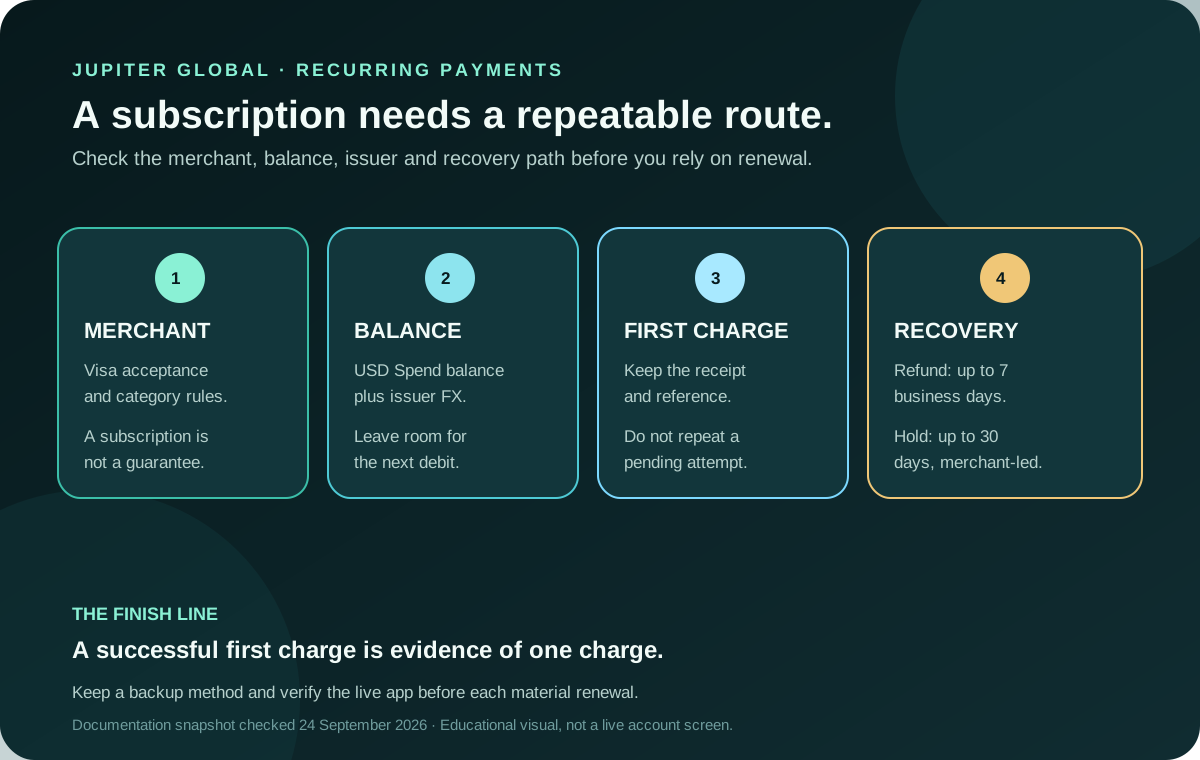
The right question is therefore not “does Jupiter support subscriptions?” in the abstract. Ask four smaller questions:
1. Does the merchant accept the card and permit this type of recurring payment? 2. Will the available USD balance cover the next debit, including any non-USD conversion cost? 3. Can you see the first authorisation and settlement in the app? 4. Do you have a safe recovery route if the merchant charges, reverses or retries?
If the answer to any of these is unknown, do not make the subscription your only payment method.
Check the merchant before you commit
Use the merchant’s own checkout to see the final currency, billing interval and cancellation terms. A familiar brand does not settle the issuer’s merchant-category or fraud checks. Some services also place a temporary authorisation before the first period begins; that can reduce the available balance even when the merchant has not captured the final amount. Jupiter’s FAQ says an uncaptured authorisation can remain pending for up to 30 days, depending on the merchant. Pending-authorisation timing
Do not use a stranger’s “activation” link or send card details through a support chat. Open the official Jupiter app for card controls and use the merchant’s verified site for billing. Jupiter’s security guidance says regulated partners handle the card service, so freezes and disputes go through the official app and support. Security boundaries
Leave room for the next debit
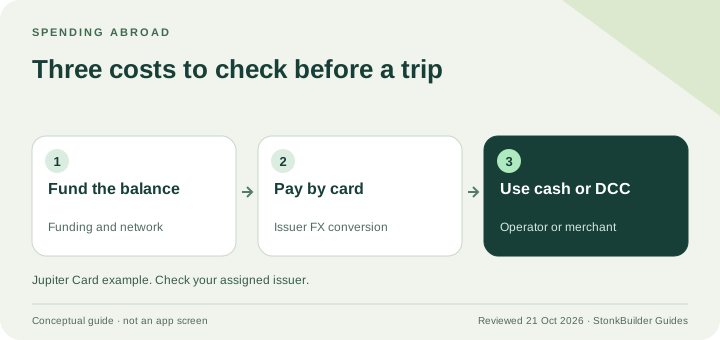
The card balance is held in USD. The app’s display currency is a viewing preference; it does not turn the balance into a new settlement currency. If the subscription charges in another currency, the current table lists a 1% FX fee for Rain and 1.8% for DCS. Issuer assignment is based on residence, so you cannot choose an issuer simply to obtain a preferred rate. Issuer FX rules · Balance explanation
Before you confirm, write down:
- the recurring amount and billing currency;
- the next expected charge date;
- the available USD balance after the first authorisation;
- the issuer shown for your card and its applicable FX rule;
- a backup payment method that does not require rushing funds through an unfamiliar route.
An account can show enough for today’s payment while still being a poor fit for the next renewal. Keep a buffer for currency movement, a larger merchant authorisation, and a second attempt after a temporary decline. Do not deposit more than you can afford to leave in the route while you learn how the merchant and issuer behave.
Treat the first charge as a controlled test
For a service you genuinely intend to use, begin with a plan or billing period you understand. Save the merchant receipt and the Jupiter transaction reference privately. Then check whether the app shows a pending authorisation, a completed purchase or a failure. A merchant email saying “payment accepted” is helpful, but it is not the same as settlement in the card history.
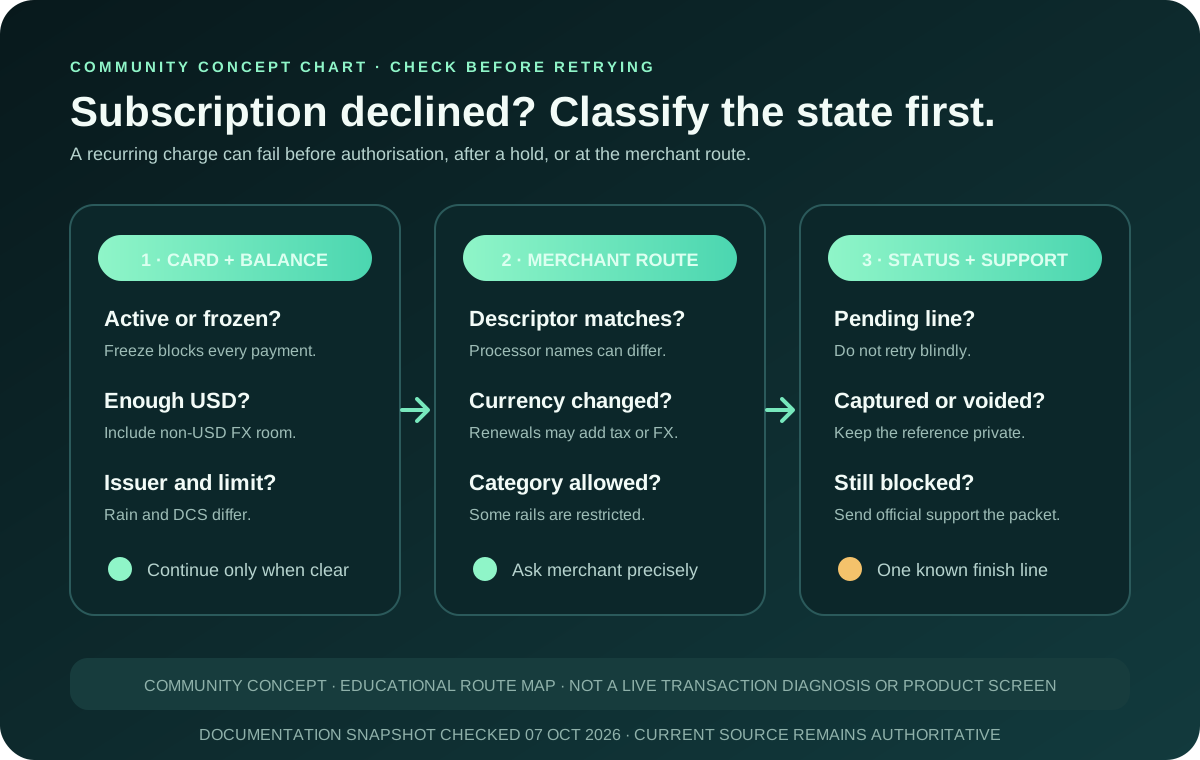
If the first payment declines, do not keep retrying with the same details. Check the card’s freeze state, available balance, currency, merchant response and any issuer limit. Then use the subscription-decline checklist for the recurring-charge branch, or the broader card-decline checklist when the merchant route is unclear. If a small pending line remains after the decline, classify it with the verification-charge guide before trying again. A temporary decline is a reason to identify the failing checkpoint, not a reason to disclose your account to someone promising an instant fix.
If the payment succeeds, a later renewal can still fail because the balance, merchant token, category or risk decision changed. Keep a reminder before the next material debit and retain a backup method. The first-card payment guide explains the same receipt-matching discipline for an ordinary purchase.
Know the refund and cancellation clocks
Cancelling a subscription at the merchant does not by itself prove that a card authorisation has been released. The current Card documentation says a settled refund can take up to 7 business days to return to the card balance. It may appear as a separate credit marked “Reversed” under the original transaction. A pending transaction that the merchant voids follows a different path. Refund timeline
For a settled non-USD payment, the refund uses the FX rate on the day the refund is issued, and the original FX fee is not refunded. Compare the original currency, the merchant’s refund confirmation, the date, and the credit shown in the app before deciding that the amount is missing. If the documented window passes, contact official support with the original reference and merchant evidence. Official support route
A compact subscription preflight
| Checkpoint | Evidence to keep | Pause when |
|---|---|---|
| Merchant fit | Final checkout currency, interval and cancellation terms | The category or billing route is unclear |
| Balance | USD Spend balance, issuer and next debit | The buffer cannot cover a retry or FX cost |
| First charge | Merchant receipt and app transaction reference | The entry remains pending and you are tempted to repeat it |
| Renewal | Reminder, backup method and updated app status | The card, merchant or route has changed |
| Recovery | Refund confirmation and original reference | A refund or reversal is outside its documented window |
Use the fee and route tools to compare the full cost of the route, and read the payment-route guide if a bank or crypto funding path would fit your goal better.
A first charge going through is only the start. Before relying on the card, make sure you can explain the next debit, balance, cancellation and refund path without guessing. If it checks out, sign up for Jupiter Global and confirm the issuer, merchant policy, a USD buffer and a backup payment method before the first renewal. Eligible Jupiter Card purchases earn 2% cashback, up to $100 a month.
Jupiter Global subscriptions FAQ
Can I use a Jupiter Global card for subscriptions?
The card is a Visa card, but subscription approval still depends on the merchant, category, issuer, available USD balance, currency and risk controls. Visa acceptance alone does not guarantee that a recurring charge will be approved.
How much balance should I keep for a subscription?
Keep enough available USD balance for the next debit, any larger authorisation, a non-USD conversion fee and a possible retry. Check the issuer shown in the app because the documented FX rates differ between Rain and DCS.
What if the first subscription payment is pending?
Do not submit it repeatedly. Save the merchant receipt and transaction reference, ask the merchant whether the authorisation was captured or voided, and wait for a clear state. An uncaptured authorisation can remain pending for up to 30 days, depending on the merchant.
Why can a renewal fail after the first payment worked?
The balance, merchant token, renewal amount, currency, billing entity, merchant category or risk decision may have changed. Compare the new invoice and transaction descriptor with the first successful charge before retrying.
How long can a subscription refund take?
A settled card refund can take up to 7 business days to return to the card balance. A pending authorisation that the merchant voids follows a different release path, so identify the transaction state before using a refund timeline.
Sources
Checked against these sources on 21 October 2026.