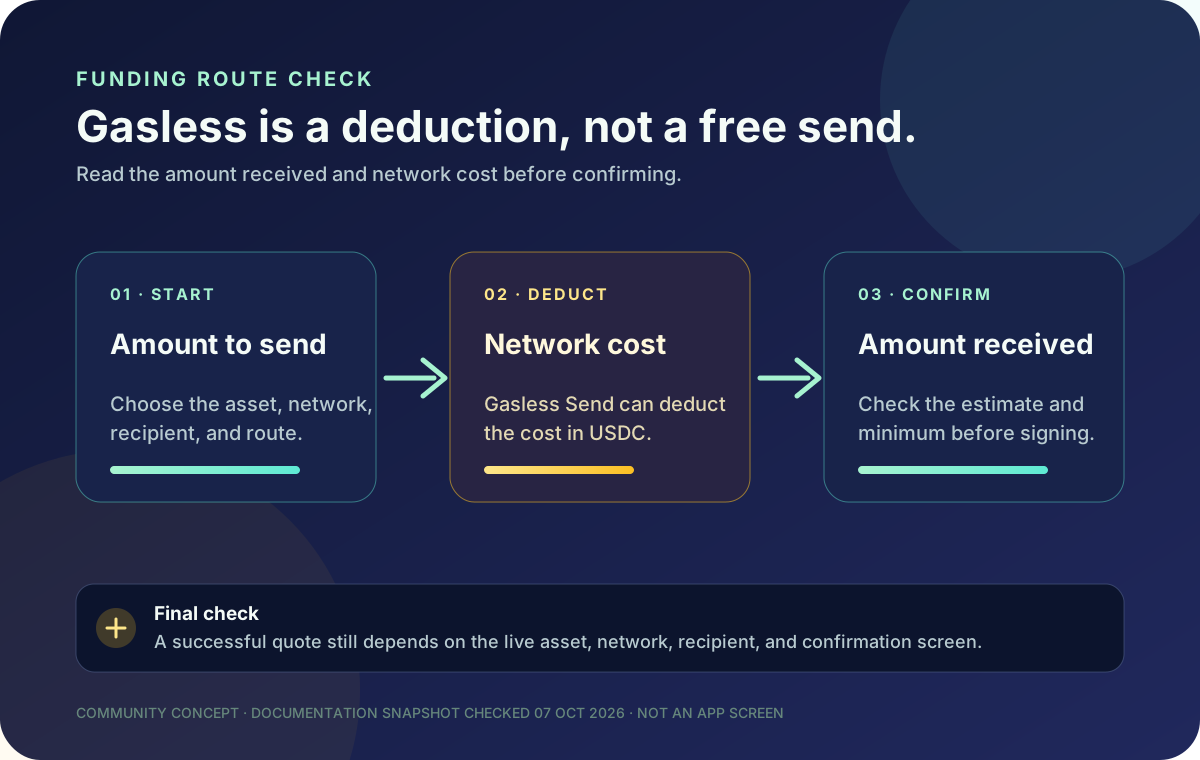
“Gasless” sounds like “free,” but Jupiter’s current Spend documentation describes a different trade-off: with Gasless Send, the network cost can be deducted in USDC from the amount sent. The network fee still exists; the route changes how it is supplied and shown in the confirmation flow.
Keep the Jupiter Global guides directory open while you check the route. It links the current funding, network, withdrawal and payment guides used by this preflight.
The useful short answer
- Gasless does not remove the network cost. It can deduct that cost in USDC from the amount sent.
- The amount received matters more than the headline. Read the estimated amount, minimum received, price impact, and network cost before you confirm.
- Send to Spend is a separate route. A token held in a Jupiter Mobile wallet can be swapped into USDC, with its own swap fee and a small SOL network fee.
- A direct Spend deposit has a narrower input. The current FAQ lists USDC on Solana, Ethereum, Sui, Arbitrum, and Base, plus USDT on Solana.
- A successful funding action is not a bank exit. Only USDC deposits are documented as eligible for fiat withdrawal, subject to region and account checks.
This is a documentation guide, not an account lookup. Reopen the live confirmation screen before every send; the exact asset, network, recipient, fee, and route control the decision. Current Fees & Limits · Spend FAQ
What “gasless” changes
Every on-chain send has a network cost, even when a user interface describes the action as gasless. The checked Jupiter fee documentation says standard network fees are paid to the network and vary by deposit network. It also states that, with Gasless Send, the cost is deducted in USDC from the amount sent.
That means the word “gasless” describes the funding experience, not a zero-cost promise. You may not need to hold the network’s native token for that step, but the recipient amount can still be lower than the amount you entered. Treat the final summary as the source of truth for what will leave, what will arrive, and what the route is charging.
Direct deposit and Send to Spend are different
The Spend deposit address and the Send to Spend flow solve different problems:
| Route | What the documented flow accepts | What to check before confirming |
|---|---|---|
| Direct Spend deposit | USDC on Solana, Ethereum, Sui, Arbitrum, or Base; USDT on Solana | Asset, network, destination address, amount, and any network cost |
| Send to Spend from Jupiter Mobile | Any token held in the Jupiter Mobile wallet, converted into USDC | Swap fee, estimated amount, minimum received, price impact, network fee, and Spend credit |
| Fiat virtual-account funding | Incoming fiat bank transfer to the USD or EUR account shown after verification | Currency, beneficiary, rail, fixed fee, variable fee, and account instructions |
Do not paste a bank beneficiary into a crypto deposit form. Do not send an unsupported token to the direct Spend address because the FAQ says it cannot be reversed or recovered. If the token is already in Jupiter Mobile, use the documented Send → Send to Spend path instead of inventing a direct deposit route. Compare funding paths
Read the confirmation in this order
Before signing or approving the send, record these fields privately:
1. Source asset and network. The token name alone is insufficient; USDC on one chain is not USDC on every chain. 2. Destination. Compare the complete address or the app-selected Spend route with the instructions you opened yourself. 3. Gross amount. Know whether the amount is the total debit or the amount you hope the recipient receives. 4. Network cost. Gasless Send may show a USDC deduction. A direct deposit may show a network charge paid separately. 5. Minimum received or estimated credit. This is the number to compare with the outcome you actually need. 6. Price impact and swap fee. These belong to Send to Spend conversion and are separate from the network cost. 7. Final account. Confirm that the route ends in Spend, a wallet, or a bank rail as intended.
If any field changes after you checked it, go back to the route-selection step. A lower received amount can be expected when a documented fee is visible; an unfamiliar recipient, network, or permission is a reason to stop and use official support.
A small example without pretending to quote a live fee
Suppose a confirmation shows a gross amount of 100 USDC and a 0.20 USDC network-cost deduction. The documented arithmetic would leave an estimated 99.80 USDC for that route before any other displayed conversion or service effect. That is a teaching example, not a current quote. Your live confirmation may show a different deduction or a different route entirely.
Do not compare that example with a card’s FX percentage or a bank-transfer payout fee. Those are different product actions. Use the site’s Quote Compare tool only with complete, same-time quotes and keep the asset, currency, delivery method, and destination constant.
When a bank exit is the real goal
If you need money to reach a bank account, decide that before funding. Jupiter’s current documentation says only funds deposited as USDC can be withdrawn to fiat; USDT deposits cannot use the documented fiat off-ramp. Withdrawal support is also region-dependent, and a local payout or virtual-account transfer is a separate route with its own beneficiary and fee rules.
Gasless Send can make a token easier to move into Spend, but it does not create a bank corridor, approve a beneficiary, or guarantee an off-ramp. Open the live Withdrawal or Remittance screen, choose the destination currency, and save the displayed quote before you move funds you may need to exit. Read the USDC bank-exit preflight and the Spend-balance versus withdrawal-balance guide before treating a funded balance as bank-ready.
Five mistakes to avoid
- Calling gasless free: the network cost can still reduce the USDC amount sent.
- Using the wrong network: a matching token name does not make an unsupported chain safe.
- Confusing Send to Spend with a direct deposit: conversion fees and minimum received belong to a different flow.
- Funding before checking the exit: a visible Spend balance does not prove a fiat withdrawal route.
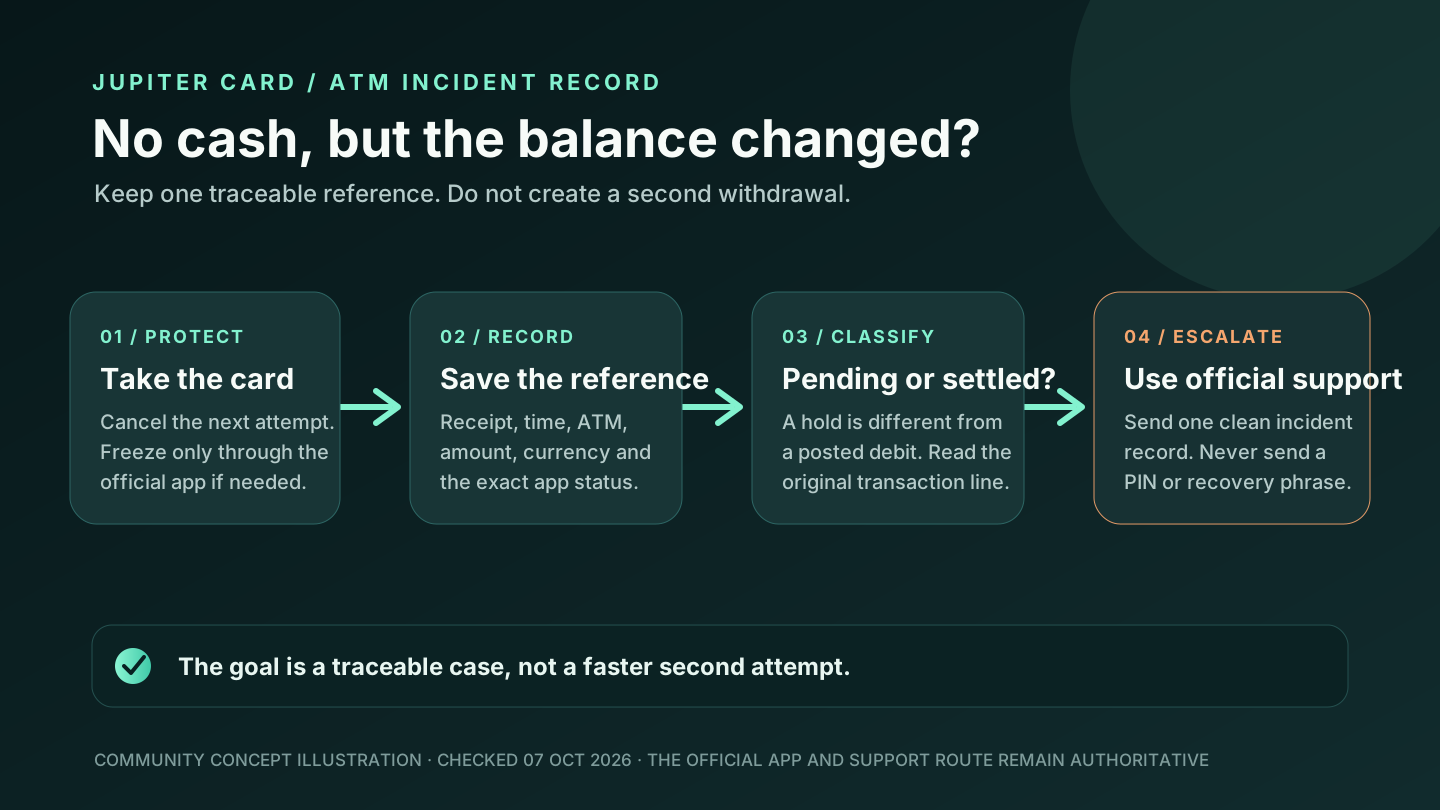
- Repeating an unresolved send: keep the hash, destination, amount, and timestamp; contact official support before trying again.
A safe Gasless Send preflight
1. Decide where the money should end up: Spend balance, another wallet, or a bank route. 2. Open the official flow yourself and select the exact asset and network. 3. Compare the destination with a trusted source, not the message that created urgency. 4. Read the network cost, swap fee, estimated amount, and minimum received. 5. Make a modest valid test when the route is new and confirm the result at the receiving end. 6. Keep the transaction hash and confirmation details private but available for official support.
The deposit-network checklist covers token and chain matching, while the payment-route guide separates card, crypto, virtual-account, remittance, and off-ramp decisions. If the route fits the live confirmation, sign up for Jupiter Global and read the asset, network, deduction, amount received and destination before you sign. You’ll also earn 2% cashback on eligible Jupiter Card purchases, up to $100 a month.
Jupiter Global Gasless Send FAQ
Is Gasless Send free?
No. Jupiter’s current Fees & Limits documentation says that with Gasless Send, the network cost is deducted in USDC from the amount sent. Read the live summary for the actual deduction and amount received.
Does Gasless Send mean I can use any token at the Spend deposit address?
No. The direct Spend address currently accepts USDC on Solana, Ethereum, Sui, Arbitrum, or Base, and USDT on Solana. Other tokens use the separate Send to Spend flow from a Jupiter Mobile wallet.
What fees apply to Send to Spend?
The current FAQ describes a swap into USDC with a Jupiter Mobile swap fee for the pair plus a small SOL network fee. The confirmation shows the estimated amount, minimum received, and price impact before you approve it.
Can Gasless Send guarantee a bank withdrawal later?
No. Funding, card spending, remittance, and fiat withdrawal are separate routes. The checked documentation says only USDC deposits can be withdrawn to fiat, and regional and account checks still apply.
What should I save if a send is missing?
Keep the transaction hash, source asset, network, destination, amount, timestamp, and the confirmation screen’s route details. Do not send the same funds again while the first transaction is unresolved; use official support.
Sources
Checked against these sources on 7 October 2026.