The Jupiter Global Spend balance and a withdrawal balance answer different questions. The Spend balance is the amount available for card spending. A withdrawal or off-ramp route is a separate account and region check. Seeing money in the first place does not prove that the second route is available.
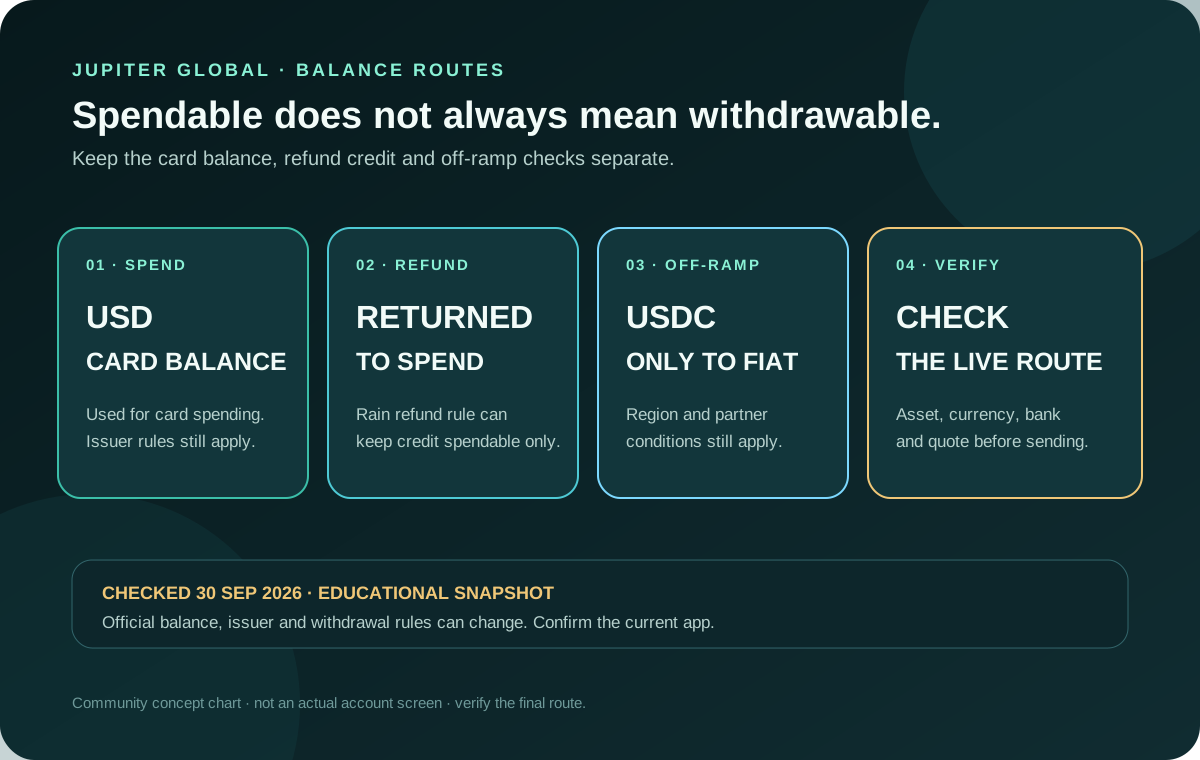
The distinction in one view
| What you see | What it is for | What it does not prove |
|---|---|---|
| Spend balance | The USD balance used by the Jupiter Card and other Spend features | That the balance can be sent to a bank or wallet |
| Withdrawal or off-ramp screen | A separate route for moving eligible funds toward fiat | That every region, asset or currency is supported |
| Card refund credit | A return to the card-spending balance after a purchase | That the credit is withdrawable |
| Deposit confirmation | Evidence that an asset reached the documented Spend route | That a future payout quote or corridor will be available |
The current fees documentation makes the strongest version of this distinction for Rain-issued cards: the Spend balance is what can be spent, while the Withdrawal balance is separate. A refund can restore the Spend balance for another card payment without making that amount withdrawable. Rain balance and withdrawal rules
What the Spend balance controls
Jupiter’s Card documentation says the card draws from a USD balance. The app displays the Spend balance in USD; deposited USDC and USDT are not automatically converted to USD on arrival. With Rain, the stablecoins remain on-chain as card collateral. The Spend balance is therefore the amount to check before a card purchase, together with the currency, issuer fee and any displayed limit. Card balance details
That balance can be useful for an ordinary Visa purchase even when a bank off-ramp is unavailable. It can also be affected by a pending authorization, a settled refund, a card freeze or a merchant-category restriction. Do not use a successful card payment as a test for whether a later withdrawal will work.
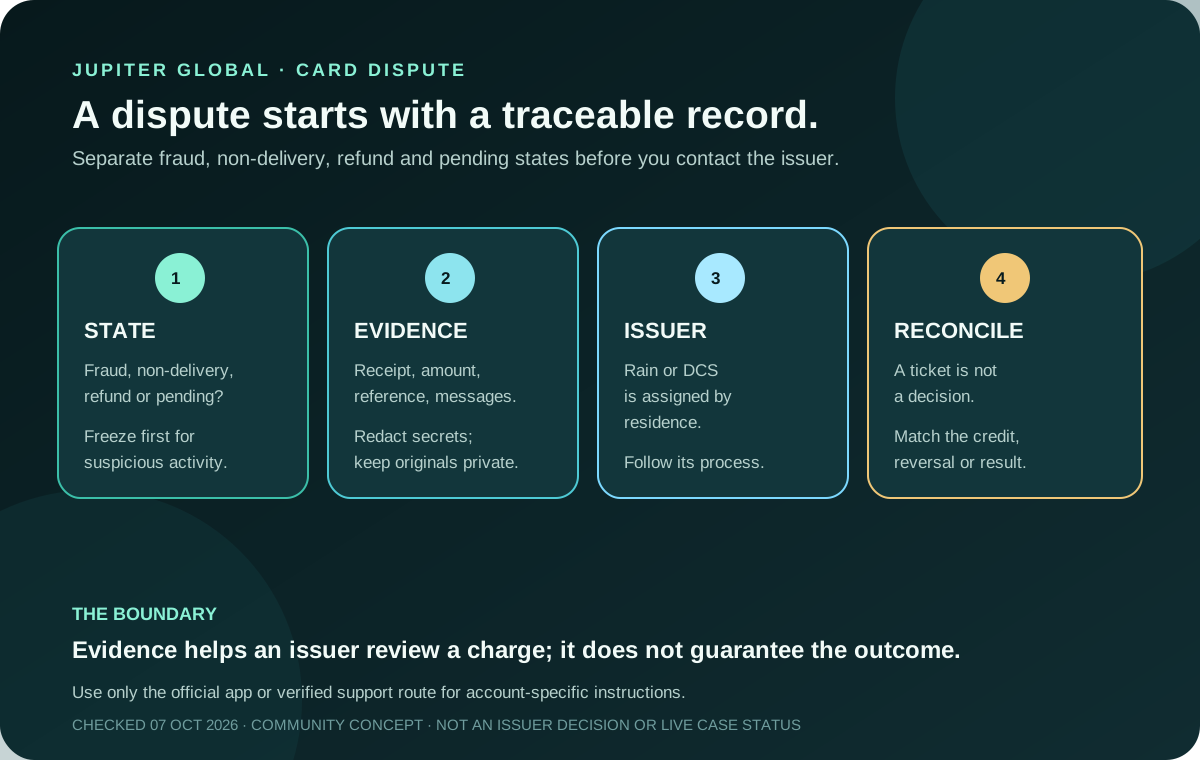
The current card route is also issuer-specific. Jupiter assigns one issuer according to country of residence, and the fees page lists different non-USD card FX rates for Rain and DCS. The issuer assignment helps explain a card charge; it does not turn the card balance into a universal payout account. Issuer and fee details · Current fee table
Why a refund may be spendable but not withdrawable
For a Rain-issued card, the current documentation says a card refund is added to the Spend balance so it can be used for another card payment, but it cannot be withdrawn back to a wallet through that balance. That is a product rule, not evidence that the refund disappeared.
The funding history is the faster way to classify the next step:
| How the visible balance was created | What the current documentation supports | What still needs a live check |
|---|---|---|
| Direct USDC deposit | USDC deposits are the documented asset class for a possible fiat withdrawal | Region, destination currency, beneficiary, quote and the withdrawal control shown in the account |
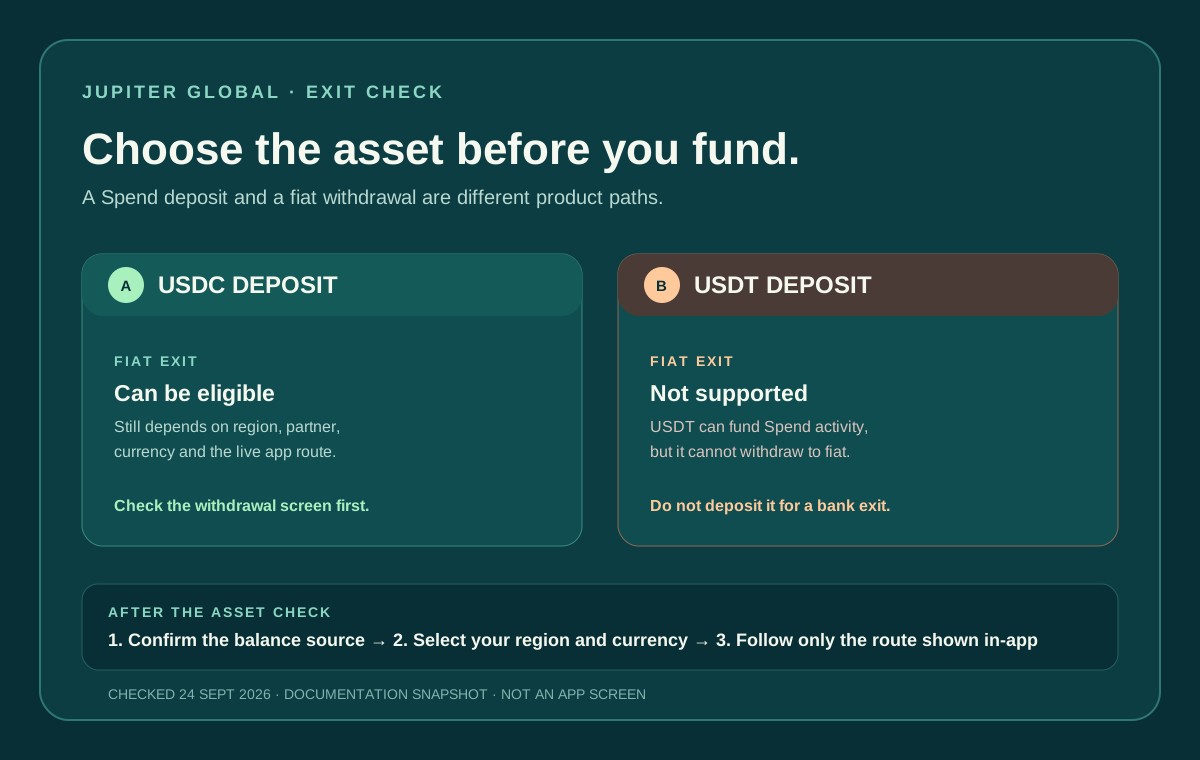
| Direct USDT deposit | USDT deposits are not documented as withdrawable to fiat | A separate supported spending or transfer route, if the account shows one |
| Send to Spend conversion | The FAQ says the route arrives as USDC in Spend | The live withdrawal control, region, destination and final quote |
| Rain card refund | The refund can restore Spend balance for another Card payment | It does not become wallet-withdrawable through that balance |
This table classifies the route from the documented source asset and issuer rule; it does not guarantee a payout. If the live screen contradicts the public documentation, pause and preserve the transaction reference before contacting official support.
Read the transaction state before escalating:
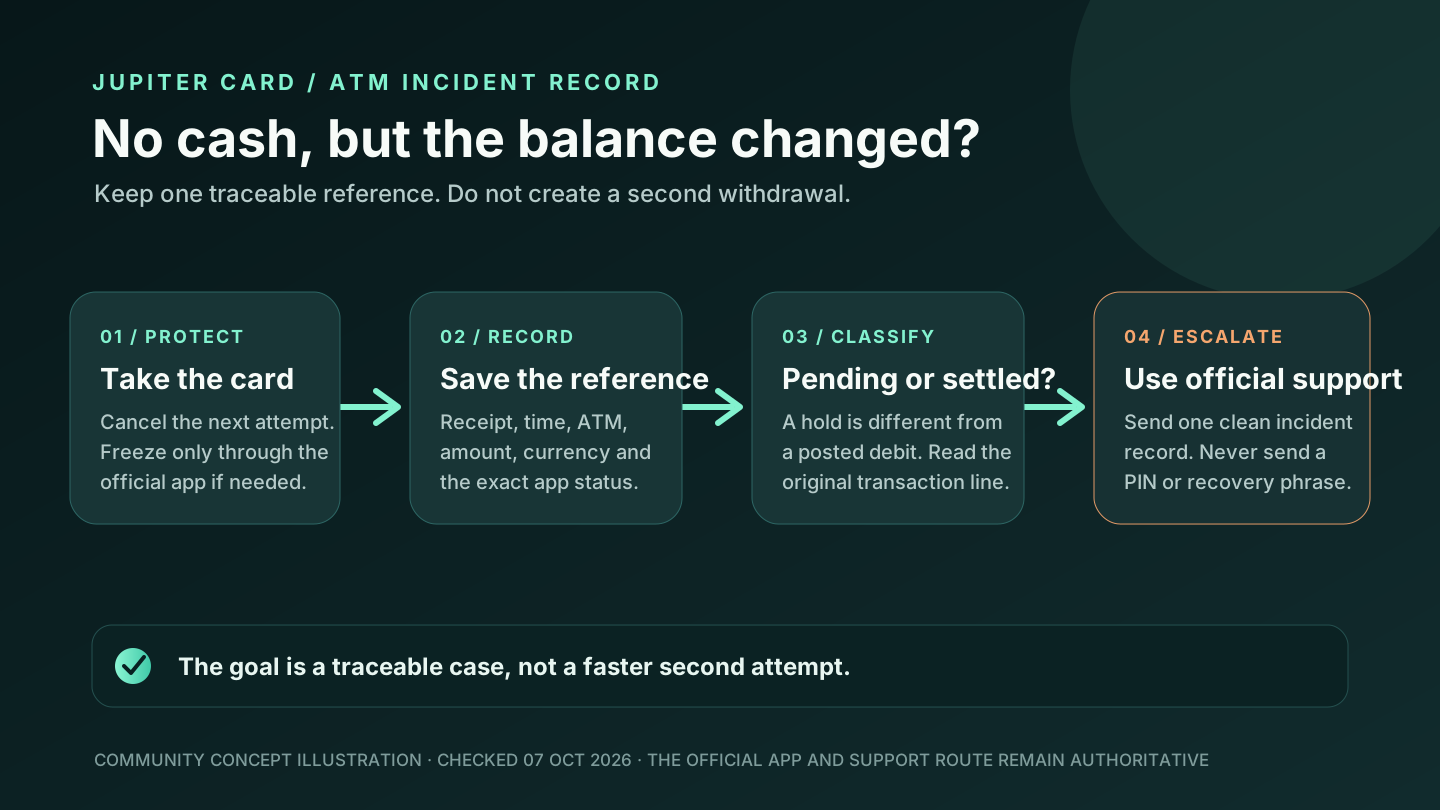
1. A pending authorization may still be holding available balance. 2. A settled refund may appear as a separate credit and restore card spending power. 3. A withdrawal screen may still exclude that credited amount, depending on issuer and route.
Keep the original transaction reference, refund date, currency and issuer together. Do not make a second payment simply because a merchant says “refunded” while the account entry is still unresolved. The card refund guide covers the separate seven-business-day refund and 30-day authorization windows.
What the withdrawal route checks
Jupiter’s documentation says card-balance withdrawals are powered by Noah and are region-dependent. It also says that only USDC deposits can be withdrawn to fiat; USDT deposits cannot. The FAQ adds that deposits made through Send to Spend arrive as USDC, so the funding path affects the withdrawal check even when the visible balance is the same. A route may still fail because of the region, destination currency, recipient details or a corridor restriction. Current withdrawal conditions · Spend funding FAQ
The partner boundary matters. The Card uses Rain or DCS, while card withdrawals and remittance use Noah. Jupiter’s risk documentation lists those as separate product partners, so a working card does not certify a working bank exit. Partner boundaries
Before expecting a payout, open the current official flow and confirm:
- the issuer assigned to the account;
- the asset that funded the balance;
- whether the withdrawal control is visible;
- the destination currency and beneficiary fields;
- the current quote, fixed fee and percentage fee; and
- any region or bank restriction shown before confirmation.
Do not fund an account solely because you expect a later refund to become cash-out money. If the real goal is a bank payout, compare the USDC bank-withdrawal guide with the payment-route guide, then compare the complete route rather than treating the card balance as a bridge by default.
A safer decision sequence
Use this order before moving more funds:
1. Write down what the money is for: card purchase, merchant QR payment, bank payout or wallet exit. 2. Check the live Spend balance and the asset that produced it. 3. If a refund is involved, identify whether the original payment settled. 4. Check the issuer and the withdrawal control separately. 5. Read the final quote and destination details in the official app. 6. Pause if the app and the public documentation disagree; preserve the transaction reference and use official support.
The Route Finder can help you organize that decision. Keep account numbers, identity documents, passwords, PINs and recovery phrases out of community support channels. Official support route
The practical answer is simple: use the Spend balance for the card route the app actually shows, and treat a withdrawal as a separate eligibility and asset check. If card spending is what you’re after, sign up for Jupiter Global and check your issuer, funding asset and withdrawal options in the app before moving money. Eligible Jupiter Card purchases earn 2% cashback, up to $100 a month.
Jupiter Global balance and withdrawal FAQ
Is the Jupiter Global Spend balance the same as a withdrawal balance?
No. The Spend balance is used for card spending. The current documentation describes a separate Withdrawal balance for Rain-issued cards, and an available card balance does not prove that an off-ramp is open.
Can a card refund be spent but not withdrawn?
For a Rain-issued card, yes. The current fees documentation says a refund can return to the Spend balance for another card payment while remaining unavailable through the Withdrawal balance.
Can USDT be withdrawn to fiat from the Spend route?
The current fees documentation says only USDC deposits can be withdrawn to fiat; USDT deposits cannot. Confirm the live account route and current terms before depositing.
Does Send to Spend create a withdrawal balance?
The FAQ says Send to Spend deposits arrive as USDC, which is the documented asset class for a possible fiat withdrawal. Region, destination, beneficiary, account state and the live withdrawal control still decide whether that route is available.
Does a working Jupiter Card prove that a bank payout will work?
No. The Card and card withdrawals use different partner routes, and off-ramp availability is region-dependent. Check the withdrawal screen, asset, currency, beneficiary and quote separately.
What should I do when a refund appears but the withdrawal option is missing?
Check the issuer, the original transaction state, the funded asset and the live withdrawal controls. Keep the original reference and merchant refund evidence, then contact official support if the account state remains unclear.
Sources
Checked against these sources on 21 October 2026.