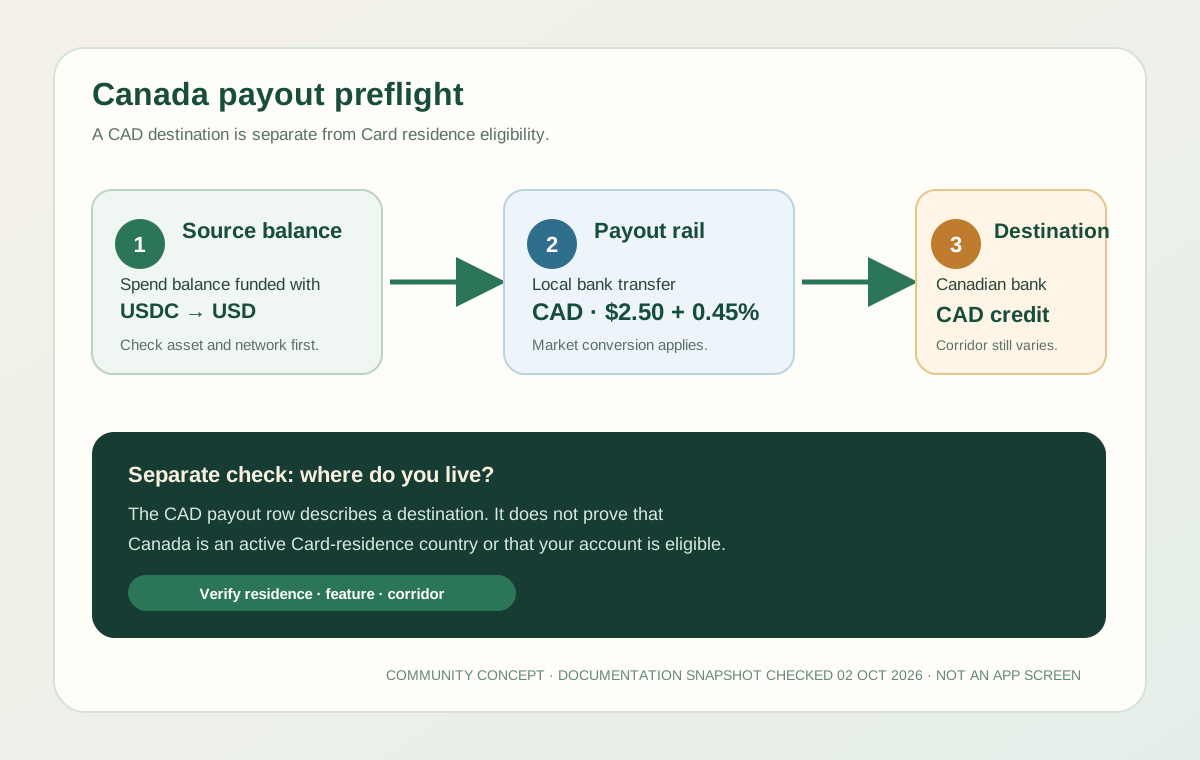
Searching for Jupiter Global Canada can mean two different things: sending a payout to a Canadian bank account, or trying to open a Jupiter Card while living in Canada. Those are separate questions. The current remittance fee table lists a CAD bank-transfer payout to Canada, while the current Card country list does not list Canada as an active Card-residence country. Being able to send to Canada doesn’t mean you can sign up from Canada. Jupiter Card country rules · Global Fiat Remittance
The short answer
The documented route to Canada is a CAD local payout to a Canadian bank account. The current table shows:
- Destination: Canada
- Currency: CAD
- Payment method: Bank transfer
- Fixed payout fee: $2.50
- Variable payout fee: 0.45% of the transfer amount
The documentation says currency conversions use the market rate and that specific corridors can still be restricted by the recipient bank or local rules. The exact amount your beneficiary receives must therefore come from the live Remittance screen, not from a search result or an old screenshot. Current payout table · Corridor limitations
CAD destination does not mean Canadian Card eligibility
Jupiter says Card eligibility is based on your country of residence, not your citizenship. The current Card list names many active residence countries, but Canada is not in that list. That means a person living in Canada should not treat the CAD payout row as proof that a Canadian-resident Card or Spend account can be opened. A person living in a supported residence country may still have a Canada payout destination if the live account offers that corridor.
Keep these questions separate:
1. Where do you genuinely live? That controls the residence and verification path. 2. Where is the beneficiary bank? That controls whether a CAD payout corridor is available. 3. What feature do you need? Card spending, a virtual account, and a local bank payout have different conditions.
Do not select a different residence country to obtain a preferred issuer or currency. Use the address and identity information that matches your real situation, then check the route shown after verification. Jupiter Spend FAQ
What the CAD payout fee means
The listed payout fee has two parts. At a $1,000 equivalent transfer, the documented arithmetic would be $2.50 fixed plus $4.50 at 0.45%, or $7.00 before currency conversion and any receiving-bank charge. That’s a worked example of the published formula, not a live quote. The amount can change with the market conversion and the transfer size.
The fee is charged on the outgoing payout, but funding the Spend balance can have a separate cost. Bank deposits into virtual accounts use rail-specific fees: the current table lists fixed and variable charges for SEPA, ACH, Fedwire, and SWIFT. If you fund by bank transfer, include that incoming cost in the complete route calculation. A payout that looks inexpensive by itself can still be costly when the pay-in rail and FX are included. Deposit fees · Complete Jupiter Global fees guide
Check the asset before you plan the exit
Jupiter’s current remittance and FAQ documentation draws a hard distinction between the asset that can fund an account and the asset that can leave through a fiat payout:
- The Spend deposit address accepts USDC on Solana, Ethereum, Sui, Arbitrum, and Base.
- It accepts USDT on Solana for deposits.
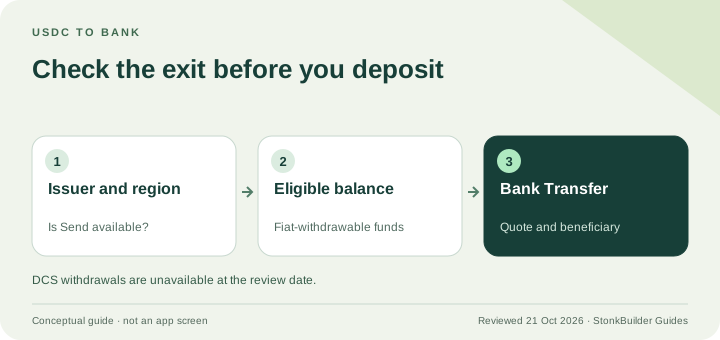
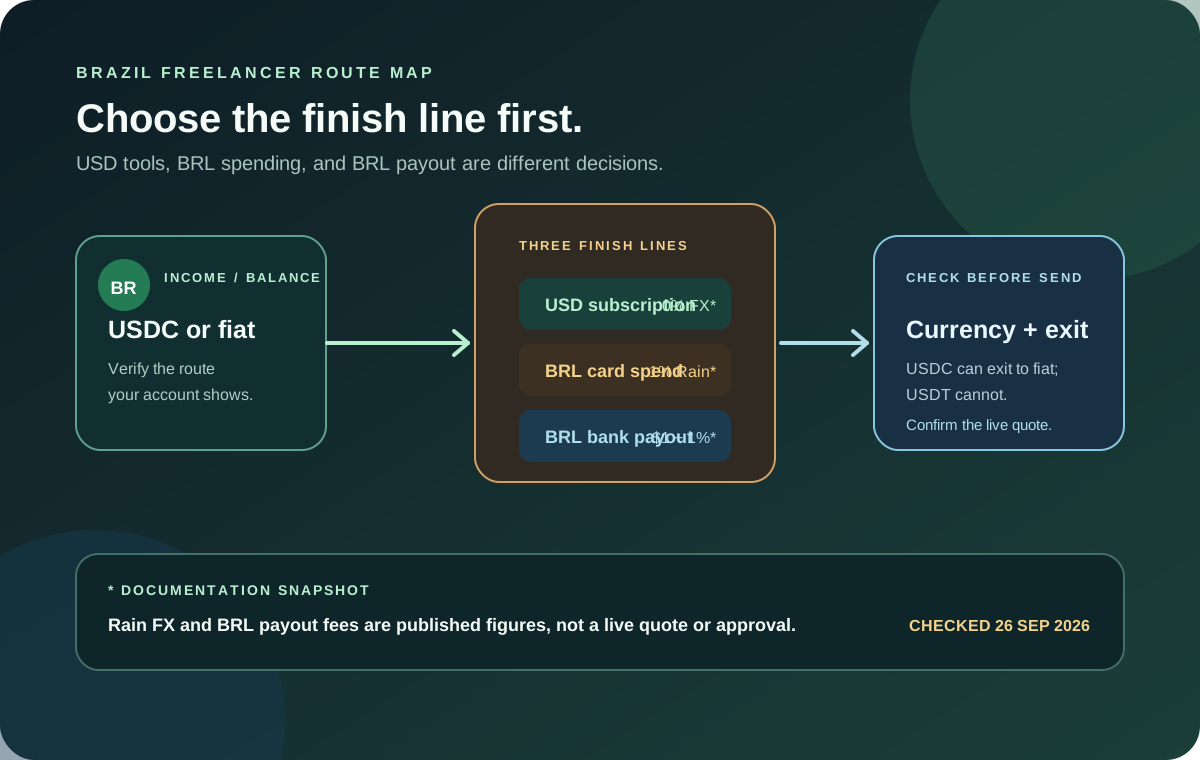
- Only USDC deposits can be withdrawn to fiat through the documented off-ramp boundary; USDT deposits cannot.
- A token sent to an unsupported deposit network or a token other than the accepted pair can be permanently lost.
If the money must eventually reach a Canadian bank, inspect the withdrawal and Remittance screens before depositing. Do not assume that a successful USDT deposit creates a CAD exit. If the funds are already in a Jupiter Mobile wallet, the documented Send to Spend flow can convert a selected token into USDC, but review the shown minimum, network cost, and route before confirming. Funding rules · Risks and security
CAD payout preflight
Use this sequence before sending money to Canada:
1. Confirm that your residence and verification details are genuine and consistent. 2. Decide whether Canada is the destination only, or whether you also need a Card or Spend account in Canada. 3. Open the live Remittance or Withdrawal screen and confirm that CAD and the intended Canadian bank route are actually offered to your account. 4. Record the fixed fee, percentage fee, conversion rate, beneficiary requirements, and expected credited amount. 5. Check whether the balance comes from USDC rather than a USDT-only deposit. 6. Confirm the beneficiary name, account identifiers, bank country, and any reference field before submitting. 7. Start with an amount small enough to reconcile, and keep the transfer reference until the bank credit is visible.
The bank-transfer corridor guide explains why a published currency is not a guaranteed beneficiary route. The withdrawal guide covers the USDC and region boundary, and the transfer-limit guide covers the payout limits for each currency shown in the app. The site’s Quote Compare tool can compare figures you enter; it does not fetch a live Jupiter quote.
If you are starting from zero, read the app-download guide and run the residence preflight before funding. If a CAD payout is what you need, create your Jupiter Global account and confirm the route in the app. If you live where the card is offered, eligible card purchases also earn 2% cashback, up to $100 a month. The referral link does not prove corridor access, approval or the final amount credited. If the route is missing, paused or credited differently than expected, stop before sending again and contact official Jupiter support with the transfer reference.
Jupiter Global Canada CAD Payout FAQ
Can Jupiter Global send a CAD payout to Canada?
The checked remittance table lists a CAD bank-transfer payout to Canada, with a published fixed and variable fee. The live Remittance screen for the verified account remains the authority for corridor availability, beneficiary fields and the final quote.
Does a Canada payout mean I can open a Jupiter Card while living in Canada?
No. Destination-country payouts and Card residence eligibility are separate. A CAD payout row does not prove that a Canadian resident can open a Card or Spend account.
What is the published fee for a CAD payout to Canada?
The checked table lists a $2.50 fixed payout fee plus 0.45% of the transfer amount, before conversion and receiving-bank charges. Treat that as a documentation formula, not a live quote.
Can USDT be used for a Canadian bank payout?
Do not assume so. The checked documentation identifies USDC as the supported fiat-exit asset and says USDT deposits cannot be withdrawn to fiat. Confirm the asset and route before funding.
What should I verify before sending CAD to a Canadian bank?
Confirm genuine residence and verification details, the live CAD route, beneficiary name and bank identifiers, the complete fee and conversion quote, the expected credited amount and the transfer reference you will keep for reconciliation.
Sources
Checked against these sources on 21 October 2026.