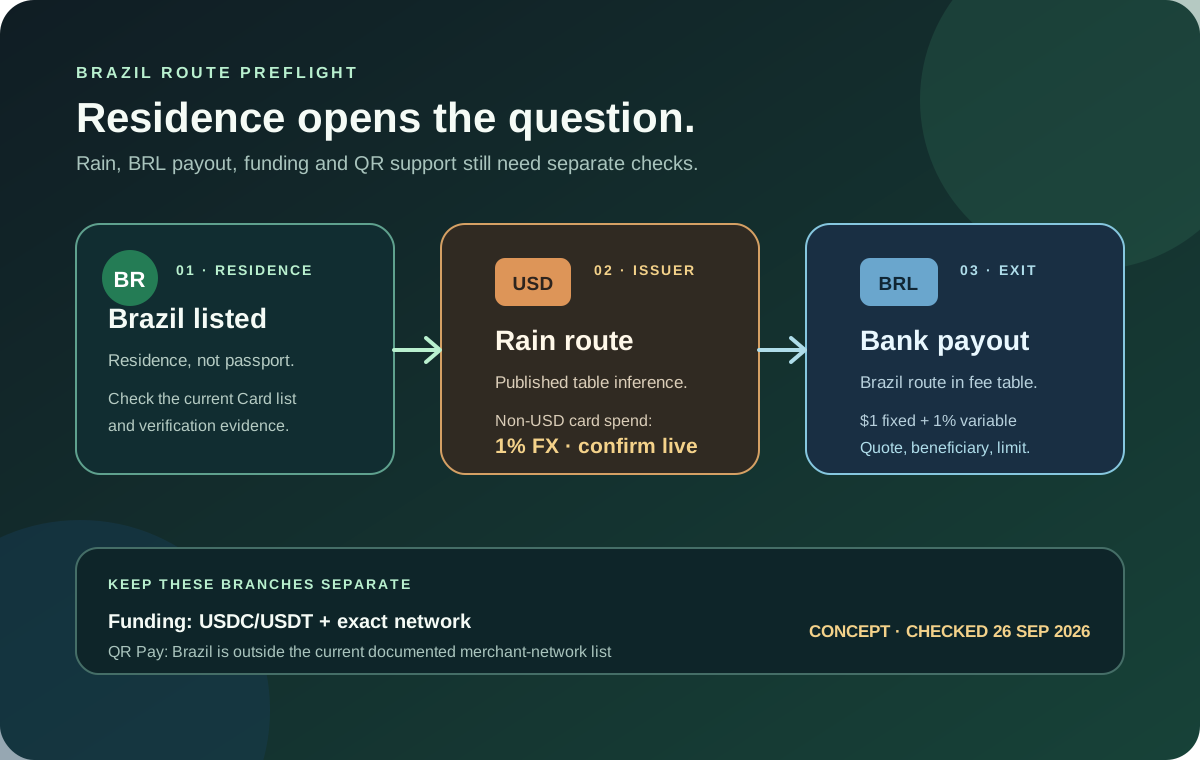
If you live in Brazil and are researching Jupiter Global, “Is the app available?” is only the first question. The official Card page lists Brazil as a supported country of residence, while the issuer table assigns DCS only to a separate Asia-Pacific list. That points to a Rain-issued card for a Brazilian residence, but it is a documentation inference, not an approval result. Your actual issuer, features and routes appear only after the current verification flow.
The short Brazil answer
Brazil is listed for the Jupiter Card and for a BRL local payout row. A Brazil route currently needs these separate checks:
- Residence: the Card list is based on residence, not citizenship.
- Issuer: Brazil is not in the documented DCS country list, so the published table points toward Rain.
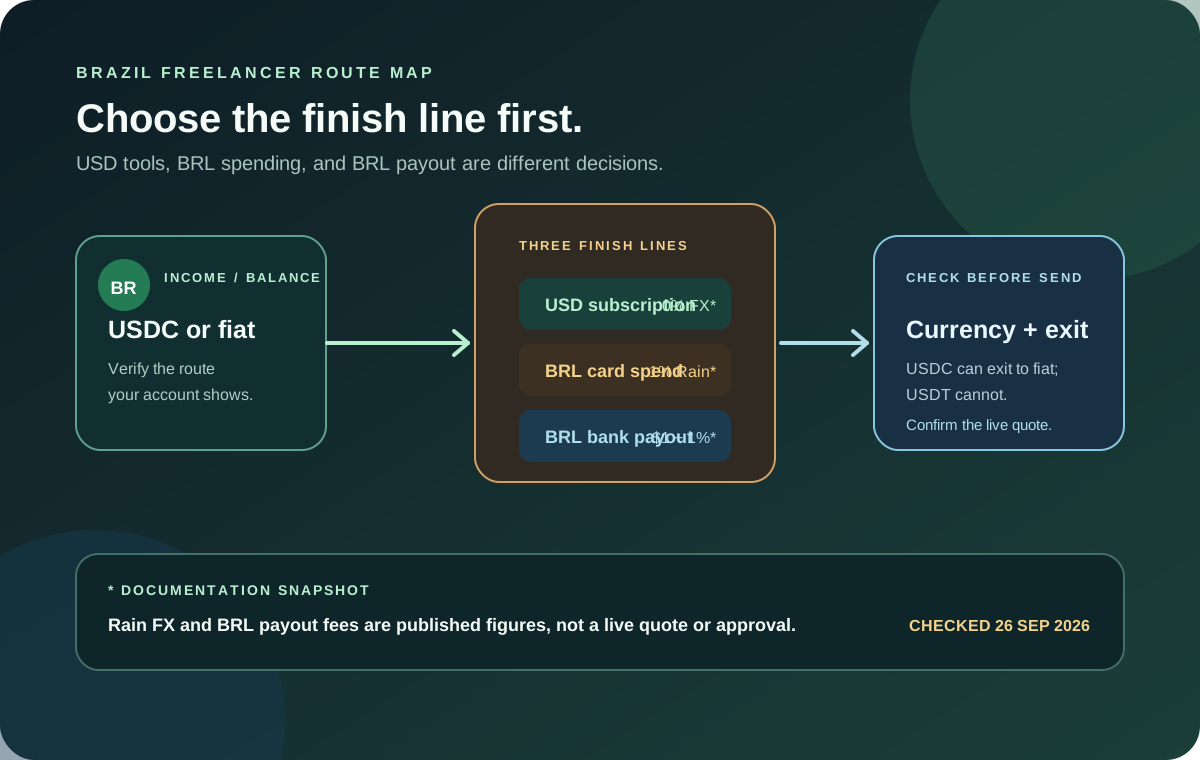
- Card spending: the card balance is held in USD; a non-USD purchase uses the issuer’s current FX rule.
- BRL payout: the current fee table lists a $1 fixed fee plus 1% for a Brazil bank transfer.
- Funding: the Spend deposit address accepts only the documented USDC or USDT network pairs.
- QR Pay: Brazil’s Pix network is listed for QR Pay. Wallet-funded QR requires Global ID verification and USDC on Solana; Brazilian Card residence alone does not establish QR eligibility.
These points come from Jupiter’s published documentation. They narrow the question, but your own account, bank, merchant and corridor still need checking in the app. Jupiter Card eligibility · Current fee table
Residence and issuer come first
Jupiter’s Card documentation says eligibility is based on the country where you reside, not the passport you hold. A Brazilian citizen living elsewhere should use the current residence and address evidence required by the official flow. Someone living in Brazil with a different passport should not assume that citizenship alone will disqualify them. Keep the information you submit consistent with the address documents the provider requests. Residence rules
The same documentation names Rain and DCS as the card issuers. DCS is listed for Australia, Japan, Malaysia, the Philippines, Singapore, South Korea, Taiwan, Thailand and Vietnam. It says residents of the other supported countries receive Rain. Because Brazil appears in the supported-country list and not in the DCS list, the published table points to Rain for a Brazil residence. Confirm the issuer shown in the app before relying on any fee or limit estimate.
What a Brazilian card purchase costs
The Jupiter Card spends from a USD balance. The app displays the Spend balance in USD; deposited USDC and USDT are not automatically converted to USD on arrival. With Rain, the stablecoins remain on-chain as card collateral. The current table lists no FX fee for USD payments and a 1% Rain FX conversion fee for non-USD card payments. A merchant’s own conversion, tip, deposit hold or ATM charge is separate from that issuer percentage. Card mechanics · Rain fees
For a BRL purchase, use this order:
1. Read the merchant’s final BRL amount and confirm whether it is an ordinary Visa payment. 2. Leave enough USD balance for the purchase and the current Rain FX charge. 3. Check the merchant category before assuming Visa acceptance means approval. 4. Confirm the currency and total on the final payment screen. 5. Keep a second payment method for a time-sensitive purchase.
Do not make a hotel hold, rental-car deposit or large first purchase your test transaction. A small ordinary purchase gives you a cleaner way to compare the merchant receipt with the transaction shown in the app. The first-payment checklist covers that evidence match.
BRL payout is a separate route
The current Fees & Limits table lists BRL → Brazil → Bank Transfer with a $1 fixed fee and 1% variable fee. The Remittance page describes local payouts as market-rate conversions and shows payout limits for each currency in the app. The fee table is a starting point, not a final quote: the live account can apply corridor, beneficiary, compliance or partner checks before it shows the route. BRL payout row · Global Fiat Remittance
For a Brazilian bank exit, confirm all of these before funding:
- whether the BRL destination route is visible in your account;
- the beneficiary name and bank fields the route requires;
- the amount used for the percentage fee;
- the market-rate conversion shown at confirmation;
- the final BRL amount the receiving bank should credit; and
- the transfer reference and expected delivery window.
The card balance and the payout route are related through the Spend account, but they are not the same feature. A card payment succeeding does not prove that a BRL payout is enabled. Conversely, a visible payout row does not guarantee that a card, physical card or QR feature is available to your account.
Funding: match the whole asset and network
The documented Spend deposit address accepts USDC on Solana, Ethereum, Sui, Arbitrum or Base, and USDT on Solana. The official FAQ warns that another token or an unsupported network can be permanently lost if sent to the deposit address. If funds are already in Jupiter Mobile, Send → Send to Spend is a different route: the app swaps the selected token into USDC and shows the estimated result and fees before confirmation. Funding overview · Deposit guidance
If the money needs to end up in a Brazilian bank account, keep the exit in mind before depositing. The current remittance documentation says only USDC deposits can be withdrawn to fiat; USDT deposits cannot. A token that works for card spending is not automatically a token that works for the bank route you need. Read the USDC and USDT deposit guide and use the network check before sending anything.
Brazil Pix and the two QR funding routes
The current QR Pay documentation lists Brazil’s Pix network. A Brazilian merchant code still needs to be recognized by Jupiter’s scanner. Wallet-funded QR uses USDC on Solana after Global ID verification and does not require a Card; the separate Spend-balance QR route requires an eligible DCS card. QR Pay availability
A Brazilian merchant’s QR code may belong to a bank transfer, Pix or another payment app. A legitimate QR code can still be outside Jupiter’s documented QR route. Confirm the merchant’s payment method in the official app instead of scanning repeatedly or treating a familiar square as proof of support.
Brazil route preflight before signup
Write down the outcome you actually need:
1. Card spending: Brazilian residence, issuer shown, USD balance, BRL merchant total and Rain FX check. 2. BRL payout: verified Spend account, visible Brazil route, beneficiary fields, current quote and delivery expectation. 3. Funding: exact USDC or USDT asset and network, or the documented Send to Spend conversion path. 4. QR: no assumption of Brazil support; check the exact network and card requirement. 5. First use: one modest test, one private record, and a backup payment method.
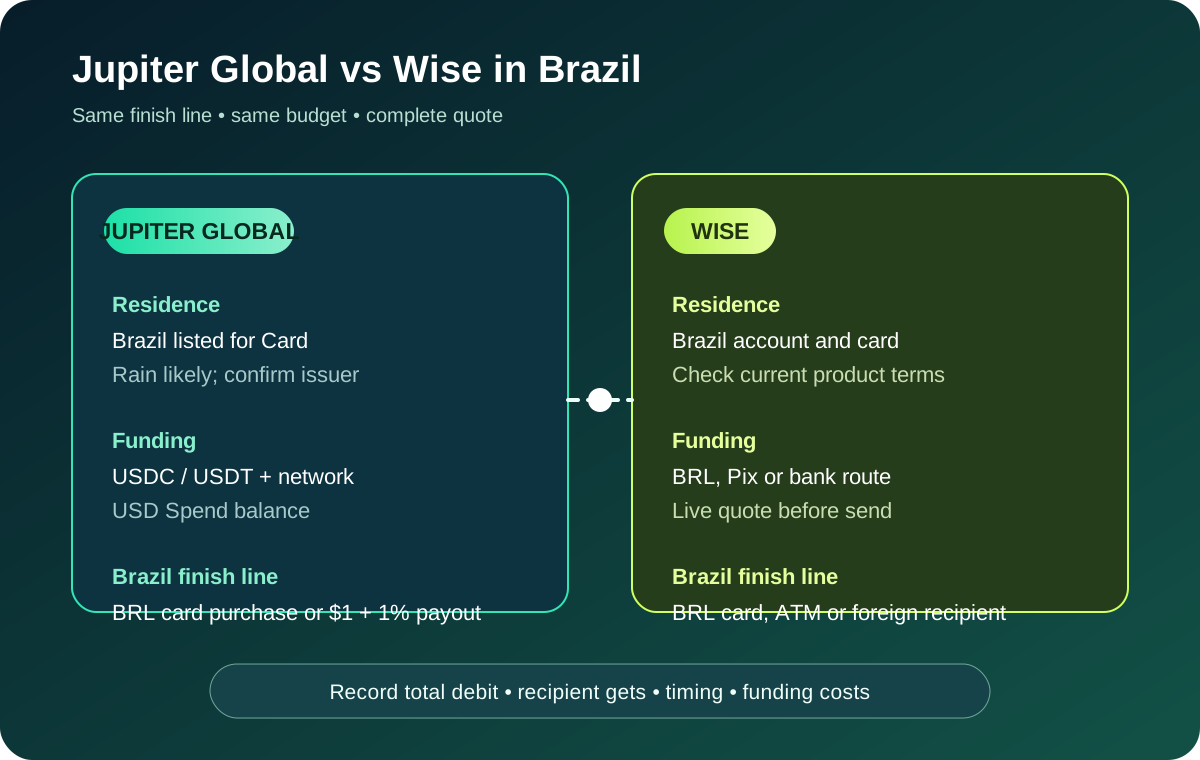
For a transfer comparison, enter complete same-time quotes in the site’s Quote Compare tool. The Jupiter Global vs Wise Brazil comparison compares the BRL card, payout and transfer routes like for like. The Jupiter Global review explains the broader product boundary, and the supported-countries guide explains why card, QR, payout and withdrawal eligibility must be checked separately.
Aim for a route you can describe precisely: a Brazilian residence that passes the provider’s current checks, an issuer and fee screen you have read, a BRL payout quote with a named beneficiary, or a card payment tested with a backup. Use the site’s Route Finder to keep residence, funding asset and goal aligned. When the Brazil route checks out, create your Jupiter Global account and confirm the issuer and fees on the live screens. Eligible Jupiter Card purchases then earn 2% cashback, up to $100 a month.
Jupiter Global Brazil FAQ
Can residents of Brazil apply for the Jupiter Global Card?
Brazil is listed in the current Card country-of-residence table. Approval still depends on genuine residence evidence, identity verification and the live account decision; citizenship or a short visit does not establish eligibility.
Which issuer is mapped to a Brazilian residence?
Brazil is outside the named DCS country group, so the public issuer table points toward Rain for a Brazilian residence. Treat that as a documentation inference and confirm the issuer shown in the live Card screen before using a fee or limit estimate.
What does a Jupiter Global BRL bank payout cost?
The checked fee table lists a Brazil BRL bank-transfer row with a $1 fixed fee plus a 1% variable fee. The live quote remains authoritative, and the remittance documentation lists current payout limits set for each currency and shown in the app.
Can I use Jupiter QR Pay with Pix or a Brazilian merchant QR code?
Brazil’s Pix is now listed for QR Pay. Check that Jupiter recognizes the merchant code, then confirm wallet USDC, identity verification, the displayed exchange rate and merchant-code limit. Card availability and a Pix logo alone do not prove a payment will succeed.
Which assets and networks can fund Spend in Brazil?
The documented route accepts USDC on Solana, Ethereum, Sui, Arbitrum or Base, and USDT on Solana. Match the current deposit screen exactly; only USDC deposits are documented as withdrawable to fiat, while USDT deposits are not.
Sources
Checked against these sources on 21 October 2026.