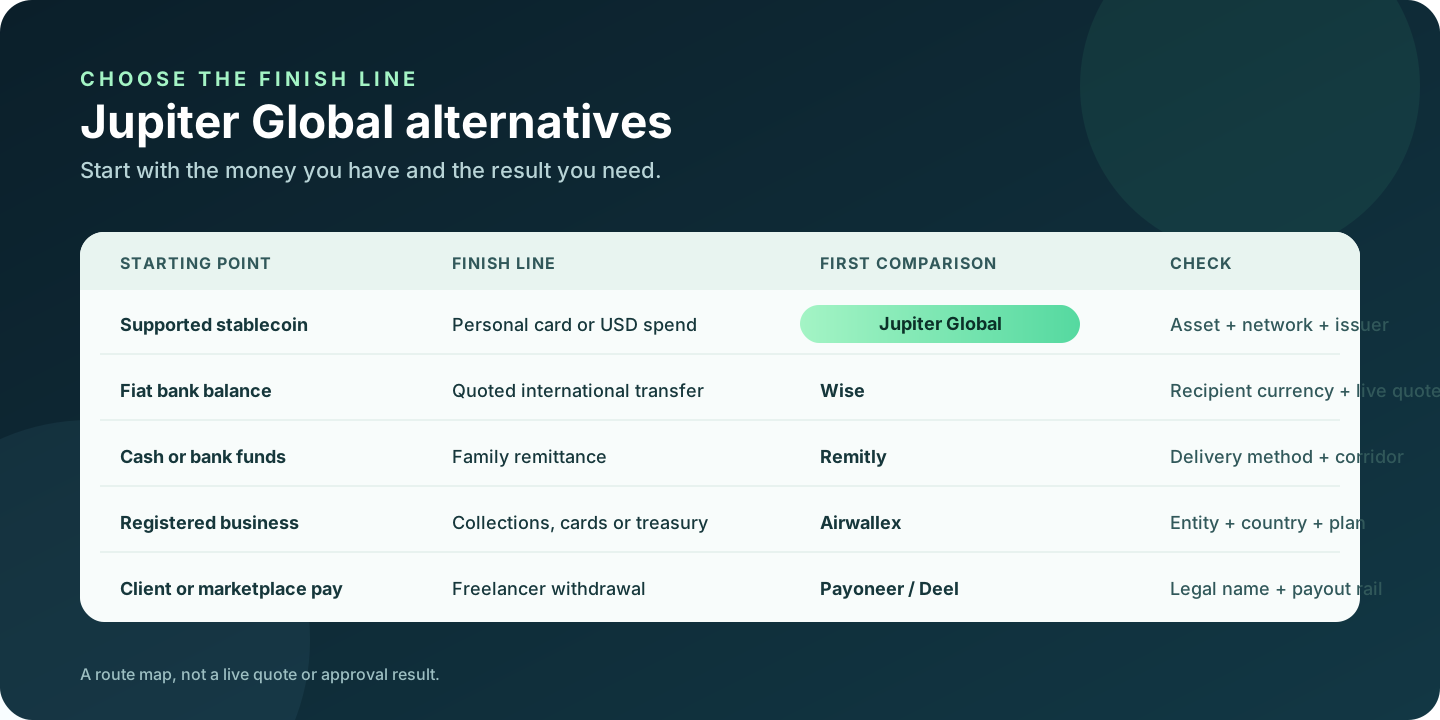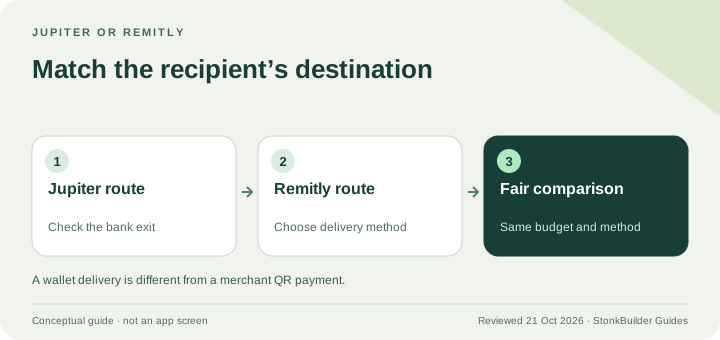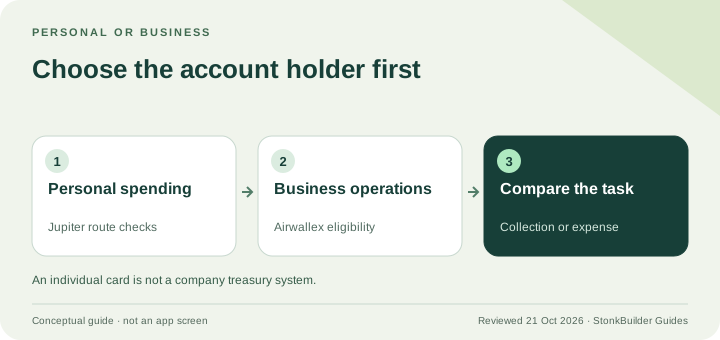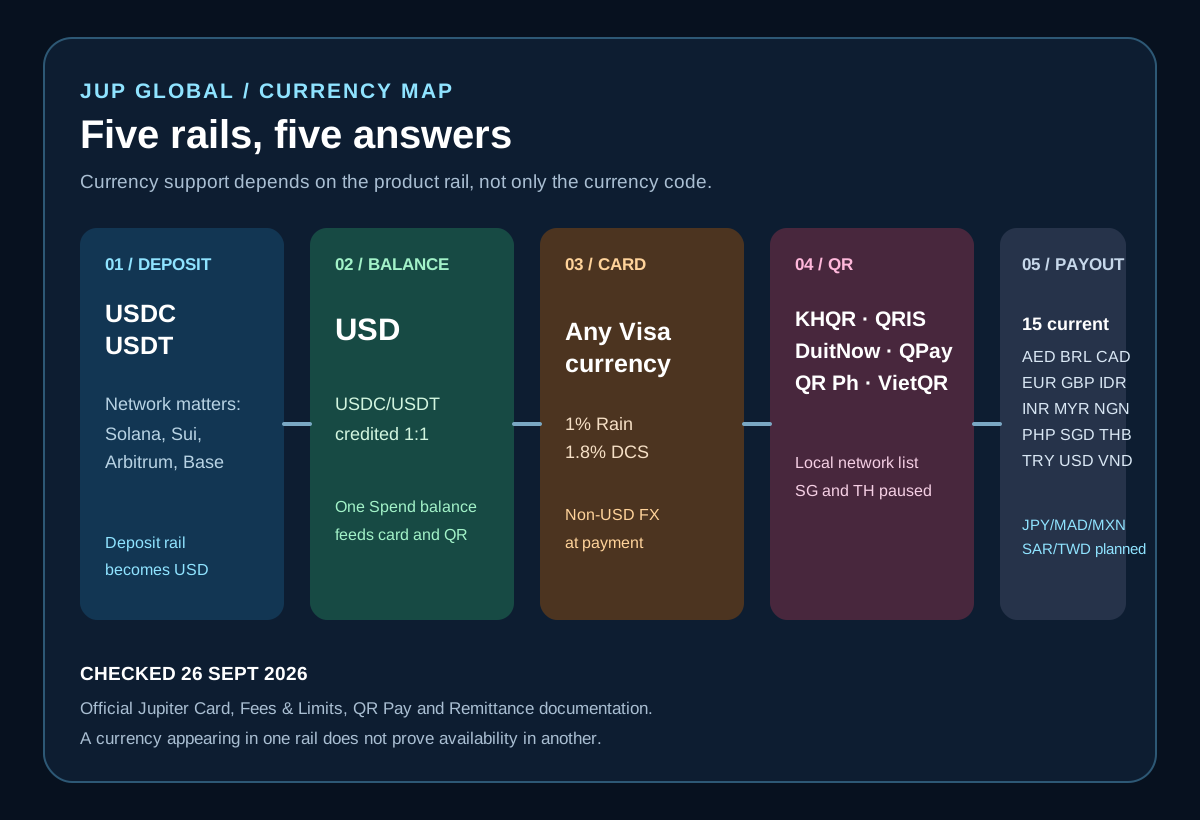
“What currencies does Jupiter Global support?” has several different answers because Jupiter Spend has separate deposit, balance, card, QR and bank-transfer rails. The current official documentation says USDC and USDT can fund Spend, that deposits are converted into a USD balance, that card purchases can settle in non-USD currencies with an issuer FX fee, that QR Pay has a limited list of local networks, and that local payouts have their own currency list. Jupiter Card · Fees and limits · QR Pay · Global Fiat Remittance
Jup Global Community is an independent learning site published by StonkBuilder.
The currency answer in one minute
There is no single “supported currencies” switch. Use this route map:
| What you want to do | Current documented answer | What it does not prove |
|---|---|---|
| Fund Spend directly | USDC on Solana, Ethereum, Sui, Arbitrum or Base; USDT on Solana | That every token or chain is accepted at the deposit address |
| Hold the card balance | USD | That you have a separate EUR, TWD, KRW or PHP wallet |
| Pay by card | Visa purchases in the merchant’s currency; 1% Rain or 1.8% DCS on non-USD payments | That the merchant, issuer or wallet will approve every transaction |
| Pay by QR | KHQR, QRIS, DuitNow, QPay, QR Ph and VietQR; Singapore and Thailand are temporarily unavailable | That an unlisted local QR network will work |
| Send a local payout | AED, BRL, CAD, EUR, GBP, IDR, INR, MYR, NGN, PHP, SGD, THB, TRY, USD and VND | That planned JPY, MAD, MXN, SAR or TWD support is live |
The table is based on Jupiter’s documentation as checked on 29 September 2026. The live app, issuer, destination and account verification remain the final checks.
Deposits are not the same as the balance
The Card page says Spend accepts USDC on Solana, Sui, Arbitrum or Base, and USDT on Solana. Those deposits are credited one-to-one in USD. The card then draws from that USD balance. Jupiter’s documentation also says other tokens can be used through Send to Spend in Jupiter Mobile, where they are converted into USDC before reaching Spend; that is a separate path from sending an unsupported token to the deposit address. Deposit and balance mechanics
Before sending anything, match all three fields:
1. the asset, such as USDC or USDT; 2. the exact network, such as Solana, Sui, Arbitrum or Base; and 3. the receiving screen in the current app.
A token name by itself is not enough. USDT on a network that is not listed is not made safe by the fact that USDT exists elsewhere in the product. If the address screen does not show the asset and network combination, pause and use the deposit safety checklist.
The current fee table sets a $3 minimum on Solana, Base, Arbitrum and Sui, and $10 on Ethereum. Solana has no processing fee; Ethereum, Base, Arbitrum and Sui charge the higher of $0.30 or 0.02%, plus network gas. If your token is already in Jupiter Mobile, the Gasless Send guide explains the separate USDC deduction and confirmation fields. Current deposit fees
The card can spend in more currencies than it holds
The app displays the Spend balance in USD; deposited USDC and USDT are not automatically converted to USD on arrival. With Rain, the stablecoins remain on-chain as card collateral. A purchase in EUR, JPY, TWD, KRW, PHP or another non-USD merchant currency is therefore a card FX event, not a withdrawal from a matching local-currency wallet. Card balance documentation
The current issuer table lists a 1% Rain fee and a 1.8% DCS fee for non-USD payments. USD payments have no FX fee in that table. DCS-issued cards are assigned by country of residence, so the fee depends on the issuer attached to the verified account. Issuer fees and regions
That distinction matters when comparing a card purchase with a bank payout. A merchant terminal’s currency-conversion offer can be different from the issuer’s conversion. Inspect the final amount and currency before approving a transaction, and keep a backup method for a deadline-sensitive purchase. A supported residence also does not guarantee Apple Pay or Google Pay support in every region. Mobile-wallet conditions
For country-specific examples, see the Malaysia route hub, Indonesia route guide, Nigeria route guide, South Korea route guide and Taiwan route guide.
QR Pay is a network list, not a generic QR promise
QR Pay draws from the same USD Spend balance and converts a non-USD payment at the market rate. The current documented networks are KHQR in Cambodia, QRIS in Indonesia, DuitNow in Malaysia, QPay in Mongolia, QR Ph in the Philippines and VietQR in Vietnam. Singapore’s SG QR and Thailand’s PromptPay are listed as temporarily unavailable. QR network list
QR Pay also depends on the card and issuing country. The current card matrix says cards issued in Vietnam, the Philippines, South Korea and Taiwan support QR Pay on all cards, while Malaysia, Thailand and Singapore have activation-date conditions. The current limits are $500 per transaction and $5,000 per day. A merchant using a QR code outside the listed networks is a different payment rail, even if the code looks similar on screen. QR limits and card matrix · QR Pay availability
Use the QR Pay guide before funding for a trip. Taiwan has no named local QR network in the current list. South Korea lists Seoul Pay and Jeju Pay; the Taiwan and South Korea pages distinguish the merchant-network and funding checks.
Payout currencies are a separate bank-transfer decision
Global Fiat Remittance currently lists local payouts in AED, BRL, CAD, EUR, GBP, IDR, INR, MYR, NGN, PHP, SGD, THB, TRY, USD and VND. It says support for JPY, MAD, MXN, SAR and TWD is planned. Planned support is not a current route. Current local-payout list
The same documentation describes USD and EUR virtual accounts funded by incoming fiat transfers. A virtual account is a bank-transfer rail, not a local account in every currency. Receiving USD into a virtual account and later paying a merchant in TWD does not prove that TWD can be credited to a Taiwanese beneficiary bank.
Before comparing fees, answer one question: which currency must arrive, to which beneficiary, through which rail, by when? Then check the live quote, beneficiary fields, fixed fee, variable fee and delivery estimate. Payout limits are set for each currency and shown in the app, and the fees page lists fixed plus variable charges by rail and destination. Remittance fees and limits
A safe currency preflight
1. Start with the outcome: deposit, card purchase, QR merchant payment, virtual-account receipt or local payout. 2. Check the current official rail for that outcome instead of searching only for the currency code. 3. Match asset and network before making a crypto deposit. 4. Confirm the account’s issuer and USD balance before a non-USD card payment. 5. Treat a QR network as supported only when the exact local rail appears in the current list. 6. Treat planned payout currencies as unavailable until the live app shows a quote and beneficiary route. 7. Save the receipt and transaction reference privately; do not send recovery phrases, private keys, passwords or one-time codes to support impersonators. Security guidance
Jupiter Global supported currencies FAQ
What currencies can Jupiter Global hold?
Spend holds a USD balance. USDC and USDT are supported funding assets on the documented networks, but that does not create separate EUR, PHP, SGD or other local-currency wallets.
Which crypto assets and networks can fund Spend?
The current deposit route lists USDC on Solana, Ethereum, Sui, Arbitrum and Base, plus USDT on Solana. Always match the asset and network shown on the current receiving screen before sending; a token supported on another rail is not proof that the deposit address accepts it.
Can Jupiter Global withdraw USDT directly to a bank?
The current FAQ says USDT deposits cannot be withdrawn directly to fiat. A bank payout is a separate remittance route with its own supported payout currency, beneficiary requirements, quote and limits.
Can Jupiter Global send EUR, PHP, SGD or other local currencies to a bank?
Those currencies appear in the documented local-payout list, but availability still depends on the live corridor, beneficiary country, account verification and quote. Planned currencies such as JPY, MAD, MXN, SAR and TWD should be treated as unavailable until the app shows a live route.
Does the card charge an FX fee for non-USD purchases?
The current issuer table lists 1% for Rain and 1.8% for DCS on non-USD card payments. The card balance remains USD, so a merchant purchase in another currency is a conversion event rather than a debit from a matching local wallet.
If you’re still choosing between a deposit, card purchase, QR payment or bank payout, the Route Finder helps you name the goal and currency first. If the currency route you need is documented, create your Jupiter Global account and confirm it in the app before moving funds. You’ll earn 2% cashback on eligible Jupiter Card purchases, capped at $100 a month.
The practical answer is not a longer currency list. It is knowing which rail owns the currency question, then verifying that rail at the moment you act.
Sources
Checked against these sources on 21 October 2026.