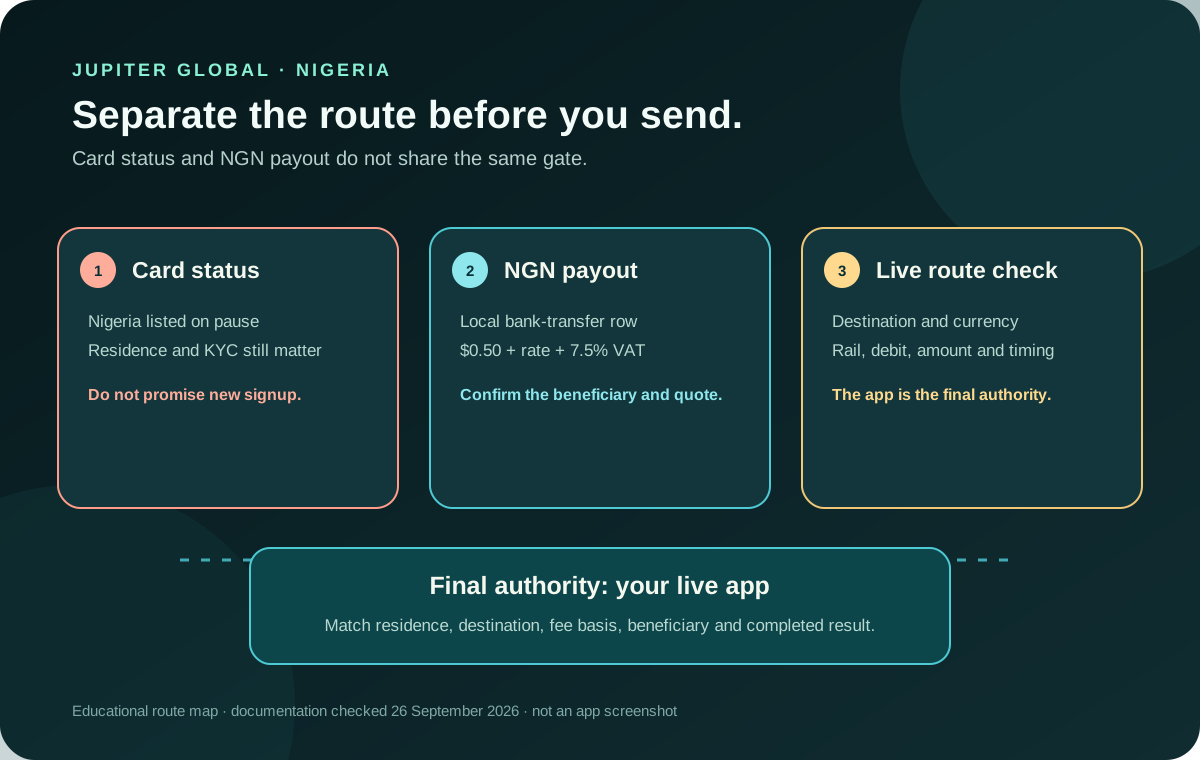
If you are searching for Jupiter Global Nigeria, treat the card and bank transfers as two separate questions. Jupiter’s current Card documentation lists Nigeria as on pause until further notice, while the Global Fiat Remittance documentation lists NGN local payouts. Those routes have different eligibility and partner checks, so an NGN payout row doesn’t mean a new Nigerian resident can open every Spend feature.
Jup Global Community is an independent learning site published by StonkBuilder.
The first answer is not a simple yes or no
The current Card page says eligibility is based on country of residence, not citizenship, and that Nigeria is on pause until further notice. It also says the list is reviewed during KYC and that proof of address is usually required. Do not turn a Nigerian passport, a friend’s account, or an old signup video into a current availability claim. Check the current Card country list
The pause applies to the card onboarding status shown in that documentation. It does not automatically erase every remittance route for an already eligible account, and it does not guarantee that a person can create a new Spend account for the purpose of receiving an NGN payout. The account’s current app screens and official support are the authority for that distinction.
NGN payout is a separate route
Jupiter’s remittance page lists NGN among its local payout currencies. It describes Global Fiat Remittance as a service for sending and receiving fiat through virtual accounts, SWIFT transfers and local payouts. The page also says that specific corridors can be restricted by the recipient’s bank and local regulations. Treat NGN as a documented route to investigate, not a promise that every Nigerian bank, beneficiary, residence or account will pass. Read the remittance rules
Before planning the amount, work out what you actually need the money to do:
| Need | Route to investigate | What must still be confirmed |
|---|---|---|
| Open a new card account in Nigeria | Jupiter Card onboarding | Whether the pause has ended, residence eligibility and KYC |
| Send money to a Nigerian bank account | NGN local payout | Destination picker, beneficiary fields, quote and bank acceptance |
| Fund a Spend balance from a bank | USD/EUR virtual account | Completed Jupiter ID, account currency, bank rail and fee |
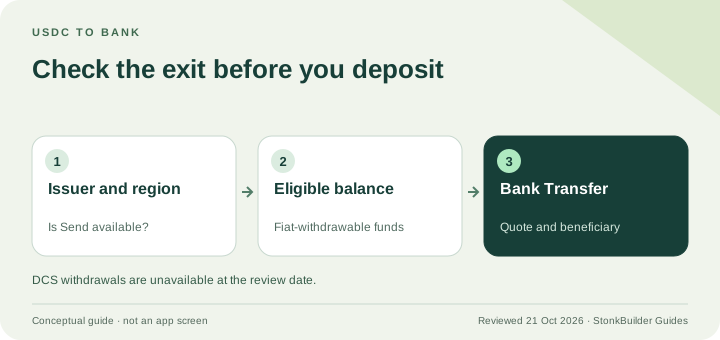
| Withdraw crypto to fiat | Region-dependent off-ramp | USDC asset, partner coverage and the route shown in the account |
Do not merge the card, local payout, virtual account and off-ramp rows into one claim that Jupiter is “available in Nigeria.” Each route can have a different partner, currency and compliance boundary. Compare the corridor checks
What the NGN fee table says
The current fee table lists an NGN bank payout at a $0.50 fixed fee plus a parallel-market rate and 7.5% VAT. That wording is materially different from a simple fixed-plus-percentage row. It means a headline exchange-rate comparison can hide the actual conversion basis and tax treatment. Read the quote that the app gives for the exact destination and amount before deciding whether the route is economical. Open the current fee table
The fee table also states that remittance transfers have payout limits set for each currency and shown in the app and that currency conversion uses the market rate. The limit is a ceiling for the documented product route, not an instruction to split a transfer or a promise that a particular account will be approved for that amount. Fees and corridor support can change, so preserve the date and quote details when you compare options.
For a useful comparison, record all of these in one place:
- the amount leaving the source balance;
- the fixed NGN payout fee and any displayed tax or conversion adjustment;
- the final NGN amount the recipient should receive;
- the beneficiary name and bank details required by the app; and
- the quoted delivery estimate and expiry.
Compare the recipient’s final NGN amount, not only the rate displayed before fees. The fee break-even calculator can explain fixed-versus-variable arithmetic, but it cannot calculate a live parallel-market rate, inspect a Nigerian bank, or approve a corridor.
Check the beneficiary before funding
The current FAQ says bank transfers require the recipient’s full name, bank name, account number and country-specific routing details requested by the app. Copy the legal beneficiary information from a trusted source. Do not substitute a nickname, infer a missing field from a screenshot, or accept a last-minute account change through an unverified message. Review the transfer fields
Use this order:
1. Select Nigeria in the current bank-transfer destination picker. 2. Confirm that NGN is offered for that destination and account. 3. Read the exact payout method and beneficiary fields. 4. Review the fixed fee, conversion basis, VAT or other displayed charges. 5. Save the quote and reference privately before confirming.
If Nigeria or NGN is absent, stop at the route check. Do not create a second account, send USDT to a bank identifier, or follow a stranger’s workaround. A bank transfer is not a wallet deposit, and an NGN payout is not proof that the card onboarding pause has ended.
Timing and support evidence
Jupiter’s FAQ says most bank transfers arrive within one to three business days, depending on the destination country and receiving bank. That is a general timing statement, not a guarantee for every NGN beneficiary. If the transfer is still processing, keep the original reference and do not create a duplicate merely because the recipient cannot see the credit yet.
If support is required, retain the route name, quote, timestamp, amount, currency, beneficiary country and transfer reference. Redact passwords, one-time codes, identity documents and recovery phrases. Use the official support route for account-specific decisions. Open the official support hub
What to do if you live in Nigeria
Based on the current documentation: don’t assume new card signups are open in Nigeria while the Card page says the country is on pause, and check NGN remittance separately in your verified account with a live quote. Confirm the destination, currency, rail, beneficiary, total debit and final recipient amount before sending anything.
If the app shows an NGN route that works for you, create your Jupiter Global account here. When the card is open to Nigerian residents again, eligible Jupiter Card purchases earn 2% cashback, up to $100 a month.
Jupiter Global Nigeria FAQ
Can a new Nigerian resident get the Jupiter Global Card?
The current Card documentation lists Nigeria as on pause until further notice. Do not treat an old signup video, a Nigerian passport or the existence of an NGN payout row as proof that new Card onboarding is open.
Can Jupiter Global send NGN to a Nigerian bank account?
NGN appears in the current local-payout documentation, but the destination picker, beneficiary checks, partner coverage and account eligibility still decide whether a specific route is available. Confirm the live quote before funding.
What fees apply to an NGN payout?
The checked fee table lists a $0.50 fixed fee plus a parallel-market rate and 7.5% VAT. The live quote for the exact destination and amount is authoritative; do not compare only the headline exchange rate.
What beneficiary details are required for Nigeria?
The current FAQ requires the recipient’s full legal name, bank name, account number and any country-specific routing details requested by the app. Copy those fields from a trusted source and preserve the quote and transfer reference.
How long does an NGN transfer take?
The current FAQ says most bank transfers arrive within one to three business days, depending on the destination country and receiving bank. That is a general estimate, not a guarantee for every Nigerian beneficiary.
Sources
Checked against these sources on 21 October 2026.