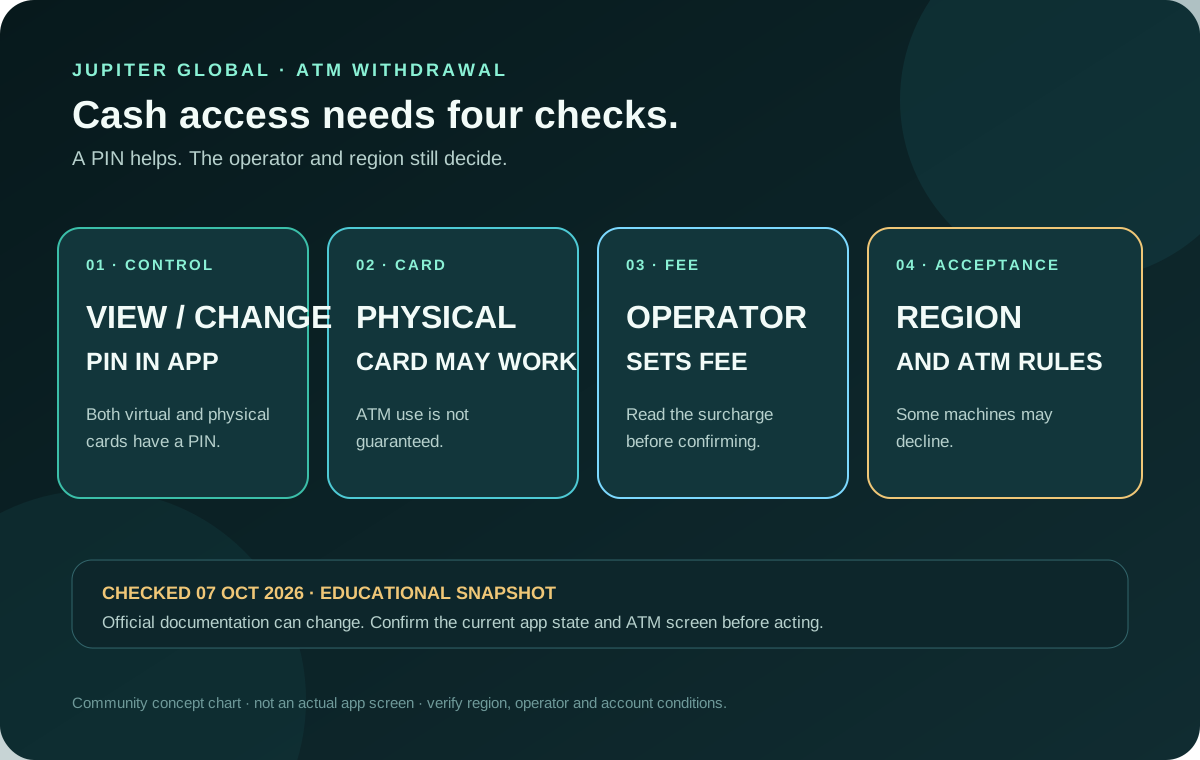
A Jupiter Global ATM withdrawal is possible only as a conditional card route. Jupiter’s current FAQ says Rain-issued virtual and physical cards have a PIN that you can view or change in the app (DCS-issued cards do not offer one), but ATM withdrawals are supported only on Rain-issued physical cards, subject to operator and account checks; DCS cards cannot withdraw cash at ATMs. Acceptance depends on the ATM operator and your region, and the operator sets any ATM fee. Jupiter Spend FAQ
Keep the Jupiter Global guides directory open while you check the route. It links the current card, delivery, decline, cash-not-dispensed and bank-exit guides used by this preflight.
The short answer
Before you depend on an ATM, check these five conditions:
1. Your account has the physical card available and you have received it. The virtual card is not a promise of ATM access. 2. The card is visible, active and unfrozen in Spend → Card. 3. You can view or change the PIN in the official app without sharing it with anyone. 4. The ATM operator and the country accept the card for cash withdrawal. 5. You have enough available USD Spend balance for the requested cash and any amount shown by the ATM or account screen.
Jupiter does not publish one universal ATM acceptance list or one universal ATM fee. Treat the machine’s confirmation screen, your live Card state and the final transaction record as the evidence for that attempt. A PIN makes the card controllable; it does not make every machine or country compatible.
ATM cash is different from a bank off-ramp
People often use “withdraw” for two different actions. An ATM withdrawal is a card transaction that attempts to deliver physical cash. A bank off-ramp moves a Spend balance to a bank account through a separate partner route. They have different eligibility and evidence:
| Route | What must be available | What the current documentation says | What to verify |
|---|---|---|---|
| ATM cash | Physical card, PIN, an accepting machine and a supported region | ATM use may work, but acceptance is not guaranteed; operator fees vary | Physical Card screen, machine fee, cash currency, final transaction state |
| Bank off-ramp | An account-specific withdrawal route and a supported destination | Support is region-dependent; only funds deposited as USDC can be withdrawn to fiat, while USDT deposits cannot | Live withdrawal screen, asset history, destination currency and final quote |
| Bank transfer | A verified Global ID (previously Jupiter ID), virtual account or payout route | Remittance has its own rails, limits, beneficiary fields and fees | Destination, beneficiary, rail, fee and delivery estimate |
The fact that a card payment works does not prove that an ATM or bank off-ramp will work. Likewise, an available off-ramp does not create an ATM entitlement. If you need the money in a bank account, use the USDC withdrawal-to-bank guide rather than treating an ATM as a substitute. Current withdrawal limits
Can you use the virtual card at an ATM?
For Rain-issued cards, the app can show a PIN for virtual and physical cards (DCS cards do not offer a PIN in the app), but the current FAQ says ATM withdrawals are supported only on Rain-issued physical cards; DCS cards cannot withdraw cash at ATMs. A visible virtual-card PIN is therefore not proof that a cash machine can read the card or that the issuer will authorize a withdrawal. If you need cash, wait until the physical card is actually available and delivered, or choose a separate bank route shown in the verified account.
What you need before the first ATM attempt
1. A physical card that has actually arrived
The Card documentation describes the virtual card as available through the app, while physical cards are rolling out in phases. The order option appears when an account is included in that rollout. An account can therefore have a working virtual card and no physical card for an ATM attempt. Card availability
Do not order or fund a card solely because you need emergency cash. Read the physical-card option, price, shipping method and account-specific status first. Keep a backup payment method when the cash deadline matters.
2. The in-app PIN and card state
Jupiter says Rain-issued virtual and physical cards have a PIN, which you can view and change in the app; DCS-issued cards do not offer one. Use the verified app’s Show Details or PIN control, and never send the PIN, full card number or one-time code to a helper. If the card is frozen or missing, an ATM attempt will not solve the account state; use the official recovery or support route instead. Card management · Security guidance
3. A machine and region that accept the route
The FAQ leaves ATM acceptance to the operator and region. A Visa mark on the machine is useful context but is not an account-level approval. A machine can decline because of its own network, cash inventory, local rules, withdrawal limits or operator controls. Check the ATM’s displayed network, currency, fee and final amount before confirming.
Do not try several machines in quick succession when the first attempt creates a pending line. Record the ATM location, time, amount, currency, receipt and exact status shown in the app.
4. Enough available balance for the actual debit
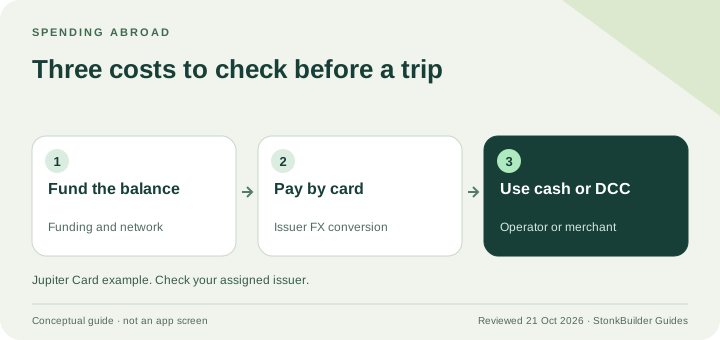
The Jupiter Card draws from the USD Spend balance. The balance shown in the app can differ from the amount the ATM asks to authorise because the machine may present a local-currency amount, a conversion choice or an operator surcharge. The official documentation does not publish a universal cash-withdrawal fee, so do not use a community estimate as a guaranteed total.
If the ATM offers its own currency conversion, read the local-currency and converted amounts carefully. Choose only what the machine and app make clear, and keep the receipt. This page cannot calculate a live ATM quote.
What ATM fees mean
The current FAQ says any ATM fees are set by the operator rather than by Jupiter, so the amount cannot be stated in advance for every machine. The operator should show its surcharge before confirmation; your issuer, local network and currency choice can still affect the final transaction record. Check the live screen rather than relying on a static fee table. Do not treat a cash withdrawal, a bank payout and a card purchase as interchangeable when you compare costs or product fit. Current card FAQ
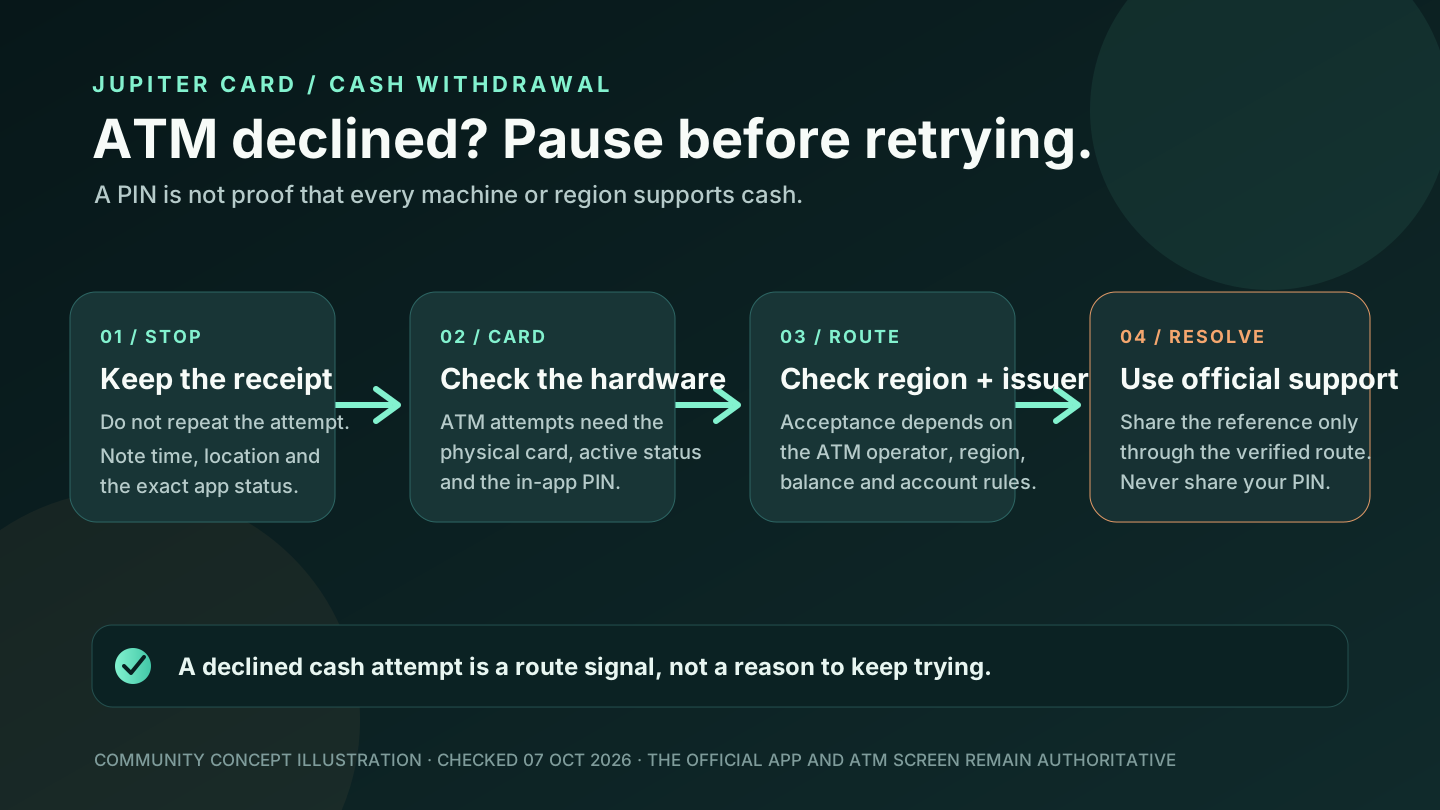
If the ATM declines or keeps your card
Stop after one clear decline and keep the receipt. Use the existing ATM decline checklist to separate the physical card, PIN, balance, region, operator and issuer checks. If the machine did not dispense cash but your balance changed, follow the cash-not-dispensed incident guide and preserve the original reference instead of creating a second withdrawal.
If the machine retains the card or the transaction looks suspicious, freeze the card through the official app when possible and contact official support. Never hand over your PIN, recovery phrase, password or full card details to anyone at the machine or through a social-media message. Official support
A practical ATM preflight
Use this sequence when cash access matters:
1. Confirm the physical card is present, active and not expired or frozen. 2. Open the official app and view the current PIN; close the screen without sharing it. 3. Check the available USD Spend balance and any pending card authorisations. 4. Choose an ATM in a region and network that visibly accepts the card, then read the surcharge and currency screen. 5. Withdraw a modest amount you actually need, keep the receipt, and wait for the app transaction state before trying again. 6. If the route does not appear or the state is unclear, use a backup method or official support rather than repeated experiments.
The site’s Route Finder can help separate ATM cash, card spending and bank payout intent, while the residence checker keeps country questions separate from account approval.
A good withdrawal needs a physical card, visible PIN, accepting operator and clear fee, and it ends with successful cash delivery and a matching transaction record. If those checks fit your use case, create your Jupiter Global account and confirm the physical-card option, issuer and withdrawal controls in the official app before funding. ATM withdrawals don’t earn cashback; eligible Jupiter Card purchases earn 2% cashback, up to $100 a month.
Jupiter Global ATM withdrawal FAQ
Can I withdraw cash from a Jupiter Global ATM?
The current FAQ says ATM withdrawals may work with the physical card, but they are not guaranteed. Acceptance depends on the ATM operator and your region. A virtual-card PIN does not by itself prove that an ATM route is available.
Does the Jupiter Global Card have an ATM PIN?
For Rain-issued cards, yes: Jupiter says Rain virtual and physical cards have a PIN that you can view and change in the official app. DCS-issued cards do not offer a PIN in the app. Keep it private and never share it with support or a person at an ATM.
How much does a Jupiter Global ATM withdrawal cost?
There is no universal amount published for every ATM. The FAQ says any ATM fees are set by the operator, so read the machine’s fee and final amount before confirming and keep the receipt.
Is an ATM withdrawal the same as withdrawing USDC to a bank?
No. ATM cash is a physical-card transaction. A bank off-ramp is a separate, region-dependent route, and the current fees documentation says only funds deposited as USDC can be withdrawn to fiat; USDT deposits cannot.
Sources
Checked against these sources on 21 October 2026.