
Crypto scams often borrow the look of a service people already know. A copied logo, urgent warning, or friendly support message is not proof of who sent it. The safer move is to verify through a route you choose yourself before you connect a wallet, download software, or approve a request.
This is Part 4 of the wallet-safety series. The examples below are warning patterns, not claims that a named site or person is malicious. The Solana safety guide covers phishing, fake support, wallet-drainer patterns, and transaction checks.

Check the exact site and extension source
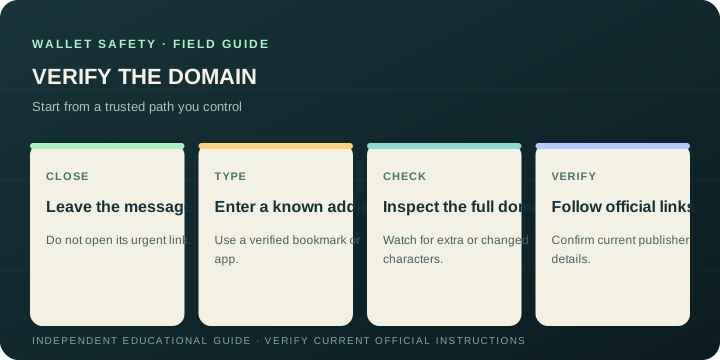
Look carefully at the full domain, including the spelling before the final dot. A fictional example such as jupitcr.example can resemble a familiar name while being a different domain. Do not rely on a search result, an advertisement, a reply in a community channel, or a direct message as the authority for a wallet URL.
Type a known address or use a bookmark you saved after verifying it. When installing a browser extension, reach its store page from the provider’s official site and inspect the publisher identity shown on the current store listing. Check recent update and permission information too. Product names and store details can change, so confirm them at the source rather than trusting a screenshot or a copied instruction.
Jupiter’s official wallet page links to its product. The Jupiter Academy extension guide offers installation context. Reach those pages by entering the known official domain yourself, then follow their current directions; this article does not certify any extension or store listing.
Treat “free tokens” and urgent fixes as requests to verify
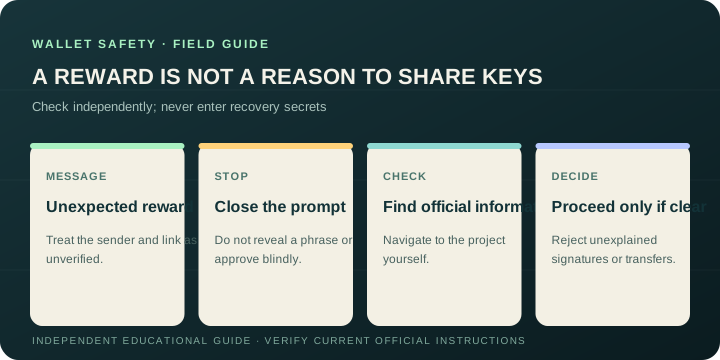
A surprise reward, a wallet validation prompt, or a claim that your account will be closed can be bait to get you onto a malicious page. Never enter a recovery phrase or private key into a website to claim a reward, fix a deposit, verify an account, or restore access. Do not approve a transaction whose purpose and effects you cannot explain.
If an offer could be real, close the message and check it from the project’s official announcements or documentation that you reach independently. A link that uses the right logo or repeats public information does not prove the sender controls the project account.
Reach support from the service, not from the stranger
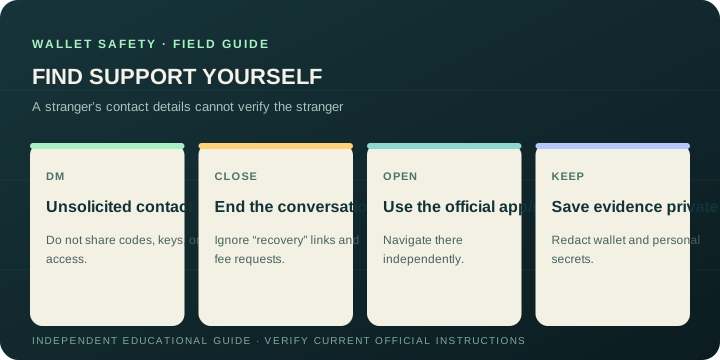
Someone who contacts you first and says they can recover funds, release a payment, or fix a wallet deserves extra caution. Do not share recovery phrases, private keys, one-time codes, remote-device access, or a transaction approval. Do not pay an upfront “recovery” fee to a person who contacted you unsolicited.
Close the conversation and find support inside the app or from the service’s official website. For a Jupiter account issue, begin at the official Jupiter Support Hub. Community members can explain public instructions, but a community logo does not make someone an account-support agent.
If you clicked or shared information
Stop interacting with the suspicious page. From a trusted route, review wallet activity and follow the provider’s incident instructions. If you installed software you now distrust, use official device and extension guidance to remove it, then seek help from a verified security channel. If a secret may have been exposed, do not post it while asking for help.
Keep relevant messages, domains, and transaction references privately in case a verified provider or law-enforcement report needs them. Warn others without reposting a live phishing link or revealing personal details. No guide can guarantee recovery after a transfer; on-chain transactions may be irreversible.
Continue the series
- Part 1: Pause, check, then click
- Part 2: Review an address and transaction before signing
- Part 3: Protect your recovery phrase and wallet backup
- Part 4: Spot fake wallet sites, giveaways, and support (this guide)
For a concise recap, read the wallet safety checklist.
Wallet Phishing and Fake Support FAQ
How can I verify a wallet site or extension?
Start from a known official domain or a bookmark you verified yourself, then inspect the complete domain, publisher identity, current permissions and update information. Do not treat a search result, advertisement, direct message, community reply or screenshot as authority.
Are free-token giveaways and urgent account fixes safe?
Treat surprise rewards, validation requests and urgent closure warnings as unverified until you check them through independent official announcements or documentation. Never enter a recovery phrase or private key to claim a reward, restore access or fix a deposit.
How do I contact wallet support safely?
Close unsolicited messages and go to support from the service’s official website or app. Do not share recovery phrases, private keys, one-time codes, remote-device access or transaction approvals with someone who contacted you first.
What should I do if I clicked a phishing page?
Stop interacting with it, reopen the wallet through a trusted route, review activity and follow the provider’s incident instructions. Preserve domains and transaction references privately, and do not publish any exposed secret while asking for help.
Can a successful transfer be recovered after a scam?
No guide can guarantee recovery. On-chain transactions may be irreversible. Use the provider’s verified support or security channel promptly, protect remaining accounts and avoid unsolicited “recovery” services that demand payment or secrets.
Sources
Checked against these sources on 29 September 2026.