
A recovery phrase can restore access to a wallet. Anyone who obtains it may be able to control assets associated with that wallet. Treat the phrase like a master key: do not share it with a person, website, support agent, giveaway page, or this community guide.
This is Part 3 of the wallet-safety series. Wallets do not all use the same recovery model. Read the official instructions for the exact account type you created before you fund it; do not assume an email login, device password, hardware wallet, and recovery phrase are interchangeable. Solana’s wallet guide explains the role of wallet keys, and its safety guide covers protecting recovery phrases.

Keep the recovery information out of connected accounts
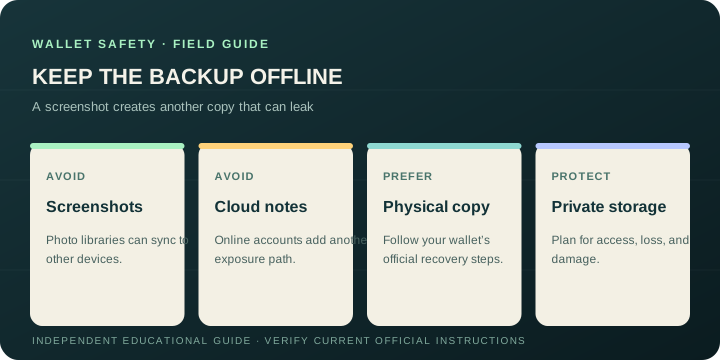
Avoid screenshots, photos, email drafts, cloud drives, notes apps, chat messages, and documents synchronized to other devices. Those places may be copied, searched, backed up, or exposed through an account or device compromise. Do not paste the phrase into a “wallet validation,” support, migration, airdrop, or recovery page.
If your wallet’s documented setup uses an offline phrase backup, write it carefully on a durable physical medium and store it somewhere private and protected from loss or damage. Think through how you would access it after a device failure, move, or emergency. Avoid putting all copies in the same place, but do not make copies in ways that expose them to other people. The precise storage choice depends on your situation; the core rule is that it should not become an online file.
Learn the recovery model before adding value
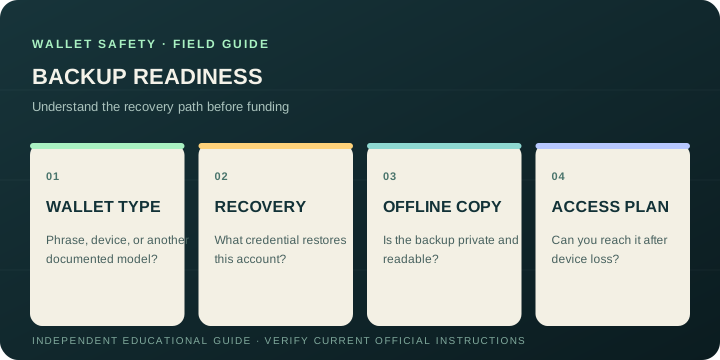
Read the wallet provider’s current instructions before you create a wallet, change devices, or move a significant balance. Confirm what is backed up, what credential is needed to restore it, and what happens if that credential is lost. Some account types use a recovery phrase; others may rely on a different documented process. A local app password usually unlocks an installation and should not be assumed to recover the wallet elsewhere.
Jupiter’s official wallet page and browser-extension learning material describe Jupiter-specific wallet experiences. These product details may change. Follow the instructions shown by the official app and documentation you reach yourself, and do not extrapolate one wallet’s recovery model to another.
If you think a secret has been exposed
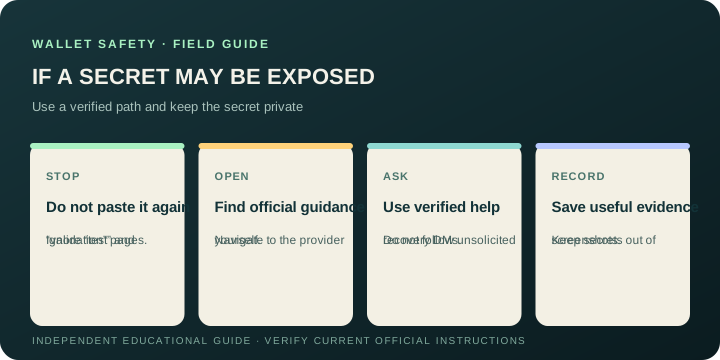
Do not paste it into another site to “test” whether it works. Use the wallet provider’s official incident guidance, reached independently. If assets may be at immediate risk, ask a trusted security professional for help through a verified channel before taking action. Be cautious about automated migration advice or hurried transfers: a replacement address must be under your control and verified independently.
If a device or email account is compromised, secure those accounts through their official recovery procedures as well. Keep a private record of transaction references, times, and suspicious domains, but redact all secrets. A public wallet address or transaction signature is not the same as a private key, though it can reveal activity, so share only what is needed with a verified responder.
No honest helper needs your recovery phrase or private key to explain general instructions. If someone asks for either, stop the conversation and start again through the provider’s official support page.
Continue the series
- Part 1: Pause, check, then click
- Part 2: Review an address and transaction before signing
- Part 3: Protect your recovery phrase and wallet backup (this guide)
- Part 4: Spot fake wallet sites, giveaways, and support
Use the existing wallet safety checklist alongside the instructions for your own wallet.
Wallet Recovery Phrase FAQ
What is a recovery phrase?
It is a credential that can restore access to a wallet and may allow control of the assets associated with it. Treat it as a master key: never share it with a website, support agent, giveaway page, or another person.
Should I store a recovery phrase in the cloud?
Avoid screenshots, photos, email drafts, cloud drives, notes apps, chat messages and synchronized documents. If the wallet’s official setup uses a phrase backup, follow its instructions for a private offline copy on a durable medium that is protected from loss and damage.
Is a wallet password the same as a recovery phrase?
No. A local app password may unlock one installation, while the wallet’s documented recovery credential may restore access elsewhere. Learn the recovery model for the exact account type instead of assuming credentials are interchangeable.
What should I do if I think my recovery phrase was exposed?
Do not paste it into another site to test it. Use the provider’s independently verified incident guidance and seek trusted security help if assets may be at immediate risk. Redact secrets from any records or support evidence.
Will legitimate support ever ask for my recovery phrase or private key?
No honest helper needs either secret to explain general instructions. Stop the conversation if someone asks, and restart through the provider’s official support page or app reached independently.
Sources
Checked against these sources on 29 September 2026.