
Community concept illustration—not an actual app screen.
Jupiter ID is the account and identity-verification layer used for Jupiter Spend. It is easy to confuse with a Jupiter Mobile wallet because both appear inside the Jupiter app, but they serve different purposes and have different security boundaries.
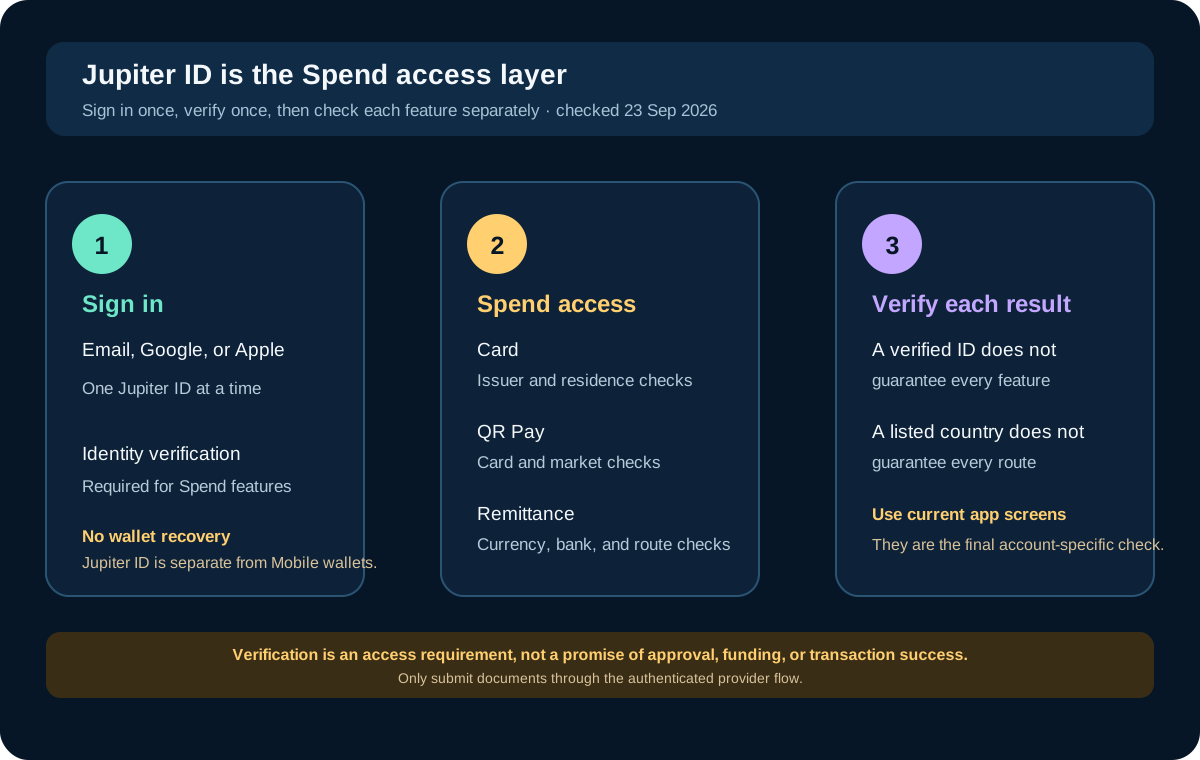
What Jupiter ID is
The current Spend FAQ describes Jupiter ID as the account used to sign in with an email, Google, or Apple account. It includes the identity-verification layer required for Spend. After verification, the same identity can be used across the Card, QR Pay, and Remittance features without repeating the process. Jupiter Spend FAQ
That does not mean one approval screen guarantees every product feature. Each feature still has its own residence, issuer, market, asset, bank, or partner checks. Treat Jupiter ID as the doorway to Spend, not a universal feature pass.
What verification normally asks for
The official onboarding sequence lists an identity document, phone verification, a liveness check, personal information, and a short questionnaire. The FAQ says proof of address is also required in APAC regions, with examples such as utility bills, telecom bills, bank statements, and tax invoices. Verification process
Use the exact authenticated Verification Center flow shown by the app. Keep your legal name, date of birth, and address consistent with the current evidence you submit. A community article can explain the terms, but it cannot inspect your application or predict an approval decision.
The FAQ says routine verification may take a few minutes, while a manual review typically takes three to five working days. Those are expectations from the public documentation, not a service-level guarantee. Do not schedule a time-sensitive transfer around an assumption that verification will finish immediately.
What can become available after verification
Card
The Jupiter Card is issued through a partner selected by residence. The card documentation says users deposit supported assets into Spend and spend the USD balance through the card. Issuer assignment, country support, FX fees, physical-card rollout, and mobile-wallet availability remain separate checks. Jupiter Card
QR Pay
QR Pay depends on card support and the local merchant network. The current documentation says it is available on DCS-issued cards only, with separate country and activation conditions. A verified Jupiter ID does not make an arbitrary QR code or person-to-person payment compatible. QR Pay
Remittance
Global Fiat Remittance uses verified Spend accounts for virtual accounts, bank transfers, and local payouts. The route still depends on the selected currency, destination bank, corridor, fees, and local restrictions. A verified ID does not create a bank account in every country or guarantee every payout route. Global Fiat Remittance
What Jupiter ID is not
The FAQ explicitly separates Jupiter ID from Jupiter Mobile wallets. Jupiter ID is used for Spend identity and access; it is not a wallet recovery key, a seed phrase, or a replacement for self-custody controls. Jupiter’s Mobile documentation describes the wallet system separately. Jupiter Mobile
Never give a seed phrase, private key, password, one-time code, or identity document to someone who contacts you through social media and claims to be support. Use the in-app support route or the official support hub when the app presents a problem. Official support
If verification is rejected or delayed
Read the exact rejection reason and use the official resubmission flow. Correct the requested evidence rather than changing unrelated profile details, creating another account, or paying a “KYC helper.” If the issue is unclear, contact support with only the information that the authenticated support channel requests.
While waiting, you can prepare by reading the fee, deposit, and route guides. Do not fund an account simply to force verification forward; the public process does not describe that as a requirement.
The practical boundary
Use Jupiter ID to answer who is signing in and who is being verified. Use each Spend feature’s current screen to answer what this account can do now. That distinction keeps onboarding clear and prevents a successful login from being mistaken for card issuance, QR access, a bank payout, or a wallet connection.
Sources & what was checked
Public documentation reviewed 23 September 2026. This is a documentation-based guide, not a first-hand account, identity-verification or payment test. Open the current sources before acting.