Jupiter Global does not let you pick Rain or DCS manually. The current Card documentation says the issuer is assigned automatically from your country of residence. DCS covers Australia, Japan, Malaysia, the Philippines, Singapore, South Korea, Taiwan, Thailand and Vietnam; residents of the other supported countries receive a Rain-issued card. You cannot hold both issuers at once. Jupiter Card issuer list
The short answer
The practical question is not “Which issuer should I select?” It is “Which issuer does my residence route assign, and what changes because of that assignment?”
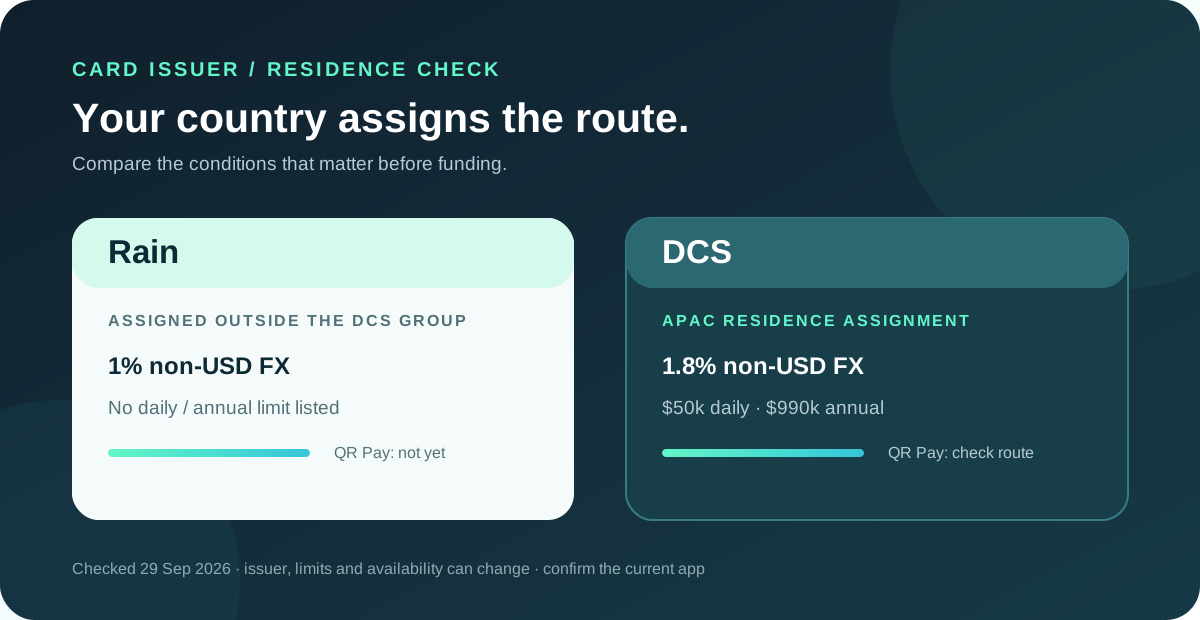
- Rain: the Fees & Limits page lists a 1% FX fee on non-USD payments and no daily or annual card spending limit in its comparison table.
- DCS: the same page lists a 1.8% FX fee on non-USD payments, a $50,000 daily card limit and a $990,000 annual limit.
- QR Pay: the current QR Pay page says Spend-balance QR Pay is available on eligible DCS-issued cards only for now. Rain cards do not support QR Pay yet.
These are product conditions, not a guarantee that an account will be approved or that every feature will appear immediately. Availability, partner rules and residence coverage can change. Compare current fees and limits · Check QR Pay support
Residence decides the issuer
Jupiter’s country-of-residence rule matters more than citizenship. The Card page says eligibility is based on where you reside and complete identity verification, not simply the passport you hold. A person with an unsupported residence should not assume that a different nationality gets them the other issuer.
The current DCS group is:
| Residence route | Issuer shown in the documentation | QR Pay starting point |
|---|---|---|
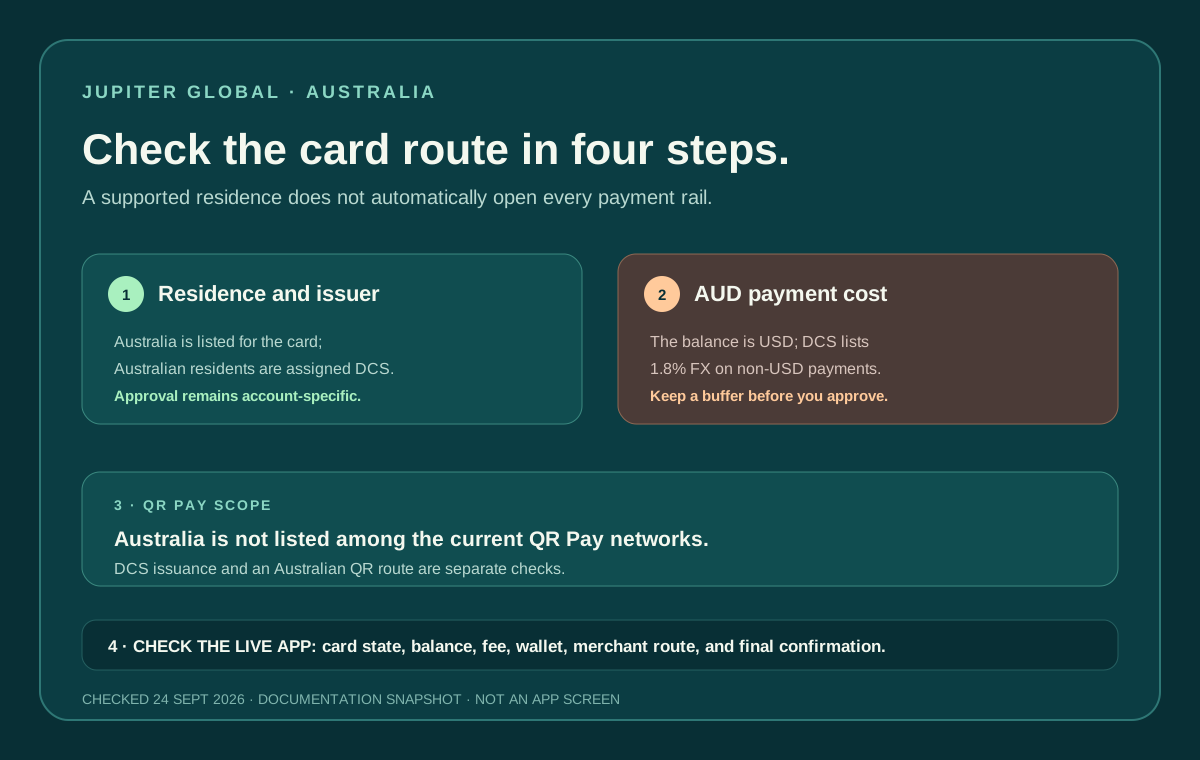
| Australia, Japan, Malaysia, Philippines, Singapore, South Korea, Taiwan, Thailand, Vietnam | DCS | Check the country and card-activation date |
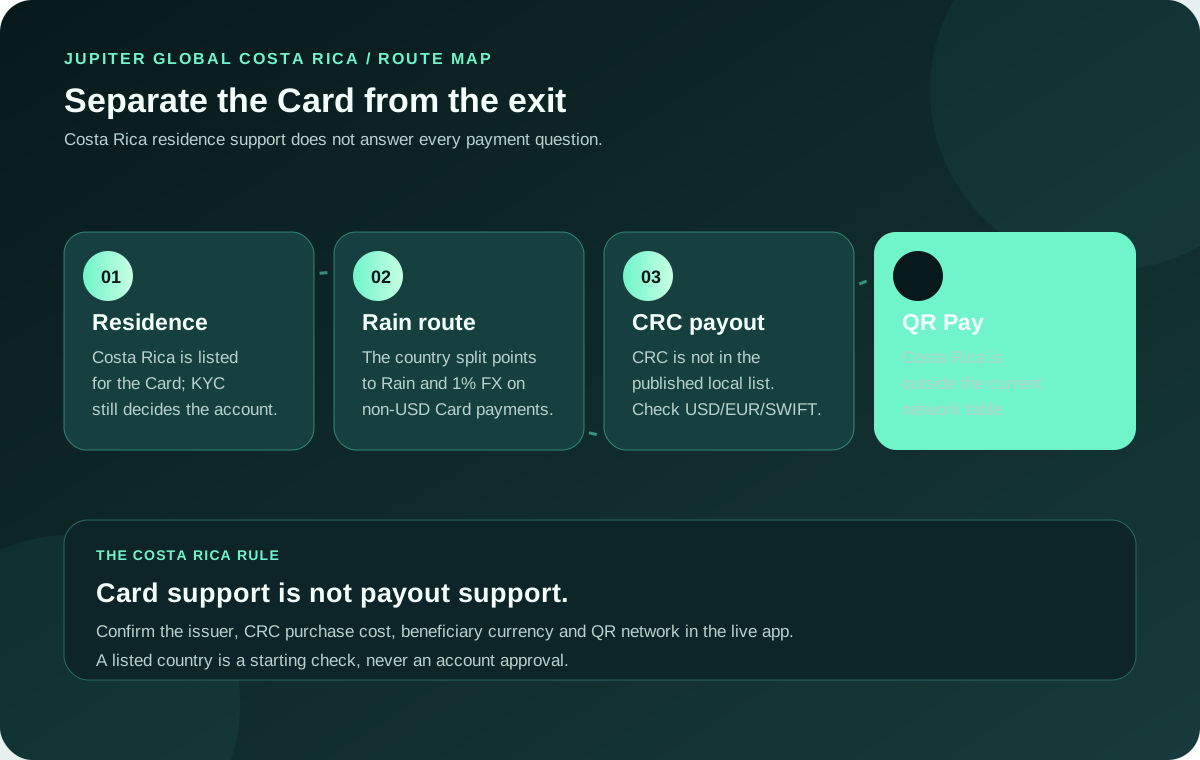
| Other supported countries | Rain | QR Pay is not supported on Rain yet |
For your own account, go by what the app and the onboarding flow show. Review supported countries
For a country-specific preflight, compare the Australia route, Malaysia route, Philippines route, or Vietnam route. Those pages separate residence, card issuer, payout currency and QR network instead of treating a country name as one feature flag.
What changes between Rain and DCS
Non-USD spending
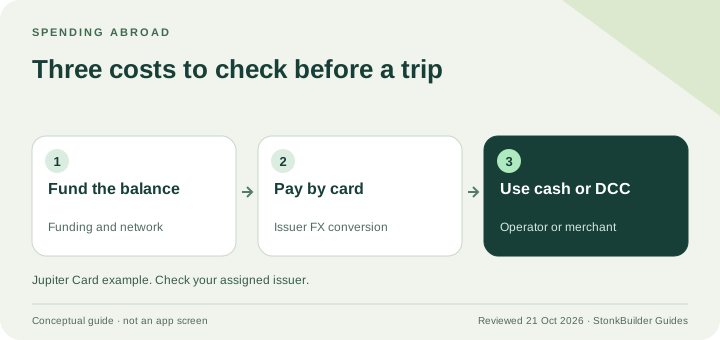
The documentation lists a 1% Rain FX fee and a 1.8% DCS FX fee for non-USD payments. USD payments do not carry that card FX fee. The difference matters when a user is comparing a travel purchase, a recurring subscription or a merchant that settles outside USD.
Use the final transaction details rather than estimating from a marketing headline. A card may still be declined for a merchant category, balance or issuer reason even when the currency is supported. Read the issuer and FX risk notes
Card spending limits
The current comparison table lists no daily or annual limit for Rain and a $50,000 daily and $990,000 annual limit for DCS. “No limit” in a documentation table does not mean unlimited approval, unlimited balance or a promise that a large transaction will settle. Merchant controls, account status, risk systems and available balance still apply.
If a large payment matters, run a small ordinary purchase first, confirm the transaction status, and keep a fallback payment method. Do not manufacture spending merely to test a limit.
QR Pay
QR Pay is the biggest functional difference for many users. The current documentation says it is available on DCS-issued cards only. It lists merchant networks including KHQR, QRIS, DuitNow, QPay, QR Ph and VietQR; Singapore SG QR and Thailand PromptPay are temporarily unavailable in the current documentation. Some countries also restrict newer cards by activation date.
The Spend-balance QR payment limits are $500 per transaction and $5,000 per day. It is not a substitute for a bank payout or a general person-to-person transfer, and QR Pay transactions do not earn card cashback. Read the QR Pay route and limits
The issuer does not decide every Jupiter route
The current risk documentation lists Rain and DCS as the Card partners, DCS as the QR Pay partner, and Noah as the partner for card withdrawals and remittance. That means an issuer comparison can answer card FX, card limits and QR access without proving that a bank payout or virtual-account transfer is available. Partner boundaries
Keep each job separate: use the Card screen for issuer and card state, the QR flow for merchant-network support, and the live withdrawal or remittance screen for a bank route. A DCS assignment can be useful for QR Pay and still leave a separate bank route subject to region, currency, beneficiary and partner checks.
What does not change
Both issuers are part of the same Jupiter Card flow:
- The card draws from a USD Spend balance.
- Depositing supported USDC or USDT is handled through the Jupiter app.
- The card is virtual in the current rollout, with physical availability appearing in phases.
- A card can be added to Apple Pay or Google Pay where the wallet service supports the region.
- A card issuer assignment is not the same thing as a bank-account or remittance eligibility decision.
The issuer also does not turn a deposit into a credit line. Jupiter’s documentation describes the card as spending from the deposited balance. Treat the available balance, withdrawal balance and refund behavior as separate checks, especially for Rain users. Read the Card process and balance rules
A five-minute issuer preflight
Before signing up or funding an account, record the answers to these questions:
1. Where do I reside? Use the country on the identity and address documents, not a travel destination. 2. Which issuer does the app show? Confirm Rain or DCS in the account and card details. 3. What is the payment outcome? Card purchase, QR merchant payment, bank payout and wallet exit are different routes. 4. Which currency will settle? USD avoids the card FX fee; non-USD spending should use the current issuer rate and fee shown by the app. 5. Does the exact merchant or QR network fit? A supported country does not guarantee every merchant, wallet or activation cohort works.
If the desired feature is QR Pay and the account is Rain-issued, do not keep funding the account hoping the feature will appear. Use the documented card and country checks, then contact official support if the app and documentation disagree. Official Jupiter support
Jupiter Global Rain vs DCS FAQ
Can I choose Rain or DCS?
No. The current Card documentation assigns the issuer from your genuine country of residence during onboarding. You cannot select the cheaper issuer manually or hold both issuer paths at once.
Which issuer has the lower foreign-exchange fee?
The current fee table lists 1% for Rain and 1.8% for DCS on non-USD Card payments. USD payments do not carry that listed card FX fee. The app’s assigned issuer and final transaction currency are the evidence for your account.
Does Rain support QR Pay?
The current QR documentation says Spend-balance QR Pay is available on eligible DCS-issued cards only for now. A Rain card should not be funded on the assumption that a QR feature will appear later; check the documented card and country route instead.
Does DCS have a spending limit?
The current comparison table lists a $50,000 daily Card limit and a $990,000 annual limit for DCS. Those figures do not guarantee approval for a specific purchase; balance, merchant controls, account state and risk decisions still apply.
Summary
You can’t freely choose between Rain and DCS. Your residence decides the issuer, and the issuer affects non-USD FX cost, documented spending limits and QR Pay availability. Check which issuer you have first, then decide whether the card, QR, bank or comparison route fits the job. Product terms can change, so reread the current official pages before acting.
If you’re still choosing between card spending, QR Pay, a bank route or a wallet exit, try the Route Finder. When you’re ready, sign up for Jupiter Global and check your assigned issuer in the app. Your eligible Jupiter Card purchases will earn 2% cashback, up to a $100 monthly cap.
Sources
Checked against these sources on 21 October 2026.