Community concept illustration—not an actual app screen.
A first deposit should answer one narrow question: can this exact account receive this exact asset on this exact network? It should not become an excuse to send money before you understand the destination, the funding cost, or the exit you need.
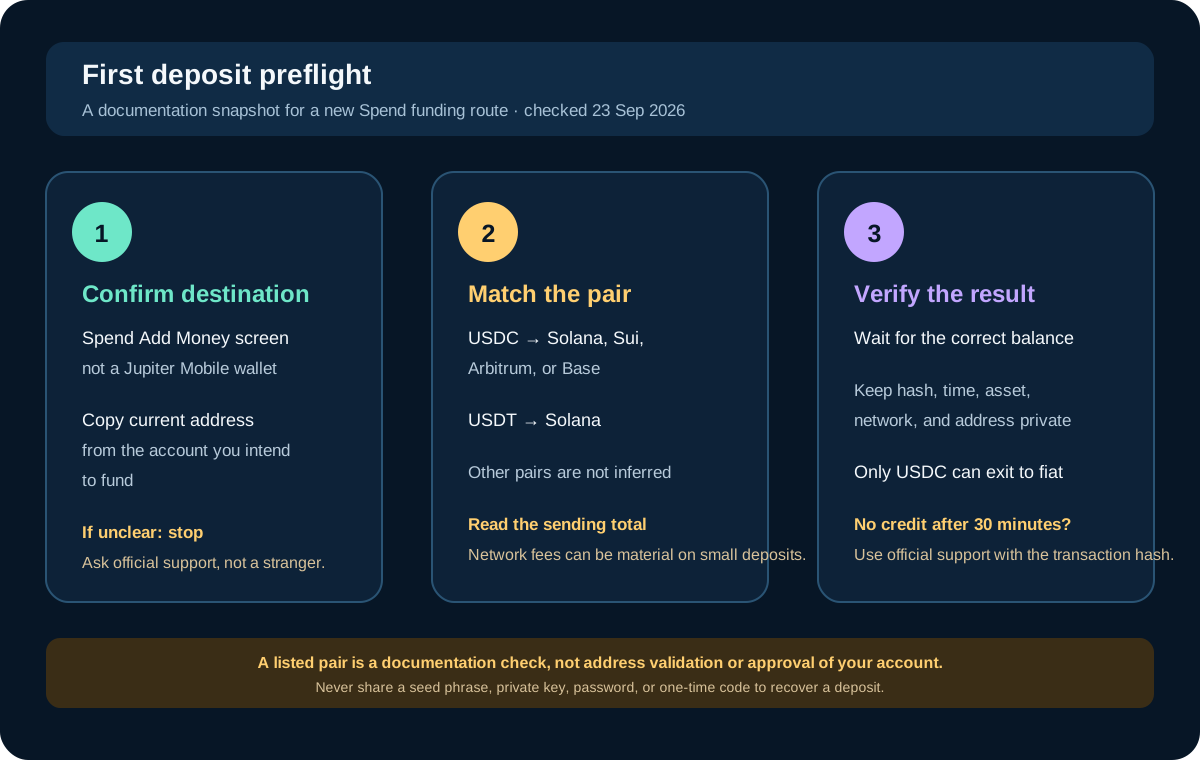
Start with the Spend destination
Jupiter Mobile wallets and Jupiter Spend are separate contexts. Open the Spend tab, choose its current Add Money flow, and confirm that the instructions are for the balance you want to fund. The FAQ says crypto deposits are made in USDC or USDT; incoming USD or EUR bank transfers use virtual accounts instead. Jupiter Spend overview · Deposit FAQ
Do not reuse an address from an old screenshot or a previous transaction. Copy the current receiving details from the account you intend to fund, then compare them again immediately before sending. A familiar-looking address is not proof that it belongs to the right product or network.
Match the complete asset and network pair
The current documentation lists USDC on Solana, Sui, Arbitrum, and Base, and USDT on Solana. It does not say that every exchange network option is supported. Ethereum mainnet, Tron, and other similarly named options should not be inferred to work. Supported deposit networks
Select the asset first, then the network, then compare the exchange’s final withdrawal screen with the receiving instructions. If the pair is absent from the current Spend screen, stop. Do not pick the closest name or rely on a tutorial recorded for another account.
The site’s Network Check tool can explain the dated documentation snapshot, but it cannot validate your address, inspect the sender’s withdrawal system, or approve your account. A green educational result is not a guarantee of delivery.
Check the exit before you fund
The most important question is often what you need to do next. Jupiter’s remittance documentation says only USDC deposits can be withdrawn to fiat; USDT deposits cannot. A token may be accepted for Spend activity while still being the wrong asset for a later bank payout. Fiat withdrawal limitation
If your end goal is a local bank transfer, confirm the asset and destination route before you deposit. Do not assume you can change the exit later without a conversion, an additional fee, or a region-specific restriction.
Decide what “small” means
The FAQ says there is no minimum crypto deposit amount, and that Jupiter does not charge a deposit fee. That does not make every tiny transfer economical. The network still charges its own cost: the current fee page gives approximate flat costs of $0.30 on Arbitrum and Base and $0.10 on Sui, while Solana can require a one-time token-account creation cost in some cases. Deposit fees and limits
For a small test, choose an amount that remains meaningful after the sender’s withdrawal fee and network cost. The right amount depends on the asset, exchange, network, and destination instructions. There is no universal safe test amount.
Send once and preserve the evidence
Before confirming the withdrawal, check:
- The asset name and network match the current receiving screen.
- The complete destination address is unchanged.
- The sender’s fee and net amount are visible.
- Any memo or reference field is handled exactly as instructed.
- You understand whether the test is meant to fund Spend, not a separate wallet.
After sending, save the transaction hash, time, asset, network, destination address, and amount in a private note. The FAQ says most deposits arrive within about four minutes after required confirmations, although congestion and confirmation requirements can change that timing. If an onchain transfer is confirmed but the balance is still missing after 30 minutes, contact official support with the transaction hash and deposit address. Deposit troubleshooting
Do not send a second transaction simply because the first one is pending. Two unresolved transfers are harder to investigate than one. Do not paste a seed phrase, private key, password, or one-time code into a support chat, recovery form, or social-media message. Jupiter security guidance · Consumer scam guidance
A test is not a product approval
Even a credited deposit proves only that one transaction reached one balance. It does not prove that your card, QR Pay, bank payout, refund, or future withdrawal is available. Check each feature separately and re-read the current account instructions before moving a larger amount.
The best first deposit is boring: the destination is clear, the asset/network pair is documented, the fees are visible, the transaction is recorded, and you wait for the correct balance before doing anything else.
Sources & what was checked
Public documentation reviewed 23 September 2026. This is a documentation-based guide, not a first-hand account, identity-verification or payment test. Open the current sources before acting.