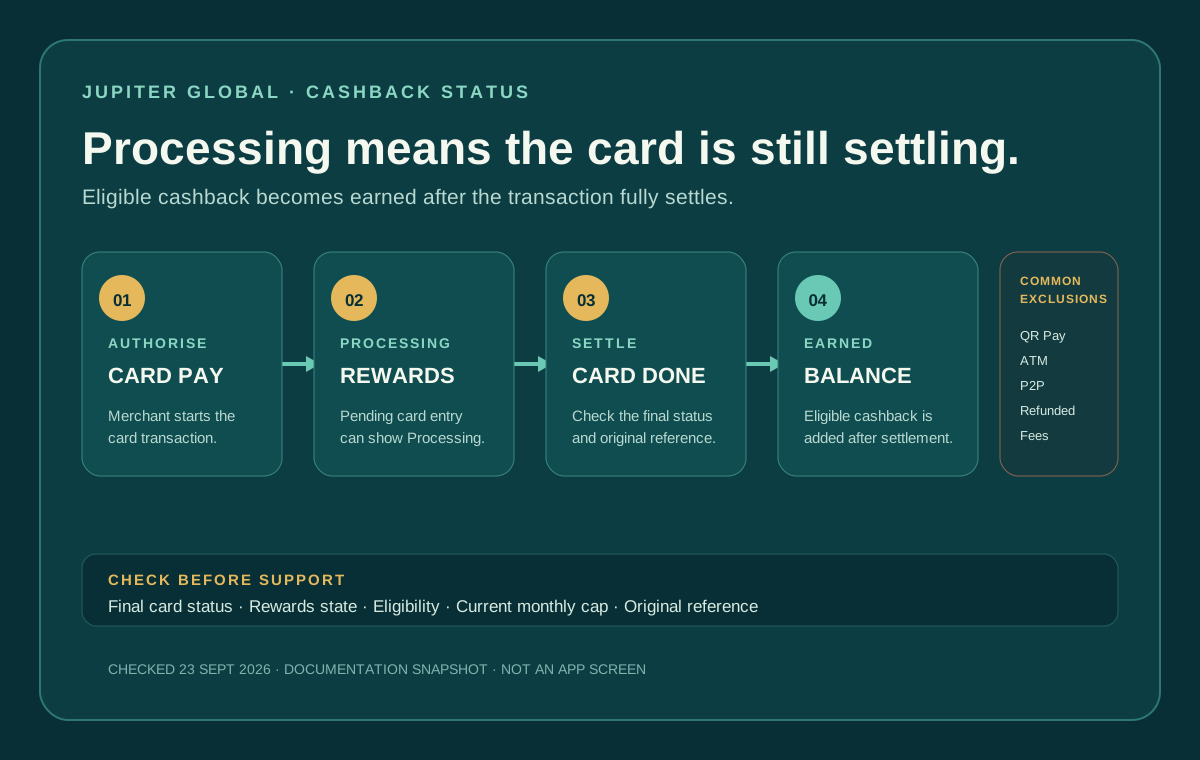
“My Jupiter Global cashback is pending” usually means the card transaction has not fully settled yet. The Rewards tab can show a Processing entry while the payment is still open; cashback becomes earned only after settlement. First identify the card transaction state, then check whether the purchase was eligible and whether the current rewards cap has been reached.
Processing is not the same as missing
Jupiter’s rewards documentation describes a simple sequence: a qualifying card purchase earns cashback automatically, the Rewards tab shows it as Processing while the transaction is pending, and the entry changes to earned after the transaction fully settles. There is no separate cashback activation step. Cashback settlement rules
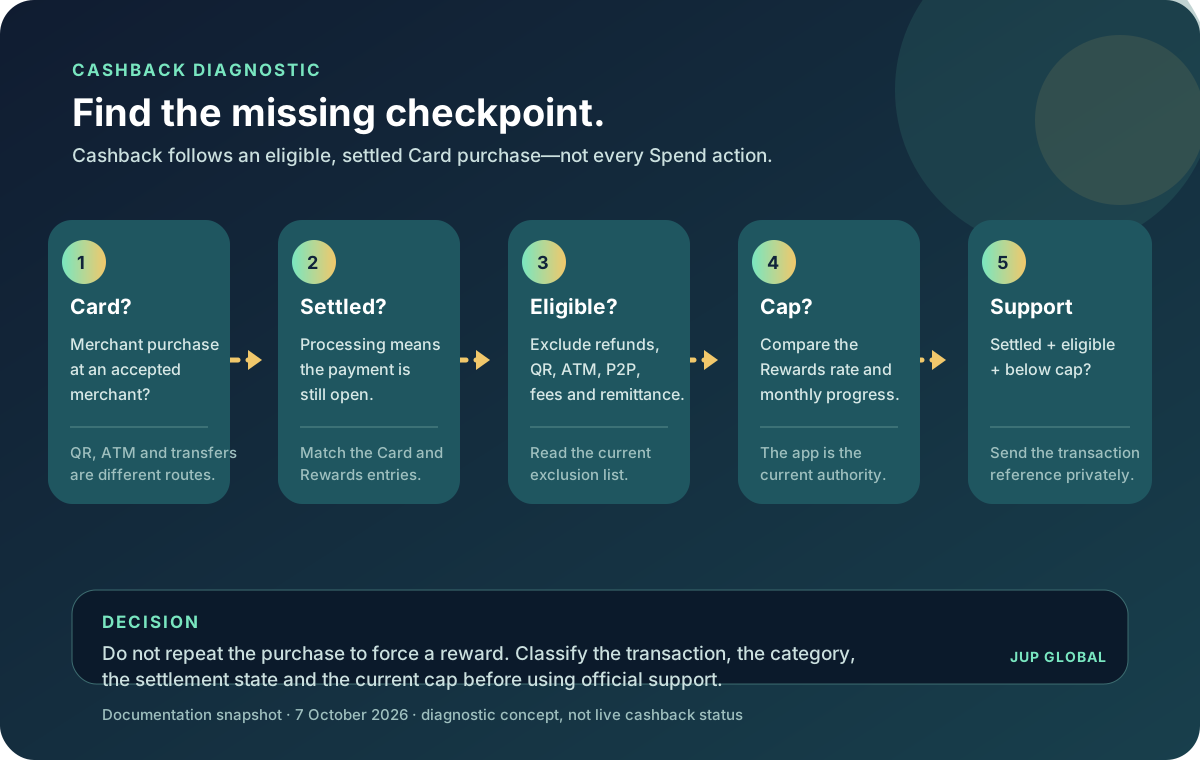
Open the original card transaction and compare its status with the Rewards entry. An authorisation or pending card payment can affect the available balance before the merchant completes settlement. A receipt, push notification, or merchant email does not by itself prove that the card network has finished settling.
The FAQ also separates a normal pending authorisation from a refund. A settled refund can take up to seven business days to return to the card balance, while an uncaptured authorisation can remain held for up to 30 days depending on the merchant. If the original purchase was reversed or refunded, do not treat the missing cashback as an ordinary posting delay. Refund and authorisation timing
Check the current rate and cap
The current rewards documentation lists a 2% base cashback rate with a $100 monthly cap. The app’s Rewards screen is the source of truth for the rate and progress shown on your account; a different current tier or cap should be checked there rather than assumed from an older article or screenshot. Current cashback rate
Before escalating, compare the transaction amount with the month’s remaining cap. A purchase can be fully settled and otherwise eligible while producing less cashback than a simple percentage calculation because the cap has been reached. Cashback is held in the Rewards balance in USDC, and the documentation says a user can move it to the card balance instantly without a fee; direct withdrawal to an external wallet is not available from the Rewards balance. Rewards balance rules
The most common transactions that do not qualify
The exclusion list is broad and the documentation says it is not exhaustive. The frequent mismatches are:
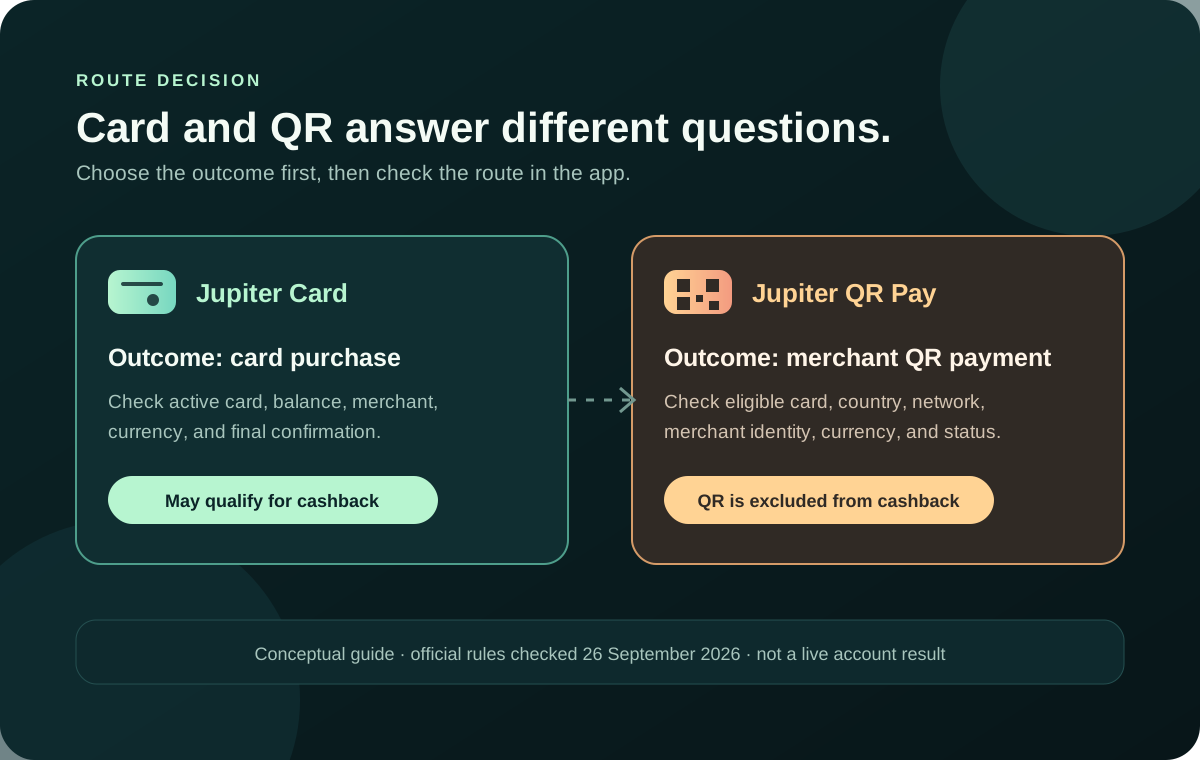
- QR Pay transactions.
- ATM withdrawals and cash disbursements.
- P2P transfers, money transfers, remittances, and account-funding transactions.
- Fees and charges.
- Refunded, reversed, disputed, or chargeback transactions.
- Cryptocurrency purchases, quasi-cash, and other cash-equivalent activity.
- Gambling and betting, certain government payments, and transactions flagged by fraud or abuse controls.
That means a successful payment can still be ineligible for cashback. Card acceptance and rewards eligibility are separate checks. Ineligible transaction categories
A clean troubleshooting order
1. Record the merchant, amount, currency, date, and original transaction reference. 2. Check whether the card entry is pending, completed, reversed, refunded, disputed, or charged back. 3. Open Rewards and note whether the entry says Processing, earned, or is absent entirely. 4. Compare the purchase with the exclusion list and the month’s remaining cap. 5. Wait for the card transaction to fully settle before treating Processing as a failure. 6. Keep a private screenshot or note that shows the original transaction and the Rewards state together.
Do not repeat a purchase to force a rewards entry. A duplicate payment can create a second settled transaction, and a refund may remove eligibility for both the cashback and the original spend milestone.
When to use support
If the transaction is fully settled, appears eligible, remains below the current cap, and the Rewards entry is still absent or incorrect, use in-app support with the original transaction details. Jupiter’s FAQ directs users to in-app support; send the transaction reference, date, amount, merchant, current status, and the Rewards screen state through that verified route. Official support path · Jupiter Support Hub
Never send a recovery phrase, private key, password, or one-time code to someone offering to “release” cashback. A rewards question needs a traceable card reference, not wallet access.
For prevention, the first-card payment checklist explains how to make a controlled first purchase. The card refund guide covers the two refund clocks, and the merchant-declined guide separates a decline from a pending settlement. The safety exercise helps rehearse the evidence-first habit.
Either way, you want to know exactly where it stands: Processing while the purchase settles, earned cashback within the current cap, or an official support case tied to the original transaction. Haven’t joined yet? Sign up for Jupiter Global and you’ll start at the base rate: 2% cashback on eligible Jupiter Card purchases, up to $100 a month.
Jupiter Global Cashback Pending FAQ
What does Processing mean for Jupiter Global cashback?
Processing normally means the card transaction has not fully settled. Compare the original card entry with the Rewards entry and wait for settlement before treating the cashback as missing.
Does every successful card payment earn cashback?
No. The current exclusions include QR Pay, ATM withdrawals, transfers, remittances, account funding, fees, refunds, reversals, disputes, chargebacks, crypto purchases, quasi-cash, gambling and other controlled categories. The list is not exhaustive.
Can the monthly cashback cap make an eligible payment look wrong?
Yes. The current rewards documentation lists a base rate and monthly cap, while the Rewards screen shows the live rate and remaining progress for the account. Check the remaining cap before comparing the entry with a simple percentage calculation.
What happens to cashback after a refund or chargeback?
A refunded, reversed, disputed or charged-back transaction may be excluded or have its rewards adjusted. Check the card status and the Rewards entry together rather than treating the issue as a normal settlement delay.
When should I contact official support about missing cashback?
Use verified in-app support when the transaction is fully settled, appears eligible, remains below the current cap and the Rewards entry is absent or incorrect. Include the merchant, amount, currency, date, transaction reference and Rewards state, while redacting secrets.
Sources
Checked against these sources on 28 September 2026.