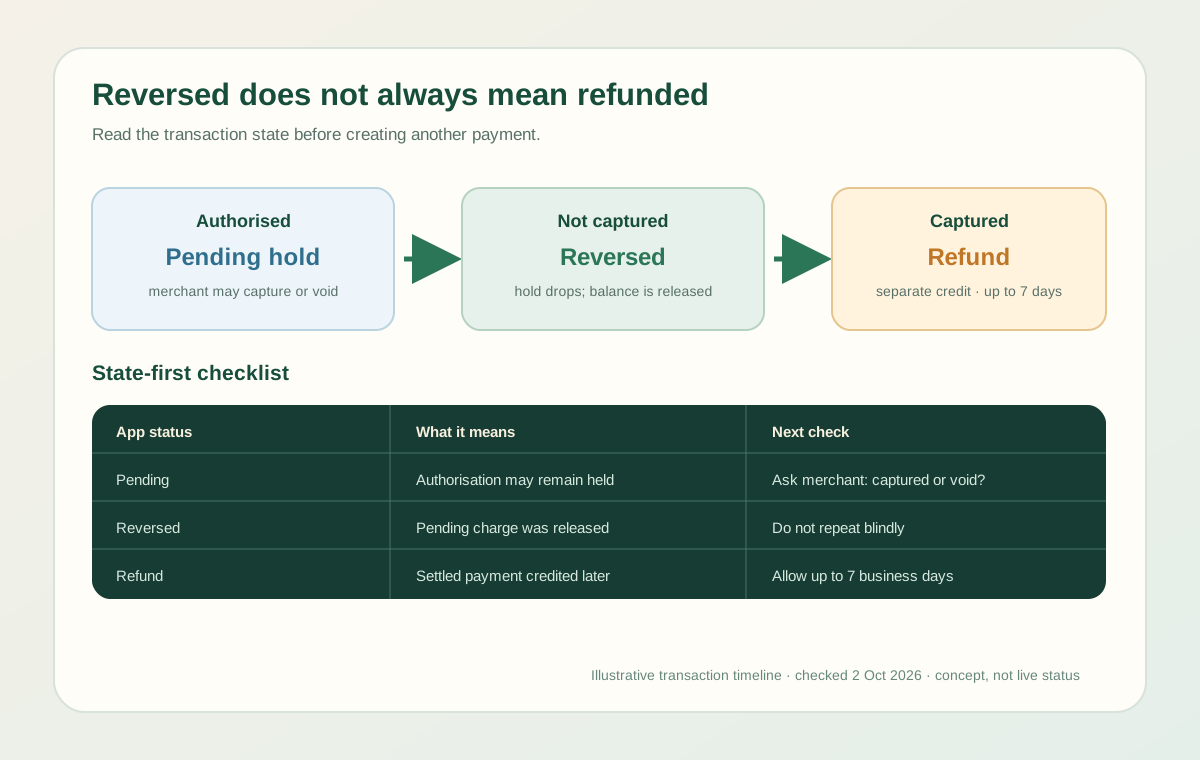
A Jupiter Global card payment reversed message can describe several different states. A merchant may have authorised a payment but never captured it, the app may have reversed a pending charge, or a settled payment may have produced a later refund. The timing and the next action are different for each state.
The short answer
- Pending, then reversed: the merchant did not capture the authorisation and the held amount should return when the pending entry drops.
- Settled payment, then refund: the refund is a separate credit and can take up to 7 business days to settle.
- Pending authorisation still present: the hold can remain for up to 30 days, depending on the merchant.
- Merchant says declined but the app says pending: treat the app status as the important evidence until the authorisation resolves. Do not create a second payment just because the checkout showed an error.
Jupiter’s documentation says that a pending authorisation is controlled by the merchant, not by Jupiter. A refund after settlement is also calculated at the FX rate on the day the refund is issued, and the original FX fee is not refunded. Jupiter Spend FAQ · Jupiter Card refund rules
Three states that look similar
1. The merchant never captured the authorisation
Hotels, restaurants, subscriptions, and online checkouts can authorise an amount before the merchant completes settlement. The balance may therefore look lower even though the payment is not final. If the merchant voids the attempt or never captures it, the entry can be reversed and the funds released when the hold drops.
Keep the original transaction visible in the app. The fact that a checkout page displayed “declined” does not prove that no authorisation was created.
2. A pending payment was reversed
When the original transaction is still pending, Jupiter says a merchant refund or void reverses the charge directly. There may be no separate refund line because the pending entry itself is removed or marked as reversed. Compare the available balance and transaction history rather than adding the same card again.
3. A settled payment received a refund
Once the original payment has settled, a refund appears as a separate credit marked Reversed under the original transaction. Jupiter says this can take up to 7 business days, depending on the merchant and issuer. If the original payment used a non-USD currency, the refund uses the FX rate on the refund date, so the credited amount may not equal the original converted amount. Current fee and FX rules
What to check before trying again
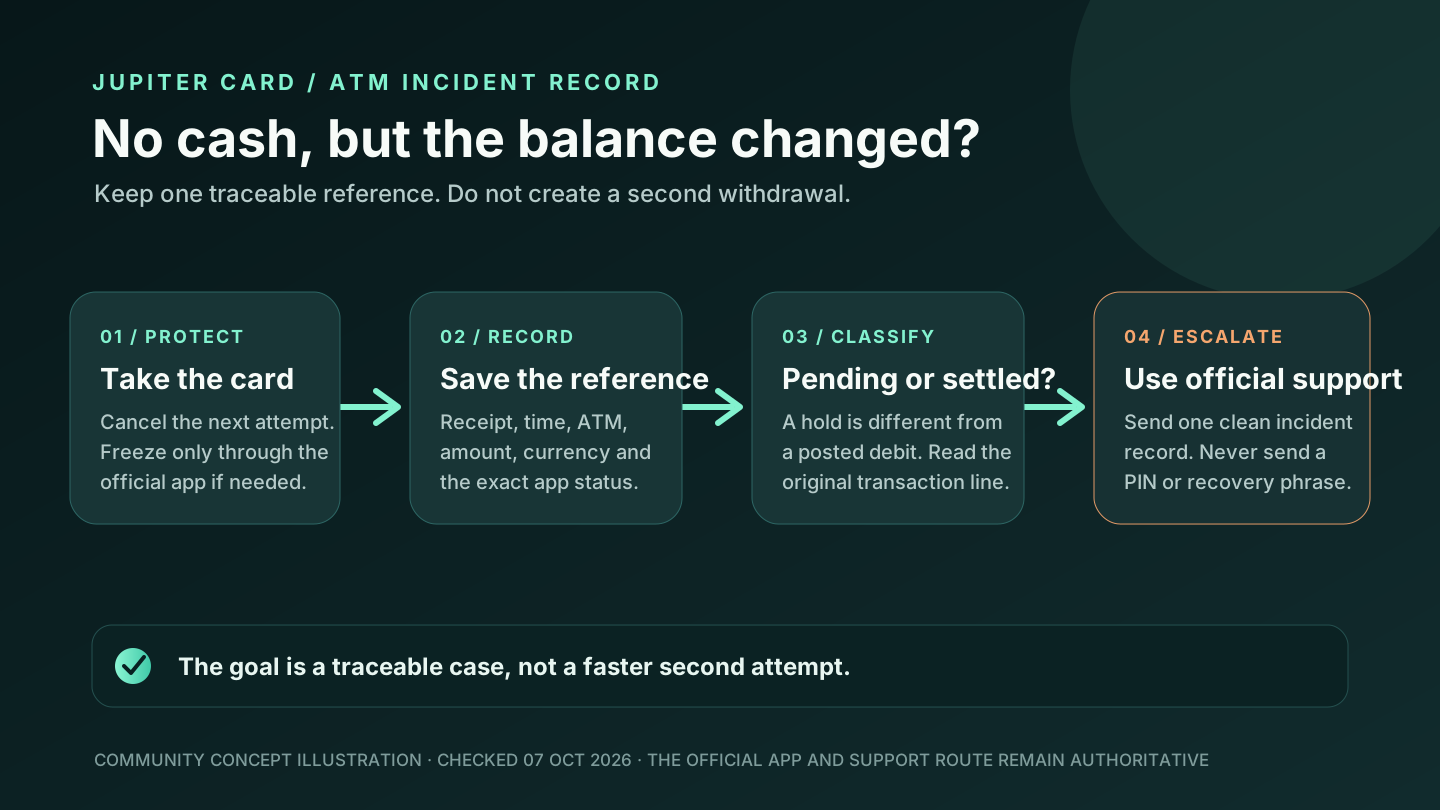
1. Open the official app and record the transaction status, amount, currency, merchant name, timestamp, and reference. 2. Check whether the entry is pending, settled, reversed, or missing entirely. 3. Ask the merchant whether the payment was captured, voided, or refunded. Keep the merchant’s confirmation and refund reference. 4. Compare the available USD balance with the displayed balance; a pending authorisation can temporarily reduce what is spendable. 5. If the original payment is pending, avoid repeated retries until the merchant confirms the first attempt was voided. 6. If a settled refund has not appeared after 7 business days, contact official support with the original transaction details.
Do not share a recovery phrase, private key, password, one-time code, full card security code, or identity document with someone offering to “release” a refund. Use the verified in-app support route. Jupiter security guidance · Official support
A reversal is not proof that the card is broken
The card may still be usable after a merchant void, a temporary authorisation, or a refund. A reversal describes the transaction’s settlement path; it does not by itself explain why the original authorisation was accepted or rejected. If the next payment fails, use the merchant-decline diagnostic guide and compare the merchant category, amount, currency, balance, issuer, and card state.
The broader pending, refund, or decline guide covers the transaction-state vocabulary. The virtual-card checkout guide covers stored card details and online processors.
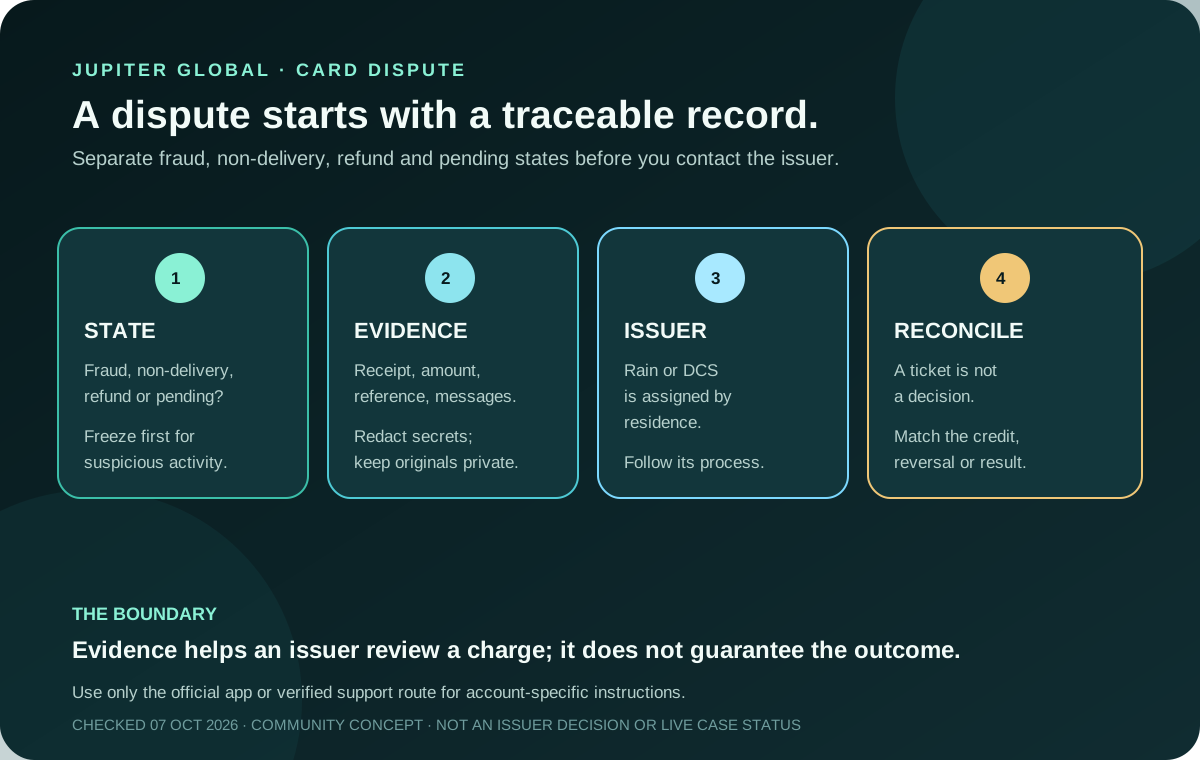
If a settled charge is unauthorised or the merchant did not deliver, use the card chargeback evidence guide after preserving the original reference.
If the status stays unresolved, keep the reference and use official support before sending another payment. Thinking about getting the card? Create a Jupiter Global account, start with an ordinary purchase and keep its transaction reference. Eligible Jupiter Card purchases earn 2% cashback, capped at $100 a month.
Jupiter Global card payment reversed FAQ
What does a reversed card payment mean?
It can mean that a pending authorisation was voided or released, or that a settled purchase received a separate refund credit. Check whether the original entry is pending, settled, reversed or missing before deciding what happened.
How long does a reversed payment take to return?
An uncaptured authorisation can remain pending for up to 30 days, depending on the merchant. A settled refund can take up to 7 business days to reach the card balance. These are different timelines and should not be combined.
Is a reversed payment the same as a refund?
Not always. A pending authorisation can reverse in place without a separate credit, while a settled payment normally shows a separate refund entry marked “Reversed.” The transaction state and merchant reference identify the case.
Why is the refund amount different from the original charge?
For a settled non-USD purchase, the refund uses the FX rate on the day the refund is issued, and the original FX fee is not refunded. Compare the transaction currency, refund date and credited amount before treating the difference as an error.
Should I try the payment again after it was reversed?
Wait until the first transaction has a clear released or refunded state. Confirm with the merchant whether the original attempt was captured, voided or refunded, then retry only once if the route still fits and keep a backup payment method.
Sources
Checked against these sources on 2 October 2026.