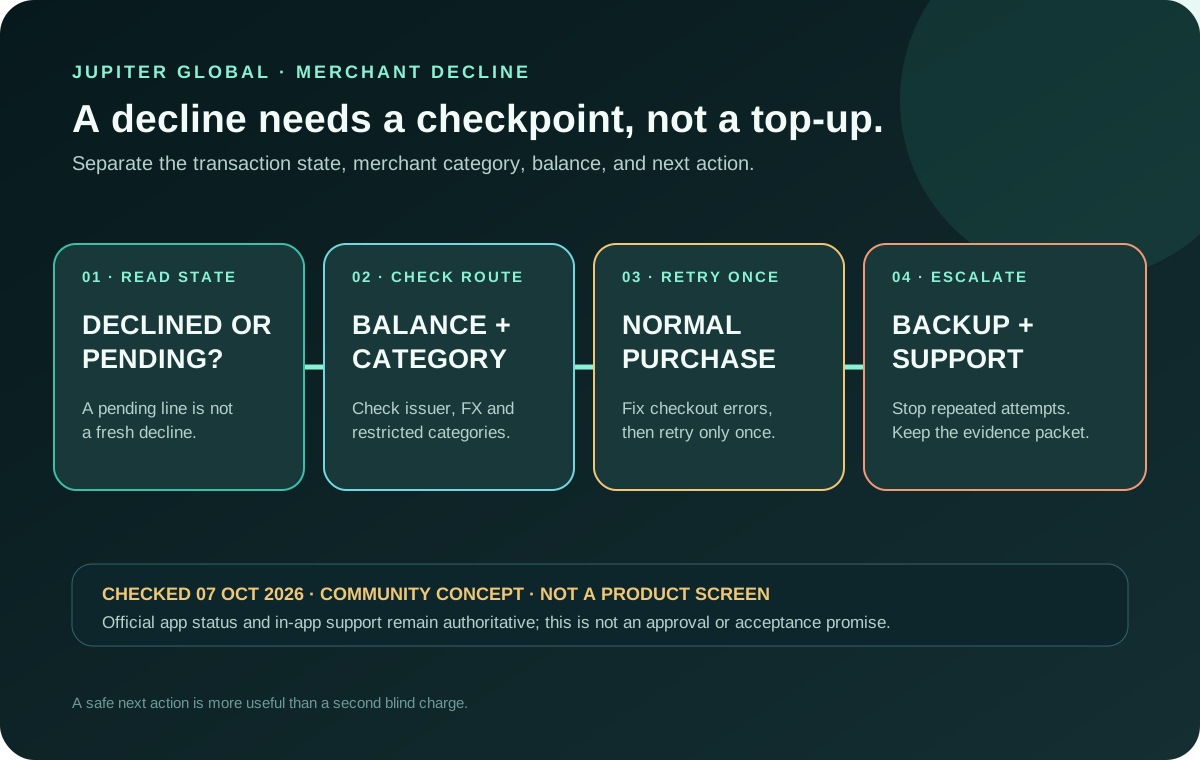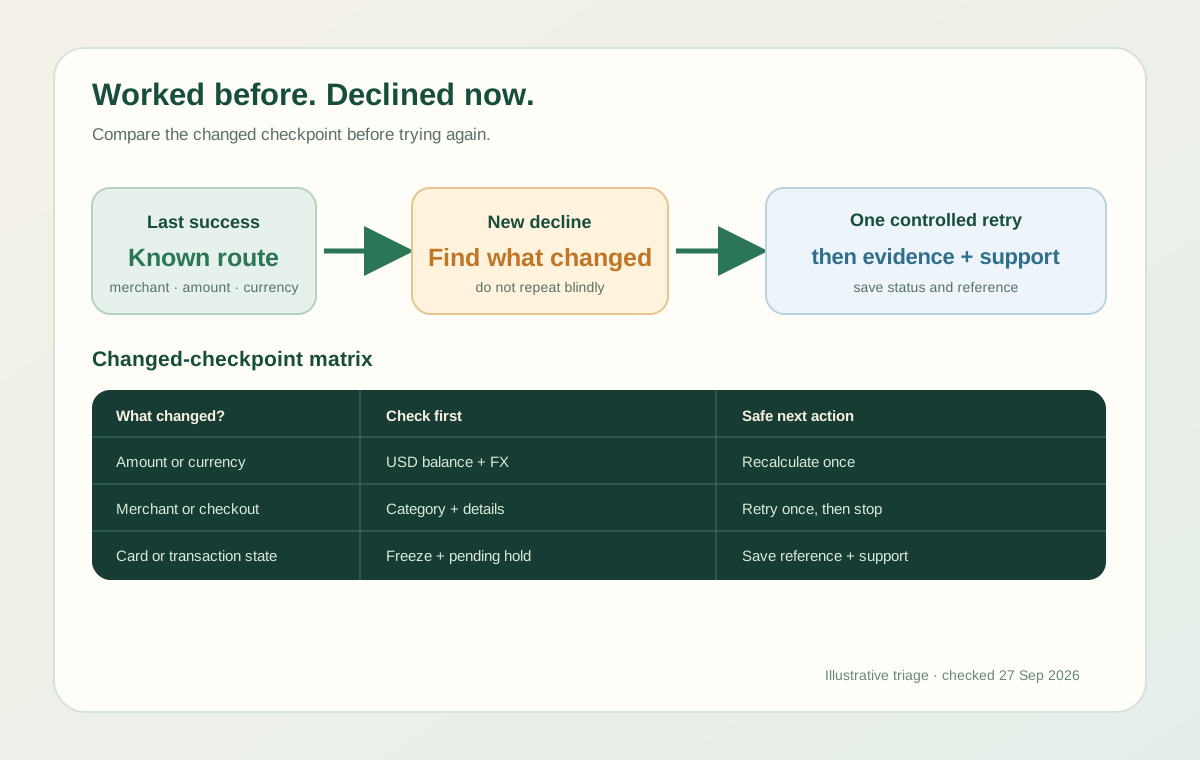
When a Jupiter Global card worked yesterday but declines today, ask which checkpoint changed rather than whether the card is broken: available balance, card state, issuer limit, currency, merchant category, checkout details, or transaction status. A successful earlier purchase proves only that one earlier transaction passed its checks. Jupiter Spend FAQ
Start with the changed condition
Write down the last payment that worked and the first one that failed. Compare:
- merchant and merchant category;
- amount and currency;
- in-person, online, recurring, or wallet checkout;
- card issuer and card state;
- available USD balance and any other authorisations; and
- the exact message shown by the app or merchant.
This comparison is more useful than repeatedly entering the same payment. Jupiter’s current FAQ names insufficient balance, a frozen card, a DCS spending limit, restricted merchants, and dynamic risk controls among common decline reasons. Current decline reasons
Find the checkpoint that changed
| What changed since the last successful payment | What it can explain | Safe next check |
|---|---|---|
| Balance, amount, tip, tax, deposit or another pending hold | The available USD balance may no longer cover the attempted authorisation. | Compare available balance with the amount the merchant actually tried to authorise, including documented FX. |
| Card state or issuer | A frozen, replaced, expired or issuer-specific card can fail even when an older card worked. | Open the verified Cards screen and confirm the current status, issuer and controls. |
| Merchant, category or payment purpose | Restricted categories and dynamically monitored merchants can be declined automatically. | Compare the new checkout with the old one; do not keep retrying a controlled category. |
| Currency or checkout route | A non-USD payment adds the issuer’s FX rule; online, recurring and wallet checkouts use different processors. | Check the exact currency, stored card details, billing descriptor and transaction message. |
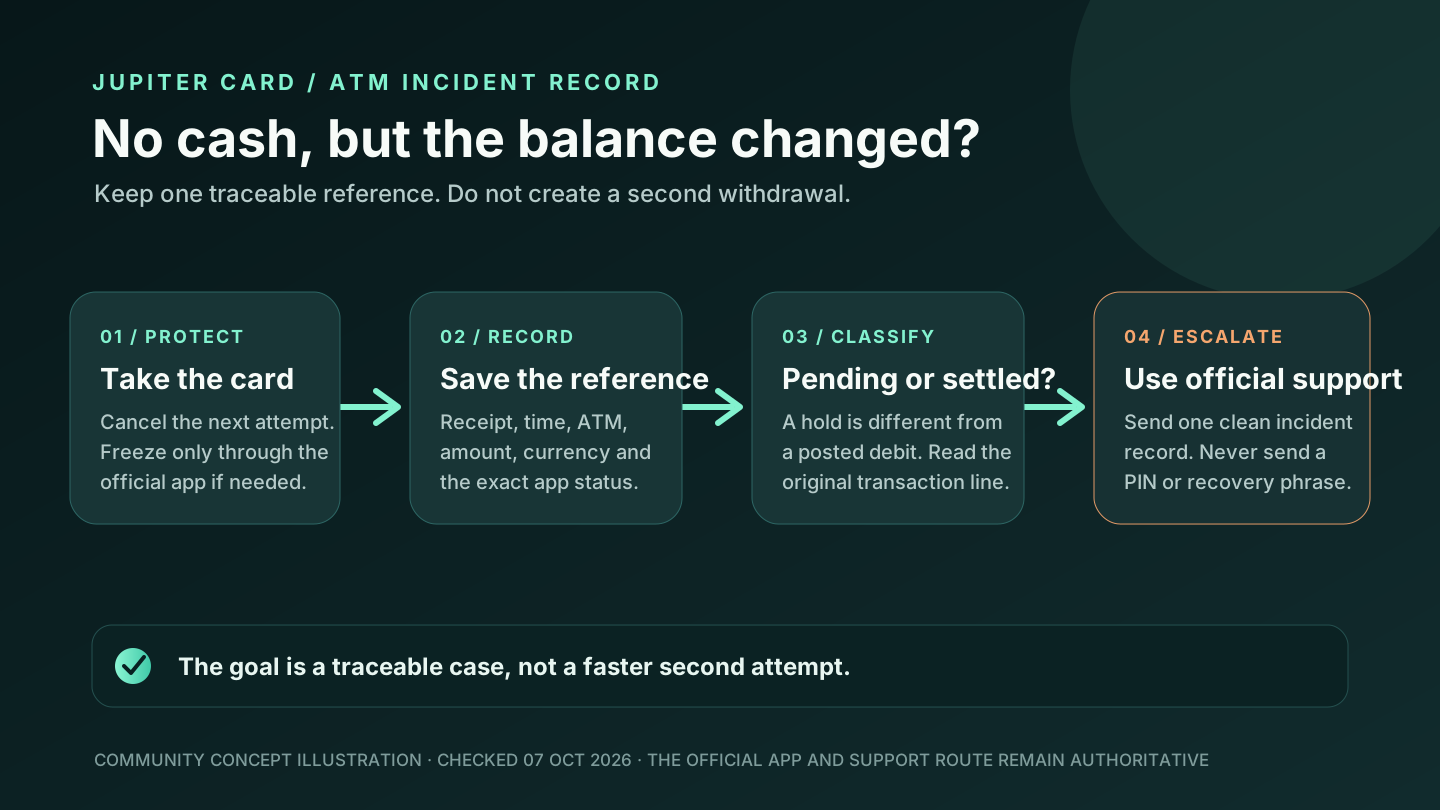
| Payment state | A merchant can report “declined” while the app shows a pending authorisation. | Save the transaction reference and ask whether the attempt was captured or voided before retrying. |
This table helps classify the failure; it does not diagnose an account or override the issuer’s decision.
If the merchant or payment type changed
A card can work at a restaurant and fail at a money-transfer website, stored-value load, trading platform, gambling service, or another controlled category. The Fees & Limits documentation lists these types of restricted merchant categories and says some merchants can be restricted dynamically by risk monitoring. Visa acceptance alone does not override the product’s category controls. Restricted merchant categories
Compare the purpose of the new payment with the old one. If the new checkout moves money, buys a financial asset, loads another wallet, or looks like a cash equivalent, do not keep retrying after the first clear decline. Use a different legitimate payment route instead.
If the amount or currency changed
The Jupiter Card draws from a USD Spend balance. A non-USD purchase can require more available balance because the current issuer fee is listed as 1% for Rain or 1.8% for DCS. A merchant’s own dynamic currency conversion can also change the amount the card is asked to authorise. Card and FX fees
Check the amount the merchant attempted to authorise, not only the advertised price. Hotels, car rentals, restaurants, and subscriptions can place a temporary hold or add a tip, deposit, tax, or renewal amount. If the account has another pending authorisation, the available balance may be lower than the displayed balance.
If the card state or issuer changed
Open the official app and check the current Cards screen. A card may have been frozen, replaced, expired, cancelled, or assigned a different issuer path during account changes. The Card documentation describes the in-app Freeze, Show Details, and Manage controls; use those controls rather than an old screenshot or saved browser value. Card management
If the card is DCS-issued, the current table lists a $50,000 daily limit and a $990,000 annual limit. Rain is shown without a published daily or annual spending limit, but that does not guarantee every merchant or account decision. Verify the issuer shown in the live account before applying any limit rule. Issuer limits
If the payment is online or recurring
An online checkout can fail because the merchant has stored an obsolete card number, expiry, or security value. Retrieve current details from the verified app once, compare them with the checkout, and remove the obsolete record only through the merchant’s legitimate account controls. A card that works at a physical terminal does not prove that a separate online processor or subscription route will accept it.
If the payment is recurring, check whether the merchant has changed the amount, billing descriptor, country, or renewal route. Correct one obvious field error and make one controlled retry. Do not submit the same card repeatedly while the transaction state is unclear.
Do not mistake a pending hold for a new decline
Sometimes the merchant says “declined” while the app shows a pending authorisation. Jupiter’s FAQ says an authorisation that the merchant does not capture can remain held for up to 30 days, depending on the merchant. If the first attempt created a pending entry, ask the merchant whether it was captured or voided before creating a second payment. Pending-authorisation timing
A refund is a different state again. A settled refund can take up to seven business days, while a pending transaction can be reversed directly. Use the transaction reference and status shown in the app instead of assuming that every red checkout message means the funds disappeared. Refund handling
One controlled retry, then evidence
Use this order:
1. Confirm the card is visible and unfrozen in the official app. 2. Check available USD balance, pending holds, amount, currency, and issuer. 3. Check whether the merchant category or checkout type changed. 4. Correct one obvious detail, then retry once. 5. If it fails again, use a backup method and stop experimenting. 6. Save the merchant, amount, currency, timestamp, message, and transaction reference.
Never send a recovery phrase, private key, password, one-time code, full card security code, or identity document to someone who contacts you through social media. Use the verified in-app support route. Security boundaries · Official support
Use the Route Finder to separate a card purchase from a QR, bank-transfer or deposit problem, then use Safety Practice to rehearse the stop points without entering account data.
The merchant-decline guide covers broad category triage, while the virtual-card guide focuses on online checkout. If the app shows a pending, reversed, or refunded entry rather than a clean decline, use the card-payment reversal guide to identify the settlement state. If you’re new here, open an account and make your first purchase a small, ordinary one. Eligible card spending earns 2% cashback, up to $100 a month.
Jupiter Global card declined after working FAQ
Why can a Jupiter Global card work once and then decline?
The later attempt may have a different balance, pending hold, amount, currency, merchant category, checkout route, issuer, card state or risk decision. Compare the last successful payment with the first failed one before assuming the card is broken.
Should I keep retrying after a card decline?
No. Correct one obvious detail, such as an outdated online card record or a clearly insufficient balance, then make one controlled retry. Repeated attempts can make the payment state harder to interpret and do not override issuer or merchant controls.
What if the merchant says declined but the app shows a pending authorisation?
Treat the payment as a pending state until it is explained. Save the transaction reference and ask the merchant whether the attempt was captured or voided before starting a second payment. An uncaptured authorisation can remain pending for up to 30 days, depending on the merchant.
Can a non-USD payment fail even when the balance looks sufficient?
Yes. The card draws from a USD Spend balance, and a non-USD purchase can include the issuer's current FX fee and a merchant hold, tip, tax, deposit or renewal amount. Compare the amount actually requested for authorisation with available USD balance.
What information should I give official support?
Send the card state, issuer, merchant, amount, currency, timestamp, exact app or merchant message and transaction reference. Redact passwords, one-time codes, PINs, full card security details, recovery phrases and identity documents.
Sources
Checked against these sources on 29 September 2026.