Jupiter’s current campaign page describes an Ambassador referral offer that rebates eligible FX fees for a new user’s first 30 days, up to US$100. “0% FX fees” does not mean the fee disappears at checkout: you pay the fee normally, Jupiter totals qualifying fees, and the rebate is added after the 30-day window. Read the current campaign page
This guide covers the decision points before you sign up or spend. Whether your link, account, country, issuer or transaction qualifies is shown in the official app and the current campaign terms, so check both before relying on the offer.
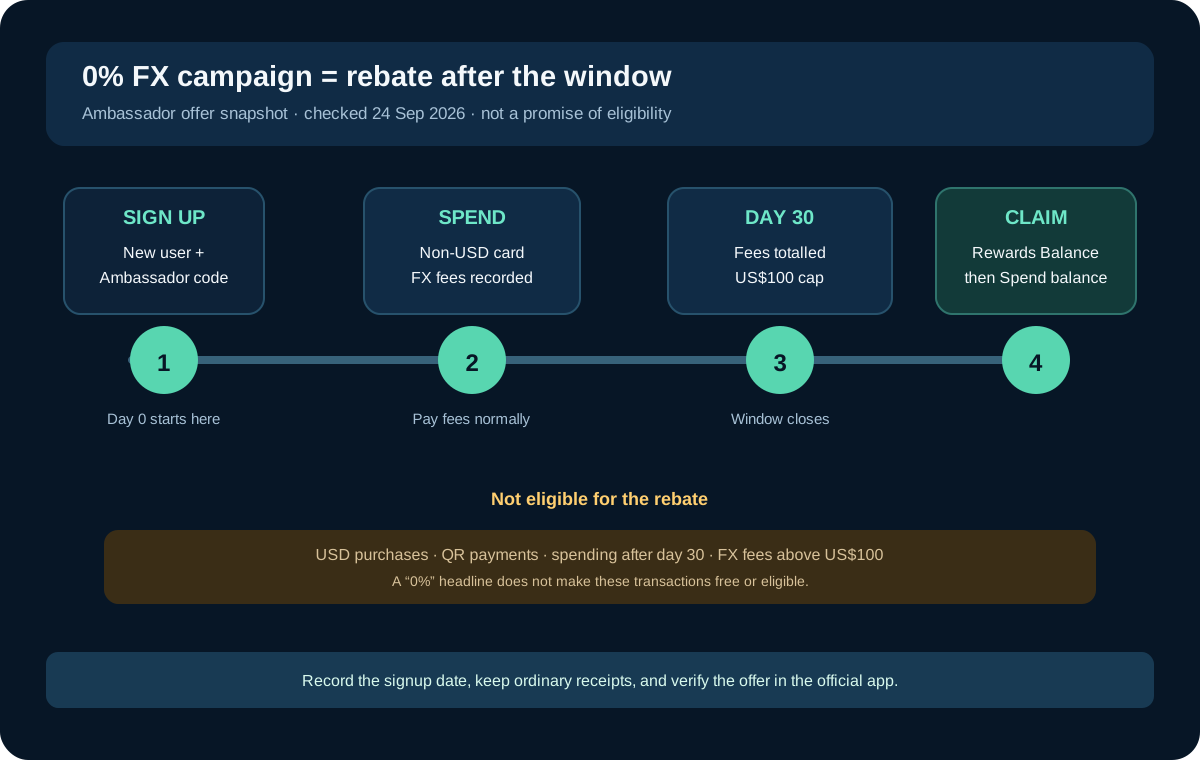
What the campaign actually changes
The published campaign page says an eligible new user can receive back FX fees paid during the first 30 days after signup, up to a US$100 cap. The fee is still charged during the purchase. At the end of the window, the eligible FX fees are totaled and the rebate is placed in the Rewards Balance for the user to claim.
That is different from three assumptions people often make:
- It is not a permanent zero-FX card.
- It is not an instant discount visible before every payment.
- It is not a promise that every purchase, QR payment or account will qualify.
The campaign page says it is available wherever Jupiter Spend works, but it also requires a new Jupiter Mobile user who signs up with an Ambassador referral code. An account that already exists, or one created without the qualifying code, is not covered by that offer according to the current page. Check the eligibility wording
The 30-day clock starts at signup
The campaign’s clock starts on the day you sign up. It does not wait for identity verification to clear, and it does not start when a physical card arrives. That makes the signup date a piece of evidence worth recording privately.
Before you create the account, note:
1. The date and time you intend to sign up. 2. The exact referral URL or code you were given. 3. The campaign wording visible before you continue. 4. The country of residence and card issuer the app assigns.
Do not create a second account to restart the window. Jupiter’s rewards documentation says self-referrals, duplicate accounts, manufactured spending and suspicious referral patterns can be withheld or reversed. If the offer is important to your decision, preserve the original sign-up context and use one legitimate account. Read the rewards safeguards
What counts as an FX fee
The campaign page describes the rebate as covering amounts labelled FX fee on transactions in the Jupiter Mobile app. That is narrower than “every cost connected to a payment.” A bank transfer fee, card order charge, network fee, merchant surcharge or other line item should not be assumed to be part of the rebate.
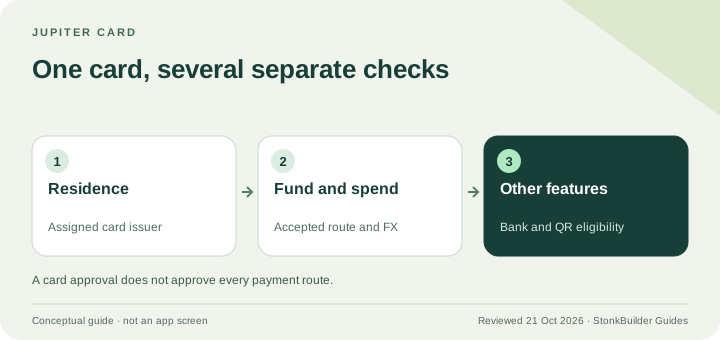
The Jupiter Card documentation says the Spend balance is shown in USD; deposited stablecoins are not automatically converted to USD on arrival. Non-USD card payments carry the issuer’s standard FX fee: 1% for Rain or 1.8% for DCS in the current fee table. USD payments have no FX conversion fee. The assigned issuer depends on the country of residence; you do not choose the issuer to obtain a preferred rate. Read the card and issuer rules
A simple example shows the limit of the offer. If a qualifying non-USD card payment shows a $1.80 FX fee, that visible fee may be part of the total counted toward the campaign cap. The purchase amount itself is not refunded, and the rate used for the currency conversion does not become zero. Use the fee line in your own transaction as the evidence rather than estimating from a headline percentage.
Card spending and QR Pay are different
The campaign page says the rebate is on card spend because that is where the FX fee appears. QR payments do not carry a separate FX fee under the campaign explanation, so there is no FX fee to rebate there.
That does not make QR Pay inferior. It means the campaign is not a reason to choose a payment route that does not fit the merchant or your region. QR Pay has its own supported markets, issuer requirements and limits. Choose the route based on whether it reaches the merchant safely, then read the transaction screen for the actual currency and fee. Compare the QR Pay route
USD card spending also does not create a rebate because the documented FX fee is zero. A campaign cap is not a spending target. Never spend more, convert more, or create a payment merely to chase a rebate.
The rebate is capped and delayed
The current campaign limit is US$100 of FX fees during the first 30 days. Fees above that cap remain paid. The campaign page says the rebate is credited at the end of the 30 days, placed in the Rewards Balance, and then claimed by the user; it does not arrive as an instant reduction at the till.
Keep the transaction record that shows:
- purchase date and whether it falls inside the 30-day window;
- currency and amount;
- card issuer, if shown;
- the transaction’s FX-fee line;
- the final settlement state.
The Rewards documentation says cashback is credited only after a transaction fully settles, and it lists refunded, reversed, disputed, chargeback, fee, transfer, remittance, QR, ATM and other categories as ineligible for rewards. The campaign page separately says transactions after day 30, USD spending and fees above the cap do not count. Treat the narrower, current campaign wording and the app’s Rewards screen as the authority for your account. Review rewards exclusions
A safe pre-signup checklist
Use this sequence before leaving for the official app:
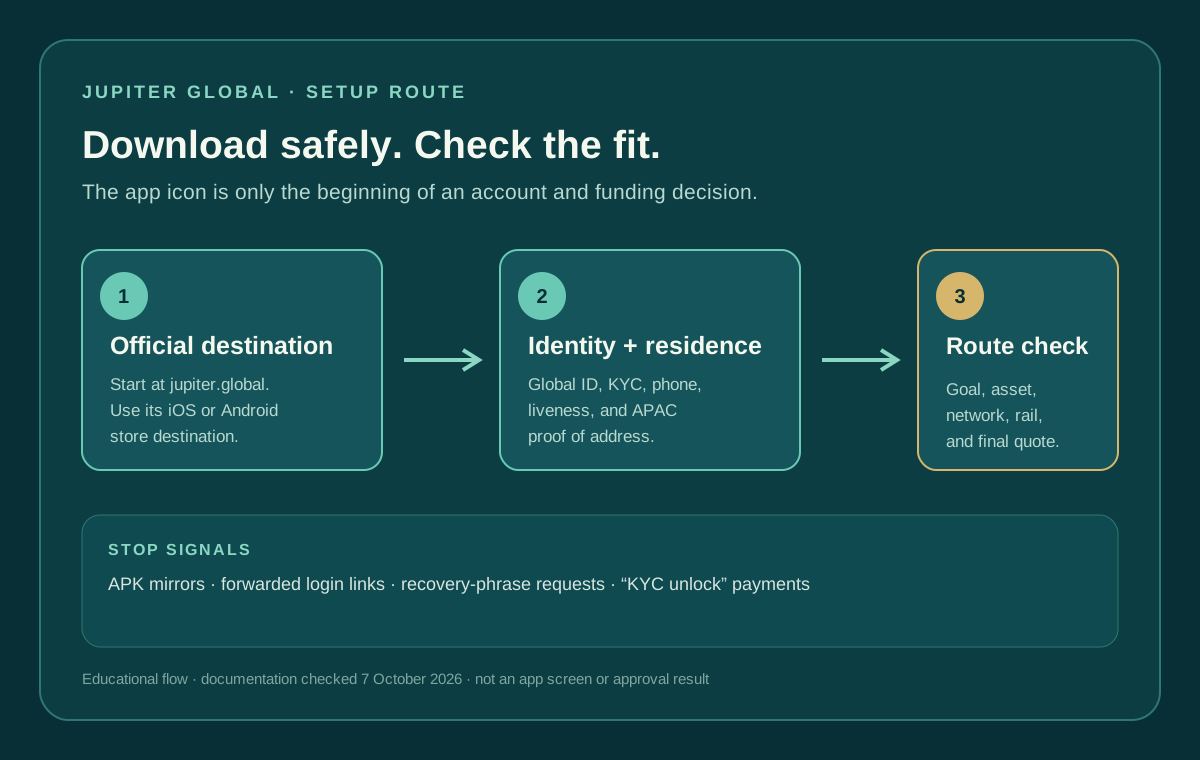
1. Confirm you are a genuinely new user for this campaign. 2. Open the current offer from the exact referral link and read whether it identifies an Ambassador code. 3. Record the sign-up date so the 30-day window cannot be guessed later. 4. Complete identity verification truthfully and wait for the card and balance state the app shows. 5. Make an ordinary purchase only when you already need it; keep the merchant receipt and transaction reference. 6. Check the transaction’s currency, settlement status and visible FX-fee line. 7. At the end of the window, open Rewards and check whether the rebate is waiting to be claimed.
Do not share a password, one-time code, recovery phrase, private key or full card security details with someone promising to activate the campaign. The campaign is attached to the official account and transaction record, not to a private message.
When the campaign is not the right reason to join
If your normal spending is in USD, if you mainly use QR Pay, if you already have a Jupiter account, or if the offer is not visible for your profile, the rebate may add no value. Compare the card’s ordinary funding, FX, issuer, merchant and country conditions first. Jupiter’s FAQ says availability depends on residence and regulated-product eligibility; the live app is the final check. Read the Spend FAQ
Use Route Finder to state whether the offer matters for Card spending, QR Pay or a bank route, then use Quote Compare with your own figures before treating the headline as a saving.
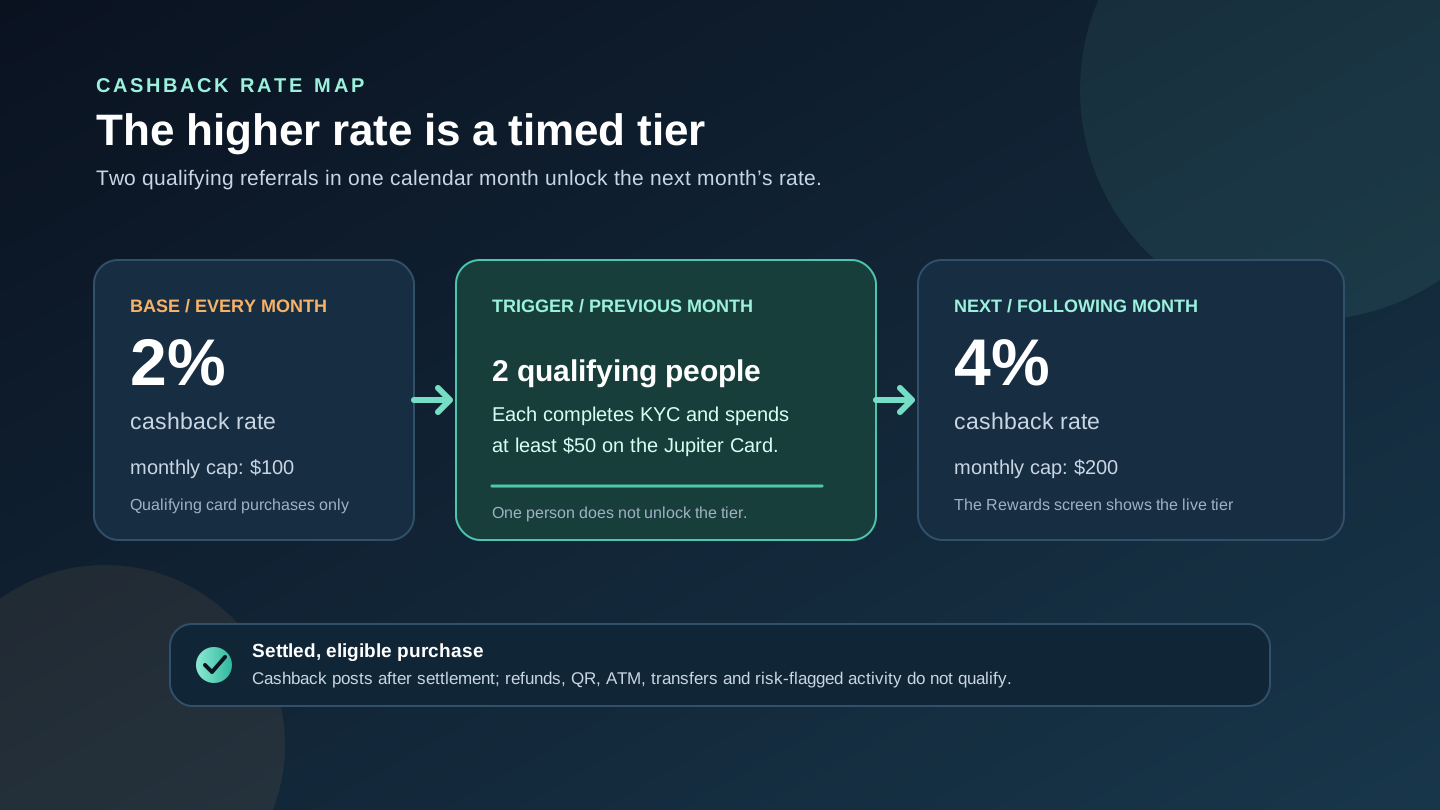
Before you rely on the offer, check whether it’s attached to your new account, what starts the clock, which fees count, and what happens after day 30. If you decide to join, sign up for Jupiter Global and read the campaign terms in the app first. Separate from any campaign, eligible Jupiter Card purchases earn 2% cashback, up to $100 a month.
Jupiter Global 0% FX fee campaign FAQ
Are FX fees waived immediately under the 0% campaign?
No. The current campaign says you pay eligible FX fees normally while spending. Jupiter totals them during the first 30 days and rebates them afterward, up to the US$100 cap.
Who can qualify for the Ambassador FX-fee rebate?
The offer is for a new Jupiter Mobile user who signs up with a Jupiter Global Ambassador’s referral code. An existing account or a signup without that code is not covered according to the current campaign terms.
When does the 30-day campaign window begin?
The clock starts on the day you sign up. It does not begin when identity verification clears or when a physical card arrives, so record the signup date and the offer shown before continuing.
Which fees count toward the US$100 rebate?
The campaign covers amounts labelled FX fee on transactions in the Jupiter Mobile app. USD spending has no conversion fee, QR payments have no separate FX fee, and fees after day 30 or above the cap remain paid.
How do I claim the rebate after the 30 days?
The rebate is placed in the Rewards Balance at the end of the window. Open Rewards, review the amount and claim it into the Spend balance; it is not an automatic reduction at checkout.
Sources
Checked against these sources on 21 October 2026.