A transfer rail with the lower percentage fee is not always cheaper. Fixed charges dominate small payments; variable charges matter more as the amount grows. This guide explains the break-even calculation and links to the fee break-even calculator, so you can compare the exact fee basis shown for your route instead of repeating a generic “cheapest” claim. Use the complete Jupiter Global fee guide when the route has more than one charge or funding step.
The formula is simple, but the inputs must match
For one rail, calculate:
total fee = fixed fee + (transfer amount × variable fee ÷ 100)
Compare two rails using the same source currency, destination, payment purpose, and fee basis. If one figure is a bank pay-in fee and the other is a recipient payout fee, the arithmetic can still run while the decision is meaningless. The calculator keeps the formula visible and labels its result as user-entered math.
The crossover amount comes from setting the two fee lines equal:
amount = (Rail B fixed fee − Rail A fixed fee) ÷ (Rail A variable rate − Rail B variable rate)
If the variable rates are equal, there is no percentage-driven crossover. The rail with the lower fixed charge remains lower for every positive amount. If the calculated crossover is negative or does not exist, do not invent a threshold.
What the current Jupiter table actually publishes
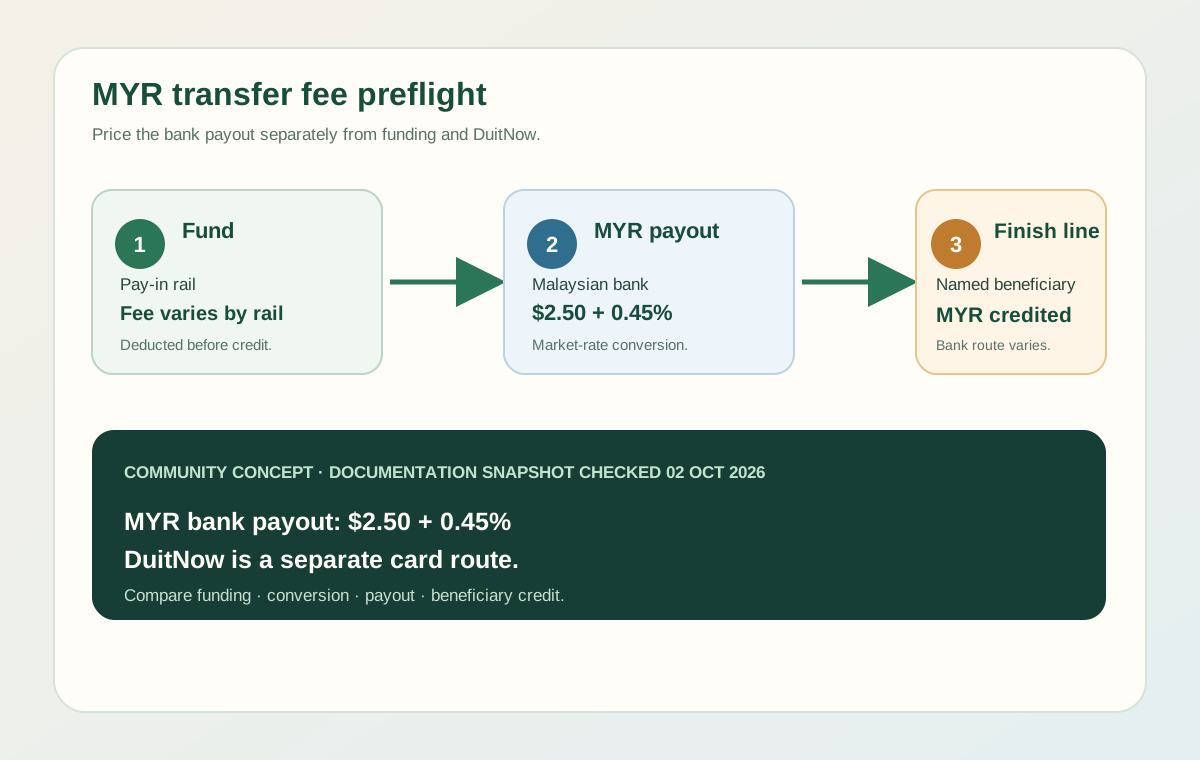
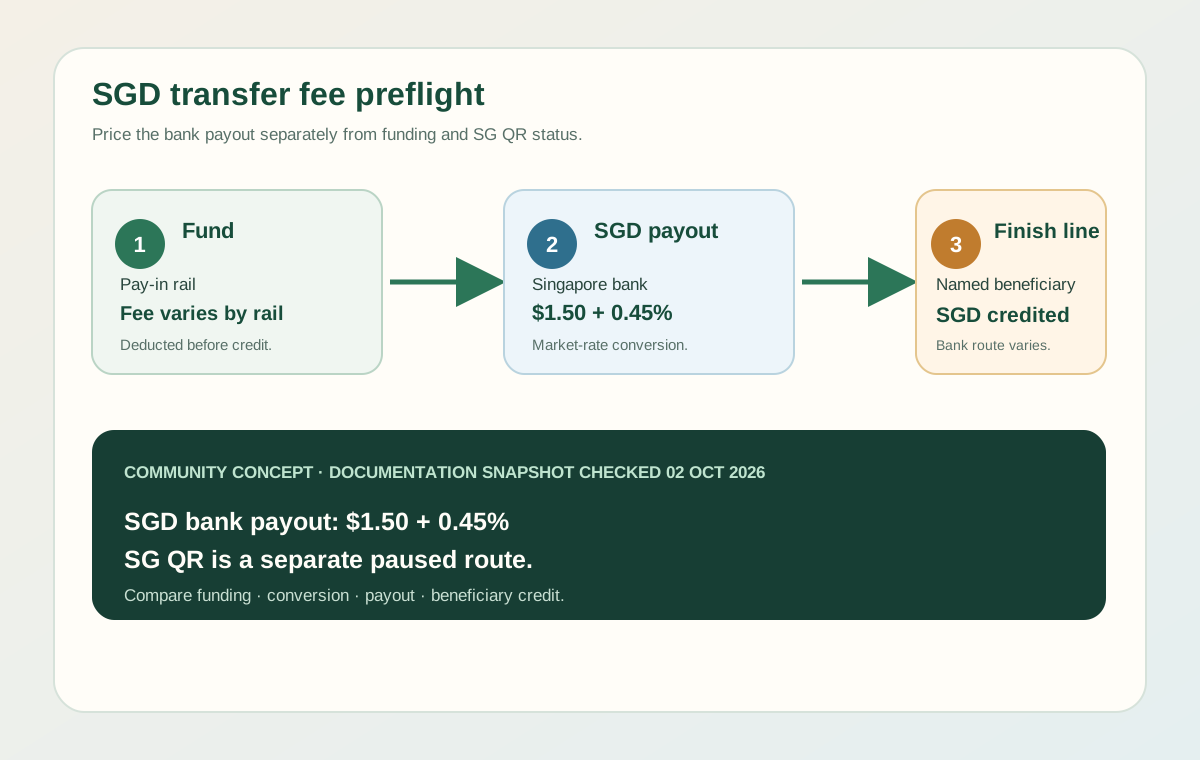
The current Jupiter fee page lists fixed and variable charges by rail. For incoming bank funding, it lists SEPA at EUR 0.87 plus 0.10%, ACH at $2 plus 0.05%, Fedwire at $20 plus 0.05%, and SWIFT at $30 plus 0.05%. Outgoing payouts have their own currency and destination rows; for example, the current table lists PHP and VND bank payouts at $2.50 plus 0.45%. These are the published rates, and not every rail appears in every account. Current fee table
Do not compare SEPA and ACH solely because both are called “bank transfer.” They use different currencies and eligibility conditions. Convert nothing by hand unless you have a clearly stated basis and a current quote. For a payout, compare the final amount the recipient can use after all known charges, not just the fee shown in a marketing summary. Remittance overview
A worked example with sample numbers
Suppose two same-currency routes have these entered inputs:
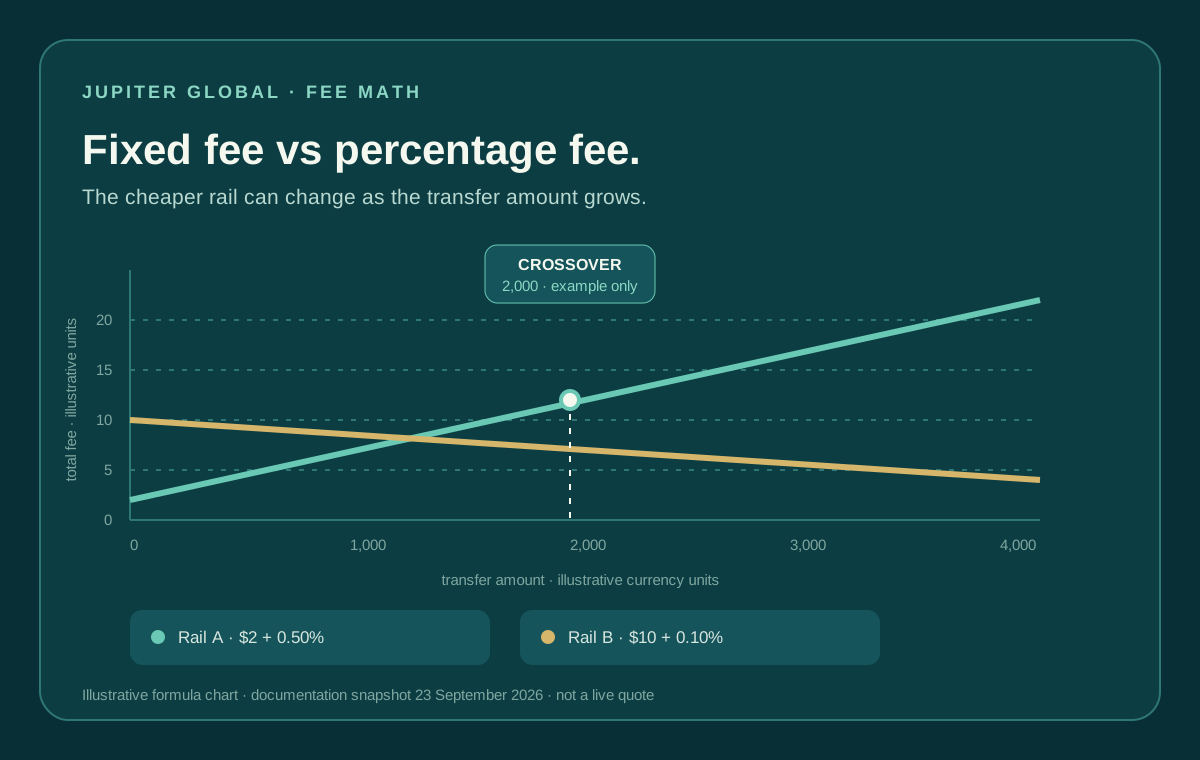
- Rail A: fixed fee 2 and variable fee 0.50%.
- Rail B: fixed fee 10 and variable fee 0.10%.
At 1,000, Rail A costs 7 and Rail B costs 11, so Rail A is lower. The lines meet at 2,000. Above that amount, Rail B’s lower percentage can offset its larger fixed fee. These numbers explain the shape of the calculation; they are not Jupiter quotes. Replace them with the current figures from the relevant fee screen before relying on the result.
The tool’s example mode uses the same clearly labelled teaching values. It does not call an exchange-rate API, read an account, or decide whether a corridor is available.
Use the Route Finder after the arithmetic to record where the money actually needs to go: recipient bank, card purchase, QR payment, or crypto funding. A lower formula result is useful only when both routes can reach the same outcome.
Add the costs the fee table does not settle
A break-even result is only one part of a transfer decision. Check the bank’s outgoing charge, intermediary deductions, currency conversion, recipient-bank fees, delivery timing, beneficiary requirements, and any account or corridor restriction. Jupiter’s FAQ says most bank transfers arrive within 1–3 business days, and it lists a payout limit set for each currency and shown in the app; the current app and destination fields remain the authority for an individual transfer. Transfer timing and limits
A fixed fee can also make a small payment uneconomical even when the route is technically supported. Jupiter’s fee documentation says fees are deducted from incoming deposits and warns that a deposit too small to cover its fees may result in nothing being credited and no refund. That is a reason to calculate before sending, not a reason to split a payment or bypass normal verification. Pay-in fee warning
Use the result without overclaiming
1. Copy the current fixed and variable figures from the same official fee table or quote. 2. Confirm that both rails serve the same currency, destination, and direction. 3. Enter the amount you actually expect to send, not an attention-grabbing round number. 4. Compare the fee at that amount and inspect the crossover, if one exists. 5. Recheck the live confirmation screen immediately before authorizing.
The calculator answers one question: at what amount do two fee structures cost the same? It can’t tell you whether a rail is available on your account or how fast a bank will post the money. If the Jupiter route comes out ahead for your currency and corridor, sign up for Jupiter Global and check the current fees in the app before sending. Eligible Jupiter Card purchases also earn 2% cashback, up to $100 a month.
Jupiter Global fee break-even calculator FAQ
What does a fee break-even point mean?
It is the amount where two fee formulas cost the same when the inputs use the same currency, direction, destination and fee basis. It does not prove that either route is available or better for your actual transfer.
Why can a fixed-fee route be cheaper for a small transfer?
A fixed charge takes up more of a small payment. A route with a lower percentage fee may become cheaper only after the amount is large enough to offset its higher fixed charge.
Can I compare a bank pay-in fee with a payout fee?
Not meaningfully. They apply to different steps and may use different currencies, beneficiaries and eligibility rules. Compare like-for-like rails and include every remaining cost before choosing.
Are the calculator’s example numbers live Jupiter quotes?
No. The worked figures are sample teaching values. Replace them with the current fee-table or in-app quote inputs for your route before authorizing a transfer.
What should I check after the calculator shows a lower fee?
Confirm the current account rail, currency, corridor, beneficiary fields, delivery timing, bank deductions and final recipient amount. Recheck the official confirmation screen immediately before sending.
Sources
Checked against these sources on 21 October 2026.